Running an end-of-life framework version like Laravel 6, 7, 8, or 9 in production is one of the most common forms of technical debt facing modern web businesses. While your application might seem to function fine on the surface, beneath the hood you are running unsupported PHP versions, missing critical security patches, suffering from slow execution speeds, and fighting dependency lock-in every time a new library is needed.
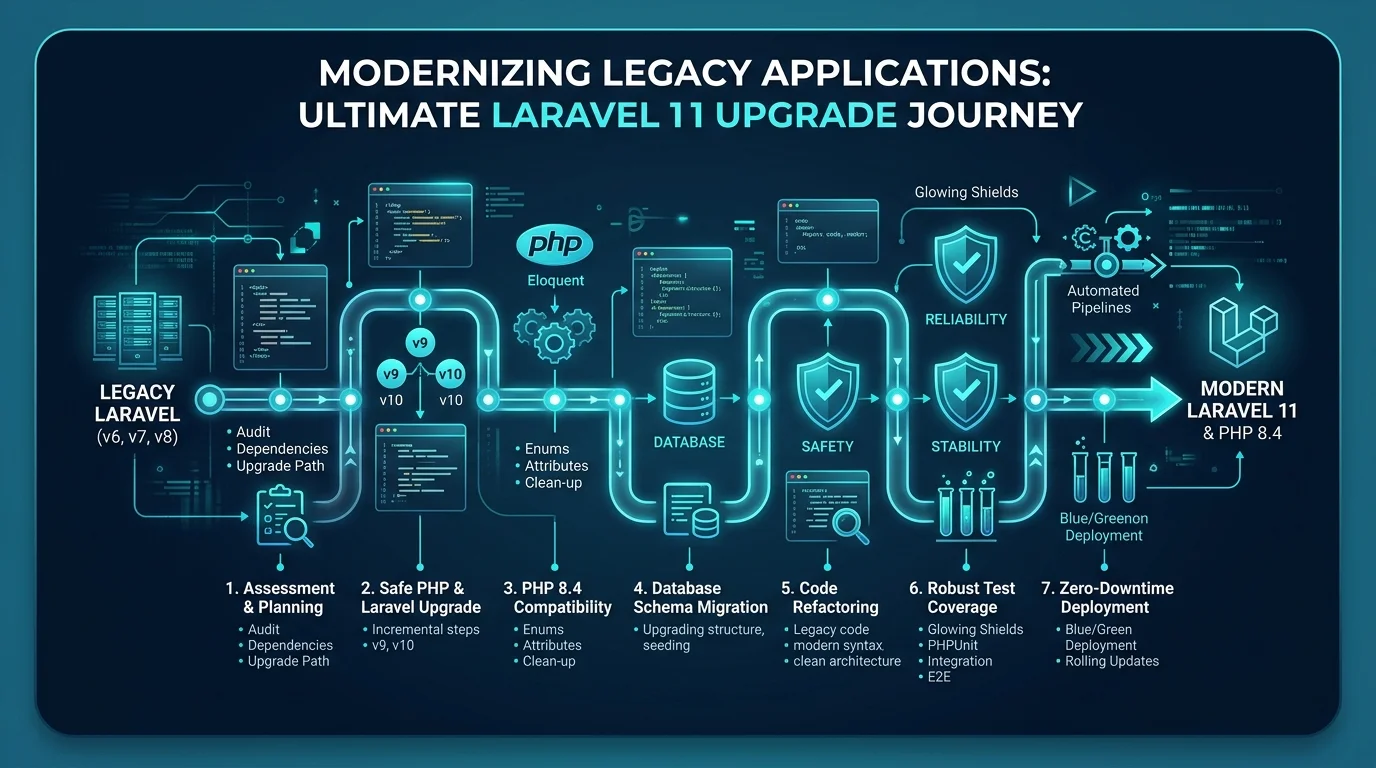
Upgrading to Laravel 11 and PHP 8.4 unlocks 3x faster request cycles, modern typed attributes, streamlined configuration files, and access to the latest Laravel ecosystem tools. If you are preparing to modernize your stack or need an experienced engineer to upgrade your old software, this guide walks through the exact 7-step engineering framework I use to take legacy codebases to Laravel 11 without customer downtime.
1. The Pre-Upgrade Audit: Dependency Health & PHP Compatibility
Before touching a single line of framework code, you must inventory every dependency inside your composer.json. Legacy applications almost always depend on packages that were abandoned years ago.
Run the Composer diagnostic commands to inspect outdated packages and identify blockers:
# Check all outdated dependencies against packagist
composer outdated --direct

# Inspect packages requiring older PHP versions
composer why php
Categorize Your Dependencies into Three Buckets:
- First-Party Laravel Packages: (
laravel/sanctum,laravel/horizon,laravel/cashier). These have clean upgrade tracks mapped to each Laravel version. - Active Community Packages: (
spatie/laravel-permission,barryvdh/laravel-debugbar). These support modern PHP 8.3 and 8.4 natively. - Abandoned / Locked Packages: Packages whose last commit was 4+ years ago. For these, plan ahead:
- Identify modern replacements.
- Or prepare to inline the class logic directly into your app namespace (
app/Support/...).
2. Establish Safety: Test Coverage and Smoke Testing
Never attempt a framework version jump without an automated safety net. If your legacy codebase has low test coverage, writing end-to-end tests for every edge case before starting is unrealistic. Instead, build a High-Risk Smoke Test Suite:
Create high-level Feature tests for your core revenue paths:
- User authentication and session persistence
- Primary API endpoints consumed by mobile apps or third parties
- Checkout and payment webhook receivers
- Heavy database reports and background queue dispatchers
namespace Tests\Feature;

use Tests\TestCase;
use App\Models\User;

class CriticalPathSmokeTest extends TestCase
{
    public function test_checkout_and_billing_pipeline_operates_cleanly(): void
    {
        $user = User::factory()->create();

        $response = $this->actingAs($user)->postJson('/api/v1/orders', [
            'package_id' => 1,
            'payment_token' => 'tok_test_sample',
        ]);

        $response->assertStatus(201)
                 ->assertJsonStructure(['order_id', 'status']);
    }
}
Having even 10 critical path smoke tests ensures that when you step through versions, database serialization bugs or route signature changes are caught immediately.
3. The Sequential Step-Up Strategy (Never Skip Majors)
The number one mistake teams make is attempting to jump straight from Laravel 7 to Laravel 11 in a single pull request. This produces hundreds of conflicting Composer errors and untraceable runtime regressions.
You must step through each major version incrementally:
$$\text{Laravel 6} \longrightarrow \text{Laravel 7} \longrightarrow \text{Laravel 8} \longrightarrow \text{Laravel 9} \longrightarrow \text{Laravel 10} \longrightarrow \text{Laravel 11}$$
For each incremental jump:
- Review the official upgrade guide for that release.
- Update
composer.jsonframework requirements:"require": { "php": "^8.2", "laravel/framework": "^10.0" } - Run
composer update --with-all-dependencies. - Run your test suite:
vendor/bin/phpunitorphp artisan test. - Fix breaking changes introduced in that version.
- Commit the stable intermediate state before advancing to the next version.
4. Key Architectural Shifts to Handle in Laravel 11
When reaching Laravel 11, the framework introduces its biggest structural simplification in years. Understanding these differences prevents confusion:
The Slimmed Directory Skeleton
Laravel 11 eliminates app/Http/Kernel.php, app/Console/Kernel.php, and redundant middleware classes by default. Everything is configured via closures inside bootstrap/app.php:
use Illuminate\Foundation\Application;
use Illuminate\Foundation\Configuration\Exceptions;
use Illuminate\Foundation\Configuration\Middleware;

return Application::configure(basePath: dirname(__DIR__))
    ->withRouting(
        web: __DIR__.'/../routes/web.php',
        api: __DIR__.'/../routes/api.php',
        commands: __DIR__.'/../routes/console.php',
        health: '/up',
    )
    ->withMiddleware(function (Middleware $middleware) {
        $middleware->redirectGuestsTo('/login');
        $middleware->throttleApi();
    })
    ->withExceptions(function (Exceptions $exceptions) {
        // Custom reportable / renderable exception handlers
    })->create();
Model Casts to Method
In legacy Laravel, attribute casts were defined as an array $casts = [...]. In modern Laravel, prefer the casts() method:
protected function casts(): array
{
    return [
        'email_verified_at' => 'datetime',
        'is_active' => 'boolean',
        'settings' => 'array',
    ];
}
5. Modernizing Database Queries and Schema Compatibility
Legacy applications often contain raw MySQL queries that break under newer strict MySQL/PostgreSQL SQL modes or PHP 8 dynamic typing rules:
- MySQL
ONLY_FULL_GROUP_BY: Legacy queries grouping by a single column while selecting non-aggregated columns will fail. - PHP 8 Type Juggling: Strict typing in PHP 8.4 triggers
TypeErrorexceptions if string values are passed to functions expecting integers or floats. - Null Safety: Accessing properties on null objects (
$user->profile->avatar) which previously threw warnings now throws fatal fatalErrorexceptions. Replace them with the nullsafe operator ($user?->profile?->avatar).
6. Zero-Downtime Deployment Strategy
Upgrading in production does not require a maintenance window or taking the application offline:
- Spin up a Parallel Staging Environment: Mirror your production operating system (Ubuntu 24.04 LTS with PHP 8.4, Nginx, Redis 7, MySQL 8).
- Replicate Production Data: Import an anonymized production database dump and run
php artisan migrate. - Execute Comprehensive Regression Tests: Verify that background workers, scheduled cron jobs, and queues execute without exceptions.
- Blue/Green DNS Cutover: Once verified, point your load balancer or Nginx upstream configuration to the new PHP 8.4 / Laravel 11 server instance. If any unexpected issues occur, instant rollback takes less than 10 seconds.
7. Next Steps: Modernize Your Codebase Today
Keeping your Laravel application on modern versions protects customer data, cuts server infrastructure costs through PHP 8 performance improvements, and ensures your engineering team can hire top talent who love working on modern tooling.
If you don't have the in-house bandwidth to navigate dependency deadlocks and schema migrations alone, take a look at our Legacy Software Modernization Services or hire dedicated senior engineering support on an Hourly Developer basis. Book a discovery consultation to review your codebase and receive a fixed-price upgrade roadmap.