What customers look for on a plumber's website
People reach a plumber's website in one of two moods. The first is panic: water is coming through the ceiling, the toilet is overflowing or the water heater is leaking into the garage. That visitor is on a phone, often with wet hands, and needs one thing: a number they can tap immediately, and some reassurance that a person will answer. Every second spent hunting for a phone number is a second they might spend calling the next plumber on the list.
The second visitor is planning: a water heater that is getting old, a drain that keeps backing up, a bathroom remodel or a repipe. They want to understand their options, get a feel for what it will cost, check that you work in their area and ask for a quote without having to make a call during working hours. They compare two or three plumbers, and the one that explains the job clearly and shows prices honestly usually gets the enquiry.
Both visitors want the same proof before they trust you: a real license or licence, insurance, a clear promise about pricing, and evidence that you know the local housing stock.
How the demo handles it
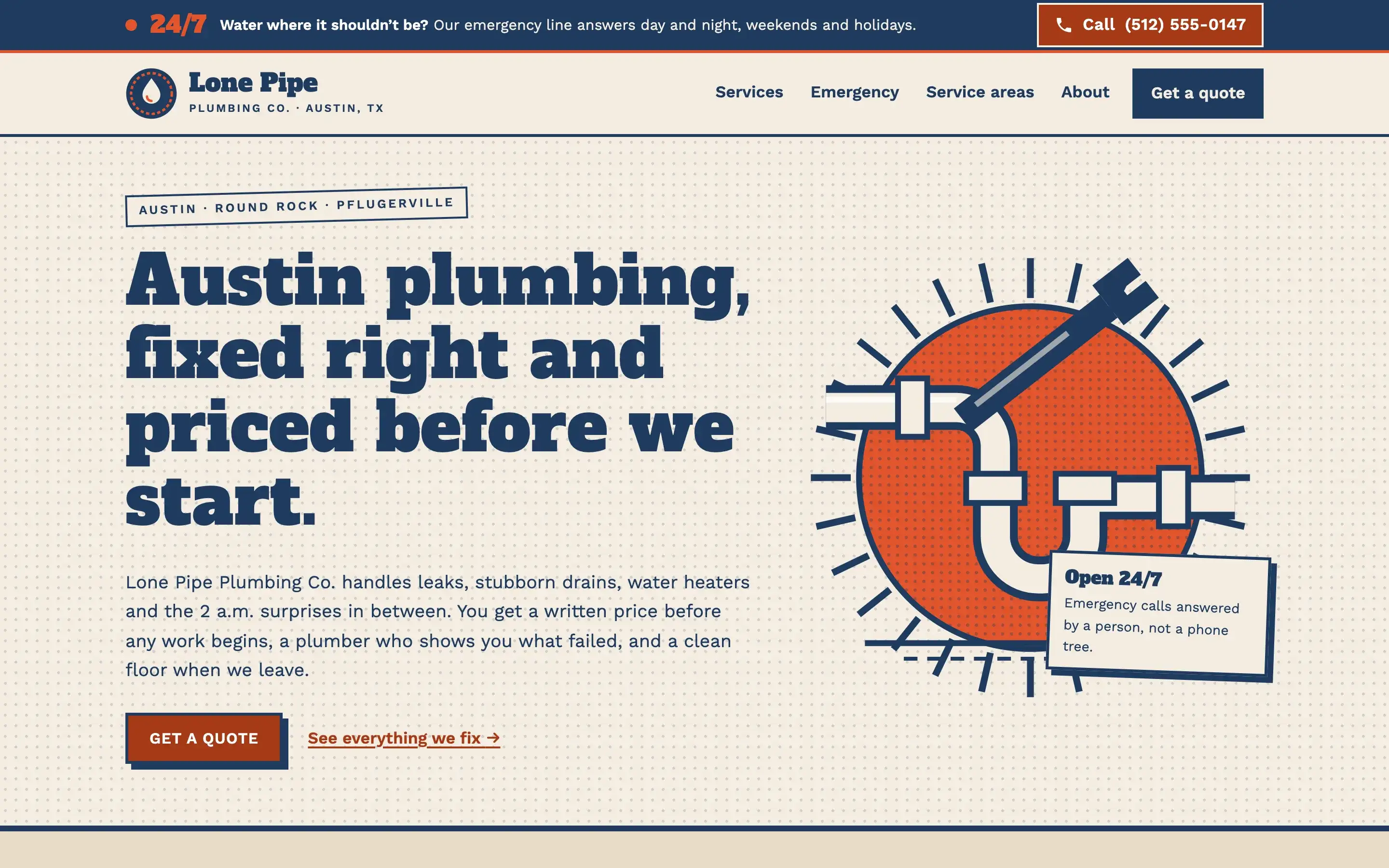
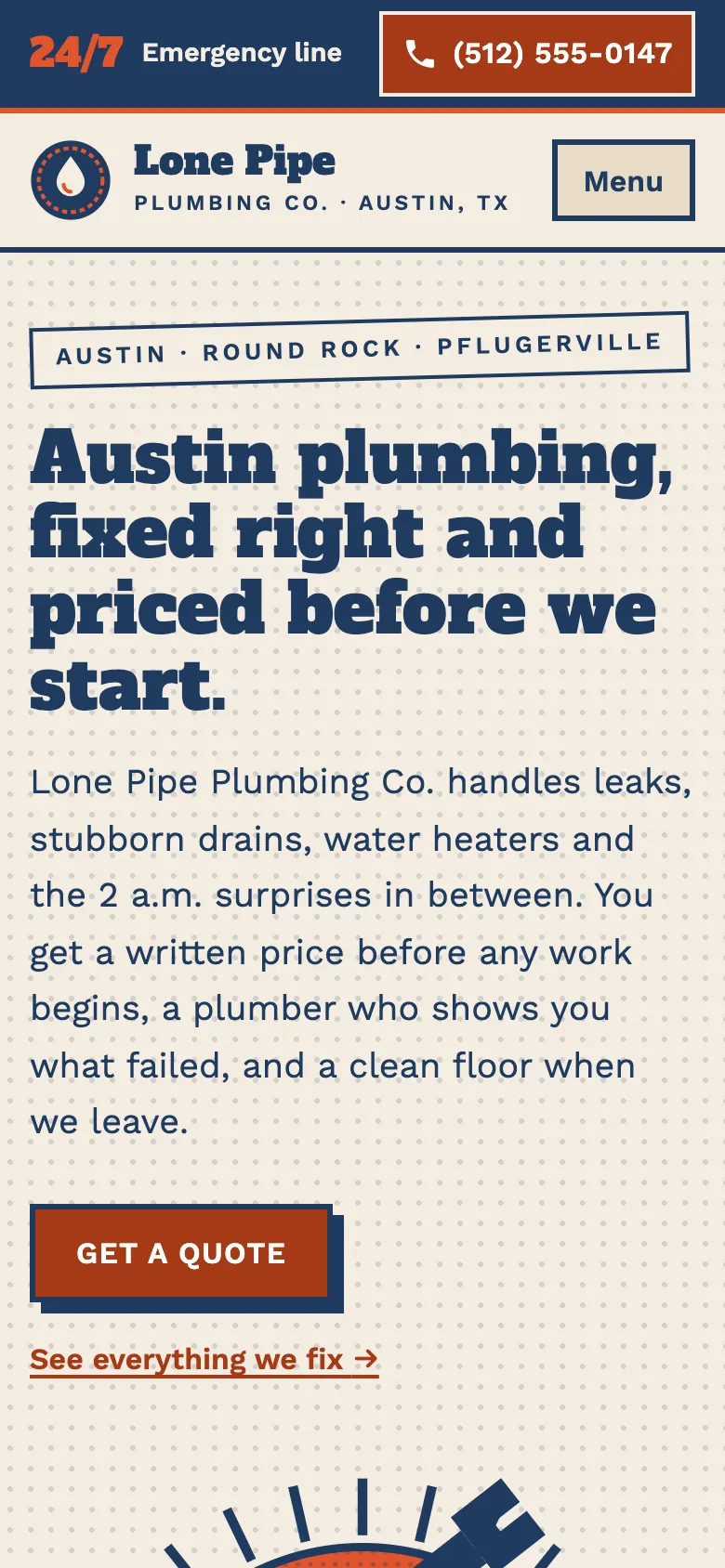
The demo, Lone Pipe Plumbing Co., is a fictional Austin, Texas plumber designed in a retro print style: slab headlines, stamps, ticket stubs and two-colour poster illustrations. It looks nothing like the usual stock-photo plumbing template, which helps a small company stand out in a crowded local market.
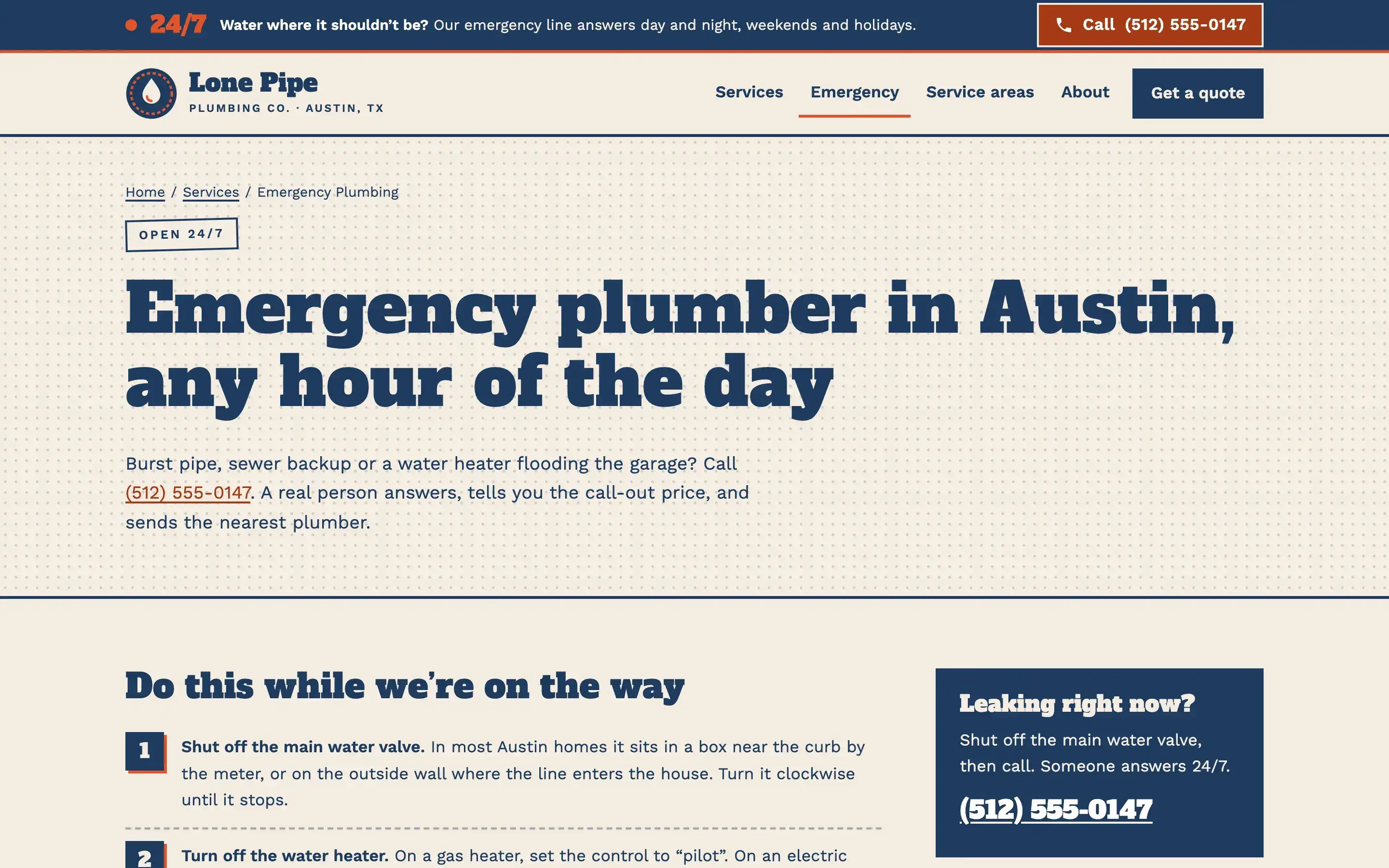
A 24/7 emergency bar stays at the top of every page, with the phone number written out and a single tap to call on a phone. The emergency page goes further: a numbered checklist of what to do while the plumber is on the way, such as finding the main shut-off valve, turning off the water heater and opening a low faucet, so the visitor gets real help and remembers who gave it.
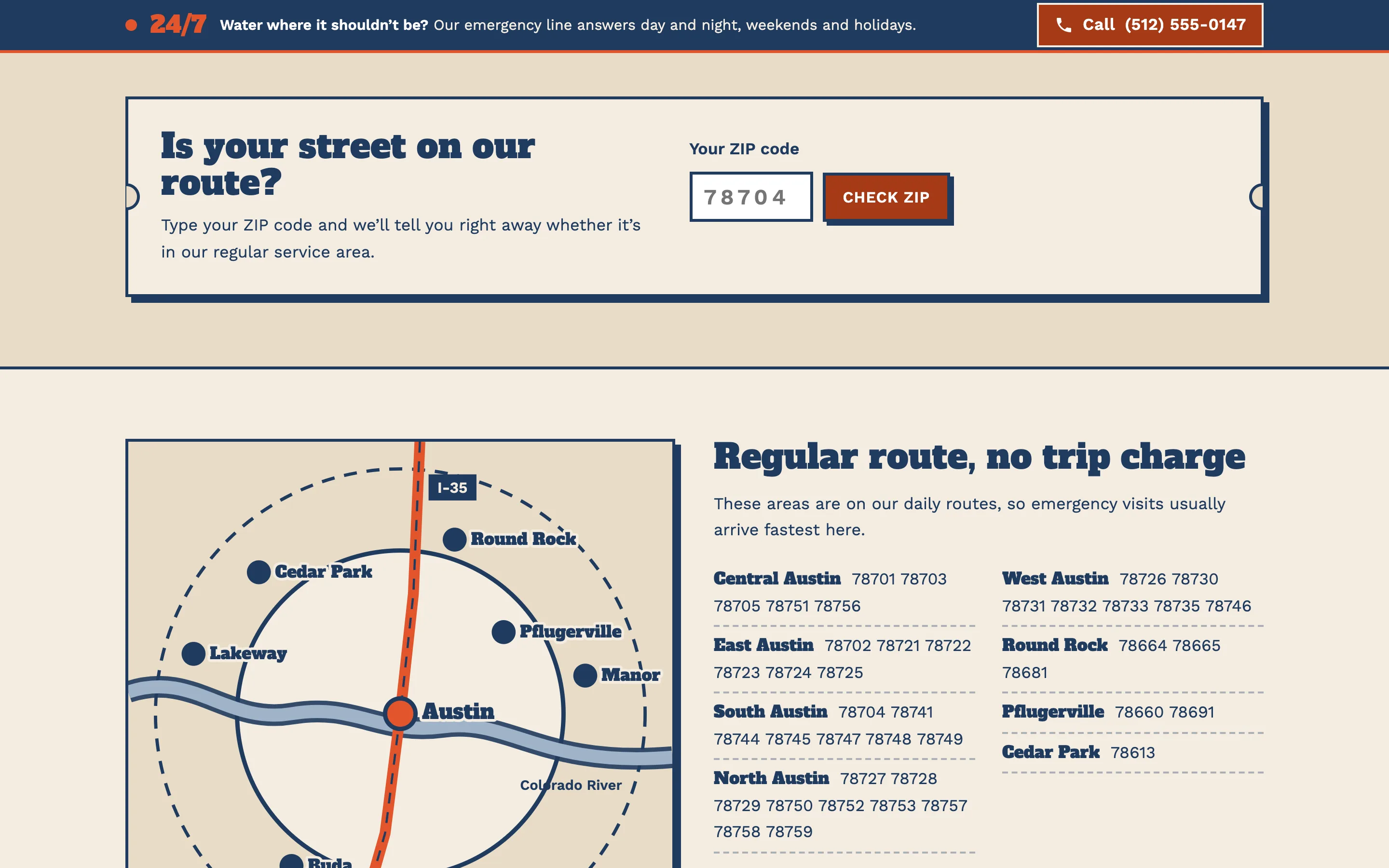
A ZIP-code checker on the home page and the Service Areas page answers in one line whether the address is on the regular route, in the extended area with a possible trip charge, or outside the area. It saves your dispatcher from fielding calls you can't take.
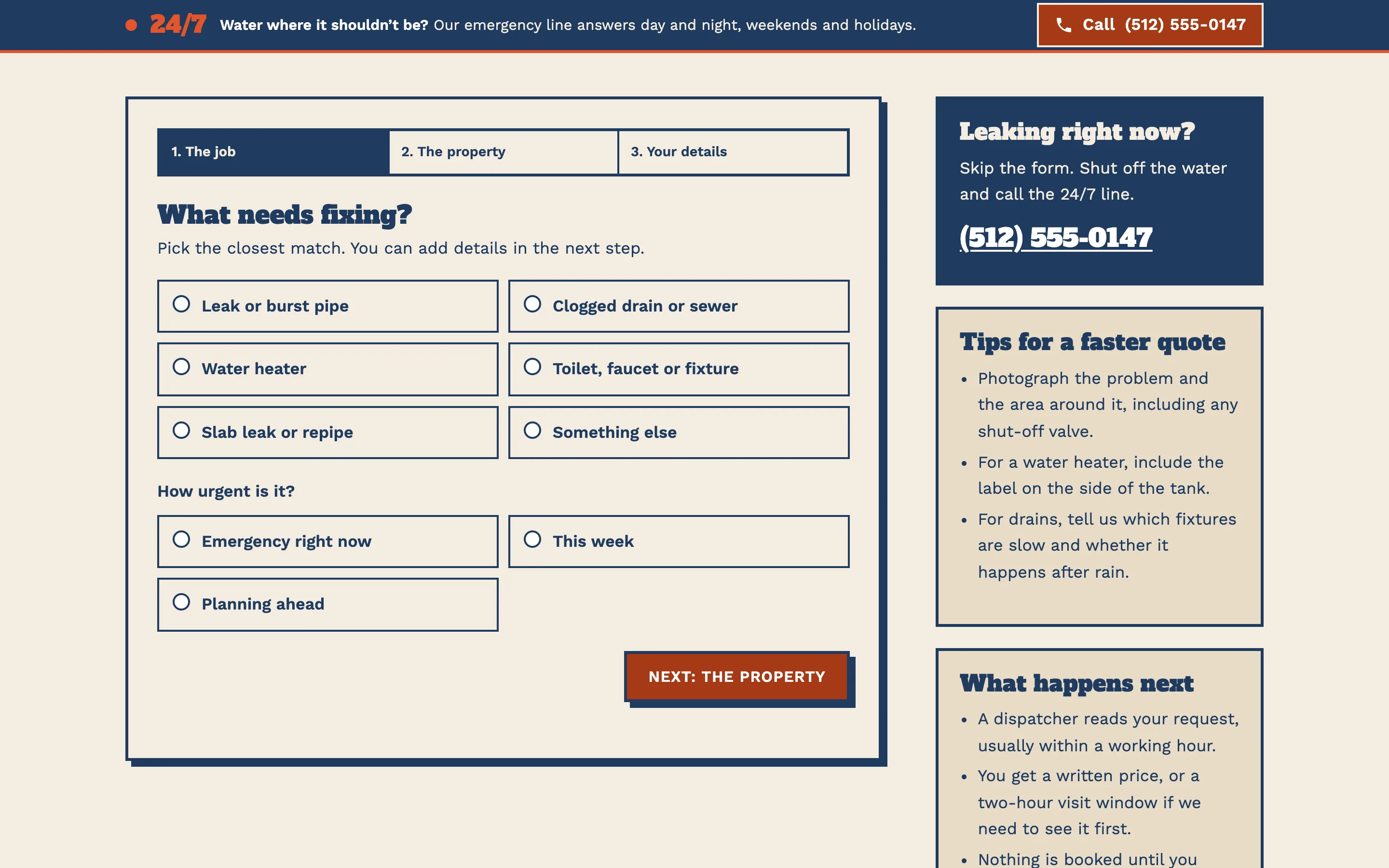
The quote form is split into three short steps: what needs fixing and how urgent it is, the property and a description with photos, then contact details. Choosing "Emergency right now" shows a prompt to call instead, because a form is too slow for an active leak. Each step validates as you go, so your office receives complete, usable requests.
Pages included
- Home: emergency bar, hero with the pricing promise, ZIP checker, six service cards, a four-step "how a visit works" strip, sample prices, local know-how and sample reviews.
- Services: every service in one place, including slab leak detection, repipes and fixtures, with a table of sample starting prices.
- Emergency Plumbing: the do-this-now checklist, what counts as an emergency, after-hours pricing and frozen pipes.
- Drains & Sewer: one drain or the main line, cable, hydro-jetting and camera inspection, and repair options from spot repair to lining.
- Water Heaters: repair or replace, tank or tankless, hard-water care, permits and inspections.
- Service Areas: the checker, an illustrated map, and neighborhood and city lists with ZIP codes.
- About: how the company works, the team as illustrated profiles, and license and insurance placeholders.
- Get a Quote: the three-step form, with tips for a faster quote and what happens next.
Local SEO set-up
Every page carries one JSON-LD graph with a Plumber node: name, phone, email, logo, share image, opening hours (24/7 for emergency work) and the cities served as areaServed. The service pages add Service and Offer nodes with the sample starting price, and every inner page has a BreadcrumbList. Reviews are never marked up as Review or AggregateRating: Google does not show review stars for reviews a business publishes about itself, and the demo reviews are labelled as samples anyway.
Titles follow the pattern service plus city plus brand, such as "Emergency Plumber in Austin, TX, 24/7", and every description stays within the length Google shows. Service-area content lives on one strong page with real local detail rather than thin city pages. For a live client we match the site's name, phone number and service area to the Google Business Profile, choose the Plumber primary category and matching secondary categories, and link the profile from the structured data so search engines see one consistent business.
Plumber websites by country
USA
US plumbing sites are written in US English with prices in dollars and imperial units: gallons for water heaters, gallons per minute for tankless units, feet for sewer lines. Service areas are usually described by city and ZIP code, which is why the demo's checker uses ZIP codes. Most states license plumbers, so the license number belongs in the footer. Accessibility matters too: websites of local businesses are regularly the target of ADA claims, and the demo is built to WCAG 2.2 AA with labelled forms, visible focus and strong contrast.
Canada
Canadian sites use Canadian English (centre, colour) with prices in dollars and metric units, although many plumbers still talk about pipe sizes in inches, so we follow the way your customers speak. The checker works with postal codes, usually by the first three characters, the forward sortation area. Winter dominates the content: frozen and burst pipes, sump pumps, backwater valves and city rebate programmes for flood protection are worth their own sections. In Québec, the site needs a French version, and we build it as a full second language with its own URLs.
Australia
Australian plumbing sites use Australian English, dollars and metric units, and mobile numbers are often shown as prominently as the office line. Plumbers are licensed by each state and territory, and the licence number belongs in the footer and on quotes, along with the ABN. Typical content includes hot water systems (electric, gas, heat pump and solar), blocked drains caused by tree roots, backflow testing for commercial clients and compliance certificates. The service-area checker works with postcodes and suburb names.