The product
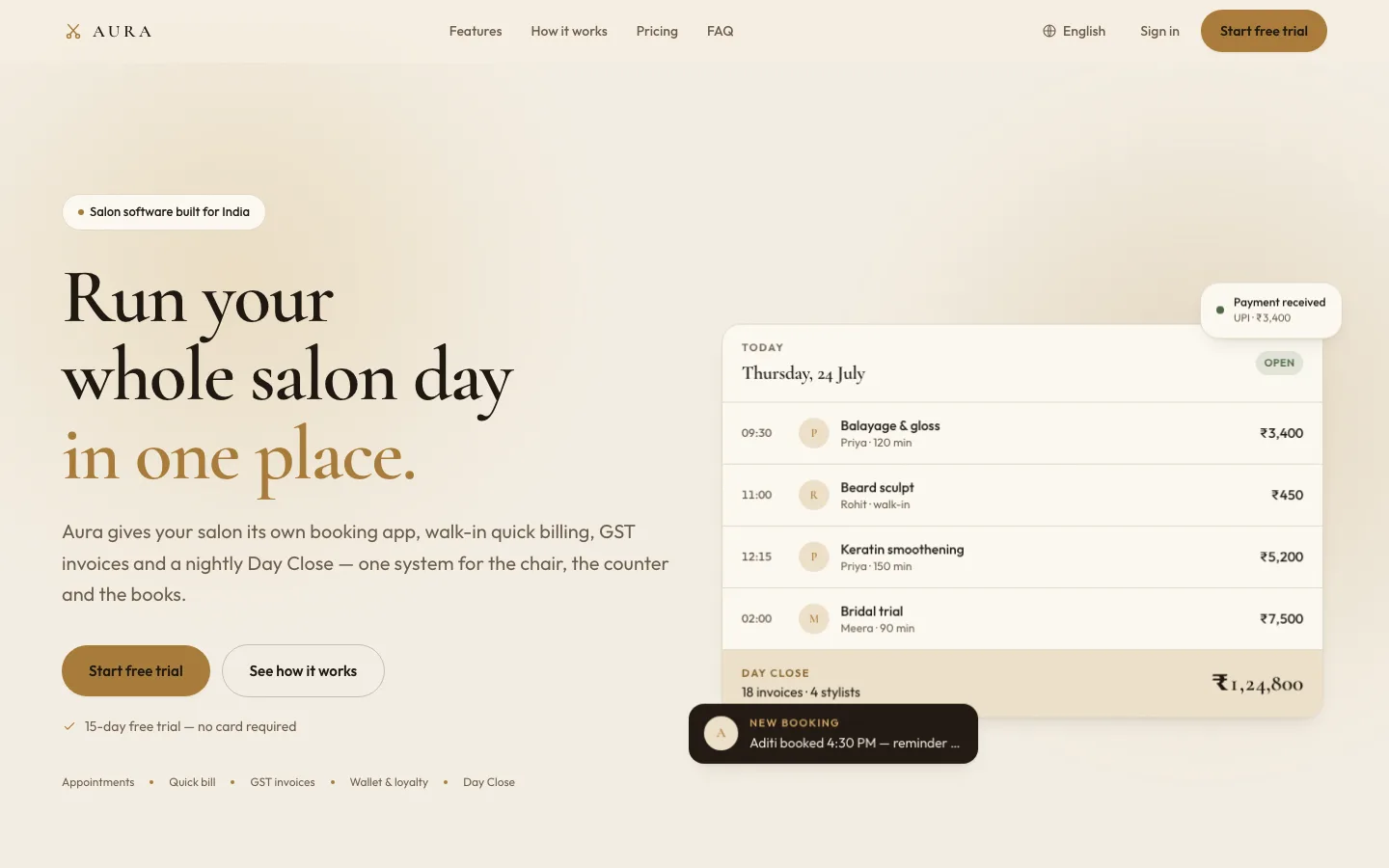
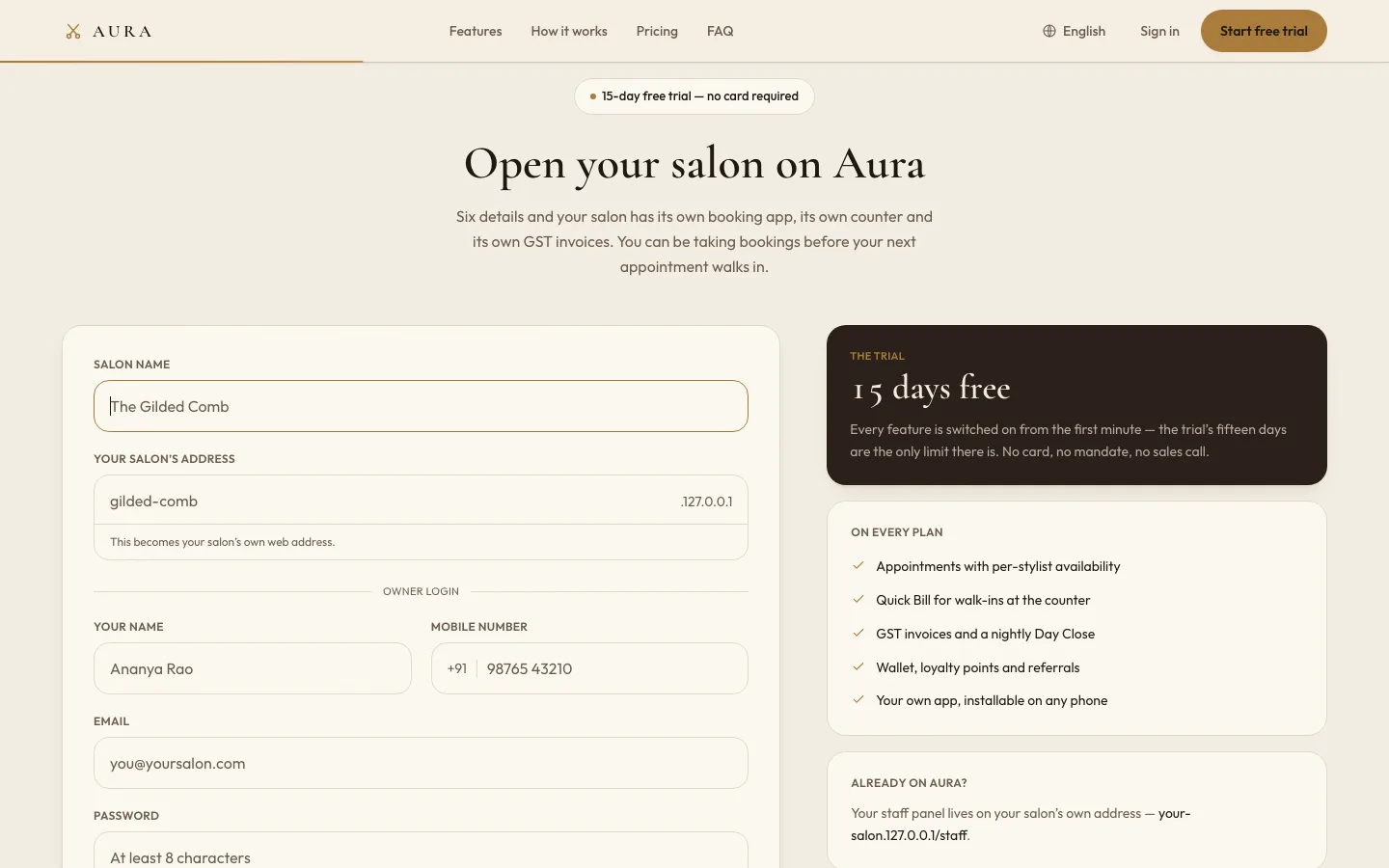
Aura is salon software for India, built as one platform that many salons share. A salon owner signs up on the product website, chooses an address for the salon and is working straight away on a free trial: their own booking app for customers, a staff panel for the team, and invoices from the first bill. Behind them sits a platform admin that runs trials, subscriptions, announcements and support for every salon on the system.
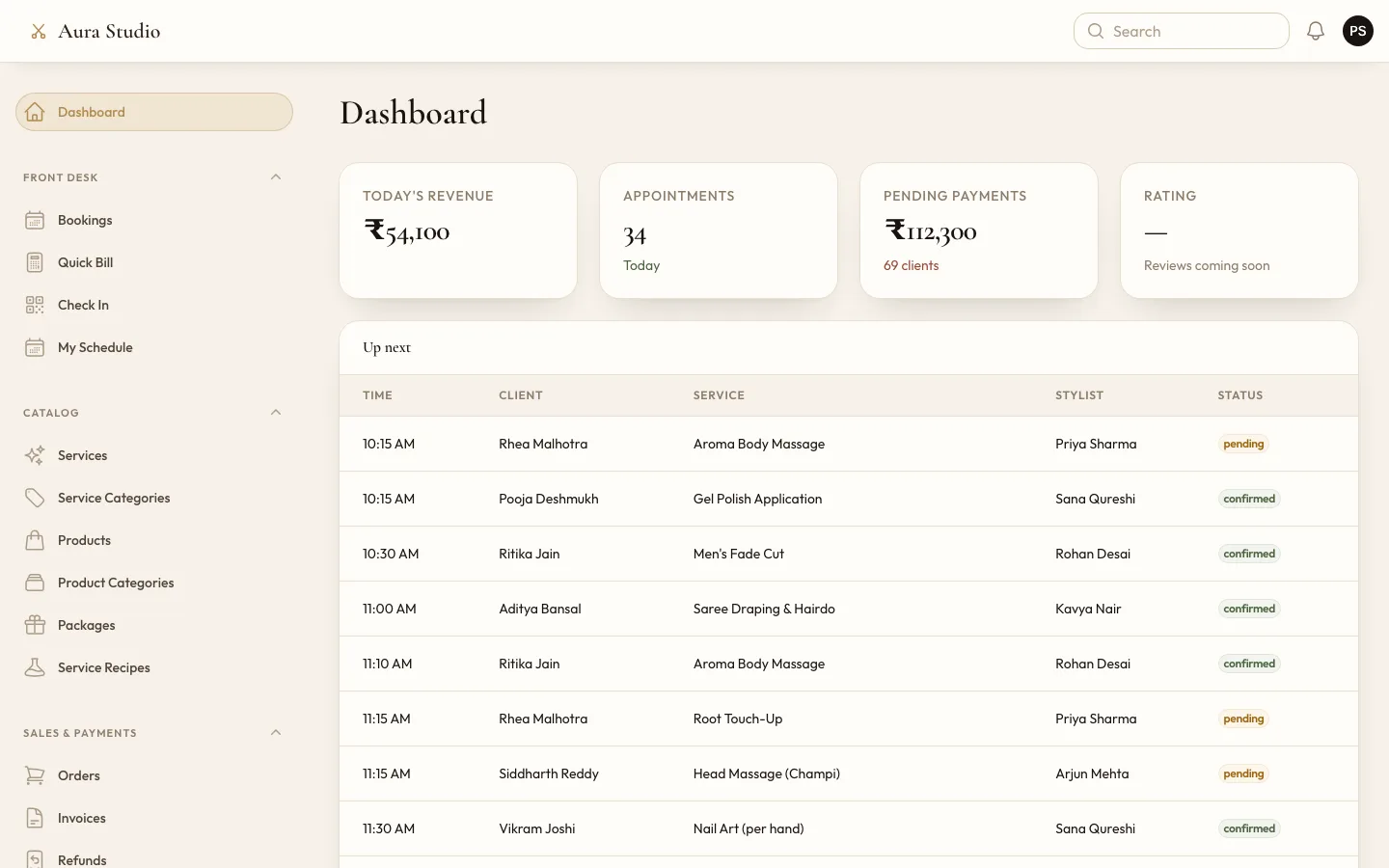
Three kinds of people use it every day. Customers book on their phones. The team at the salon takes walk-ins, checks people in, bills them and closes the day. The owner wants to know what the day earned, which chairs sit empty and which customers have stopped coming.
What it had to do
- Give every salon its own booking app, address and branding, with its data kept apart from every other salon.
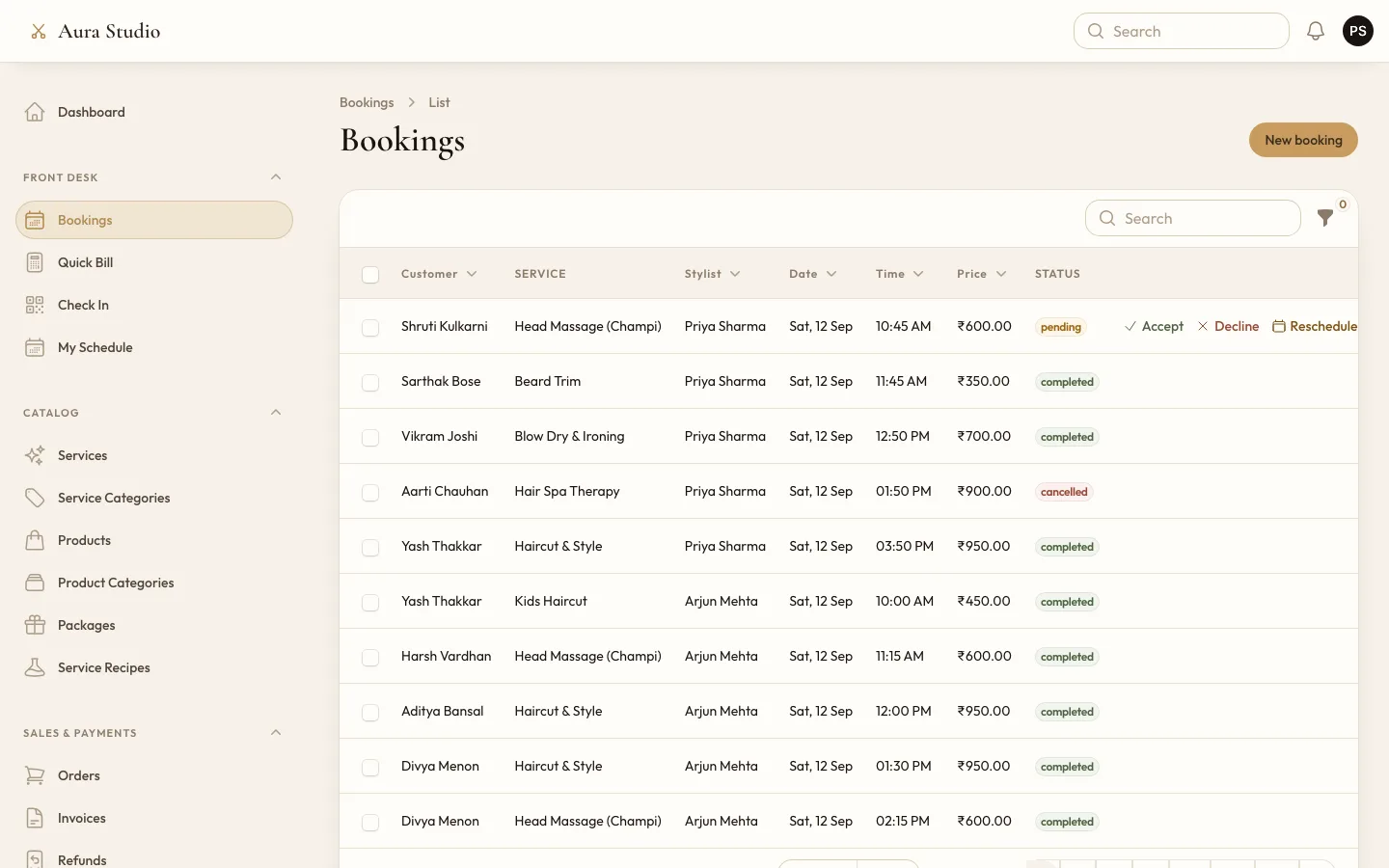
- Let customers book several services at once with the stylist and time they want, without two people landing in the same slot.
- Take payment the way Indian customers actually pay: UPI, cards, a wallet, or cash at the chair.
- Bill walk-ins quickly at the counter and issue proper GST invoices for every sale.
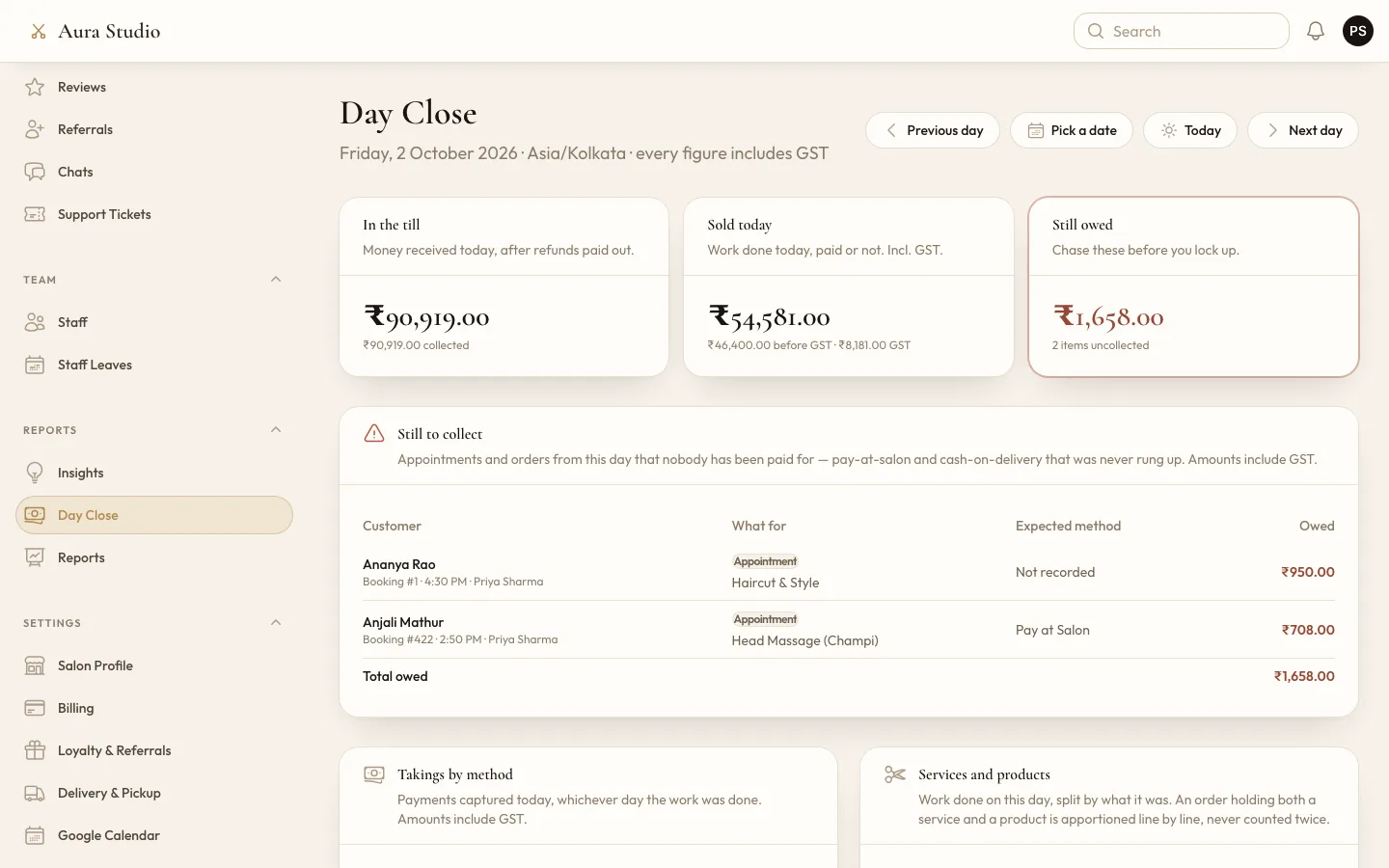
- Show the owner, every evening, what came in, what was sold and what is still owed.
- Give stylists and receptionists only the screens their role needs.
- Let a salon sign up on its own and pay for the platform by subscription.
What was built
A booking app for every salon
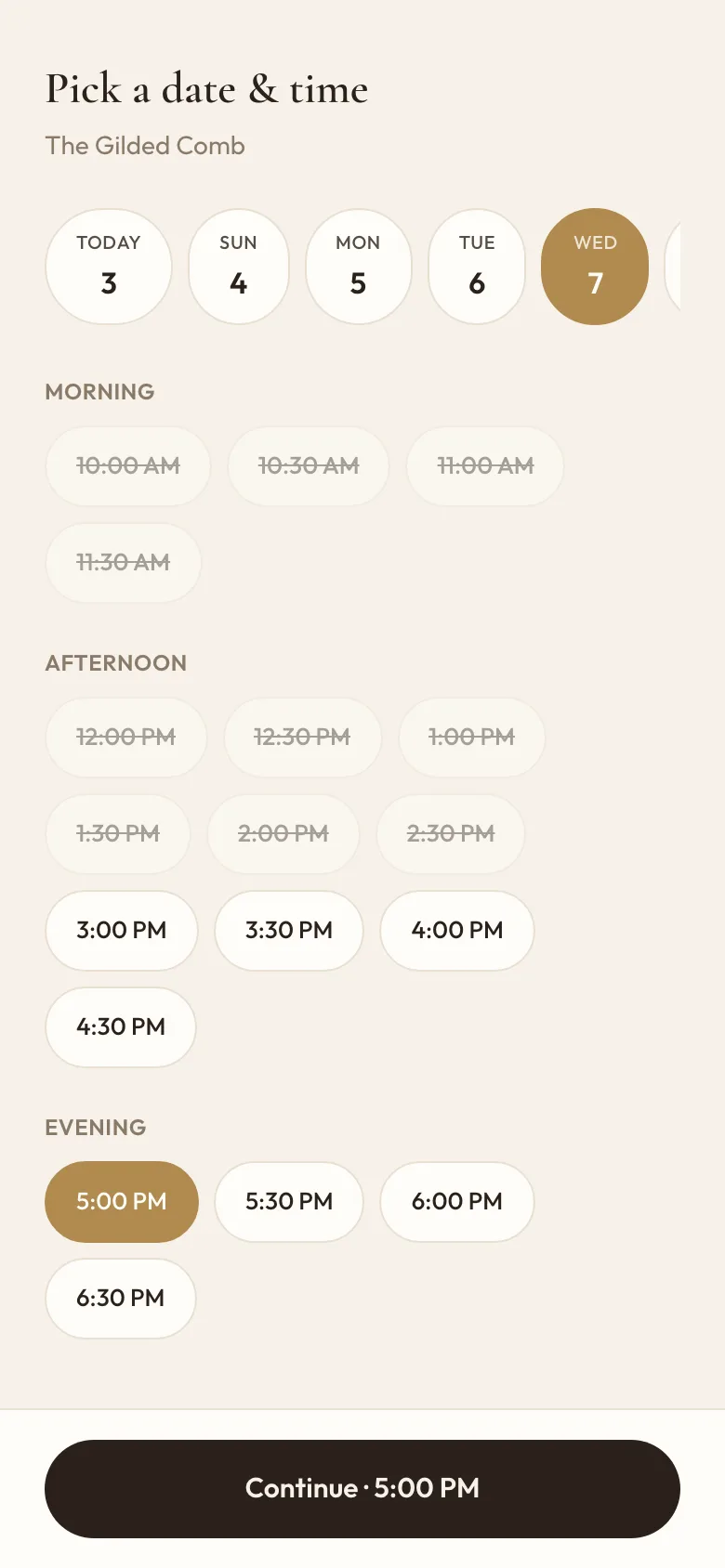
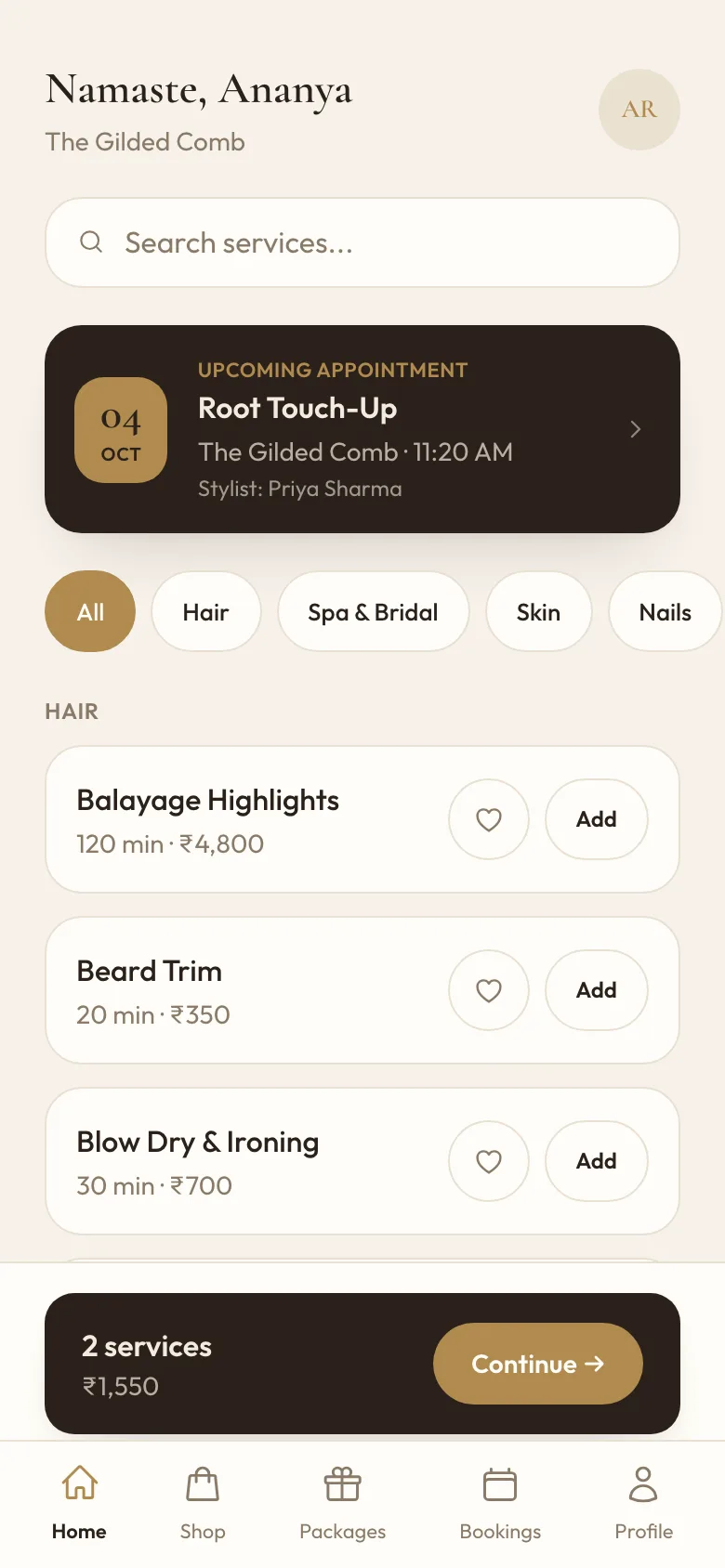
Each salon's customers get an installable app with the salon's name and logo. They browse services by category, add several to one booking, choose a stylist or let the salon choose, and pick from that stylist's free slots, based on their working hours, breaks, leave and existing bookings. While the customer pays, the slot is held; unpaid holds are released by a scheduled job, and a unique index on stylist, date and start time stops a double booking even when two people press pay at once.
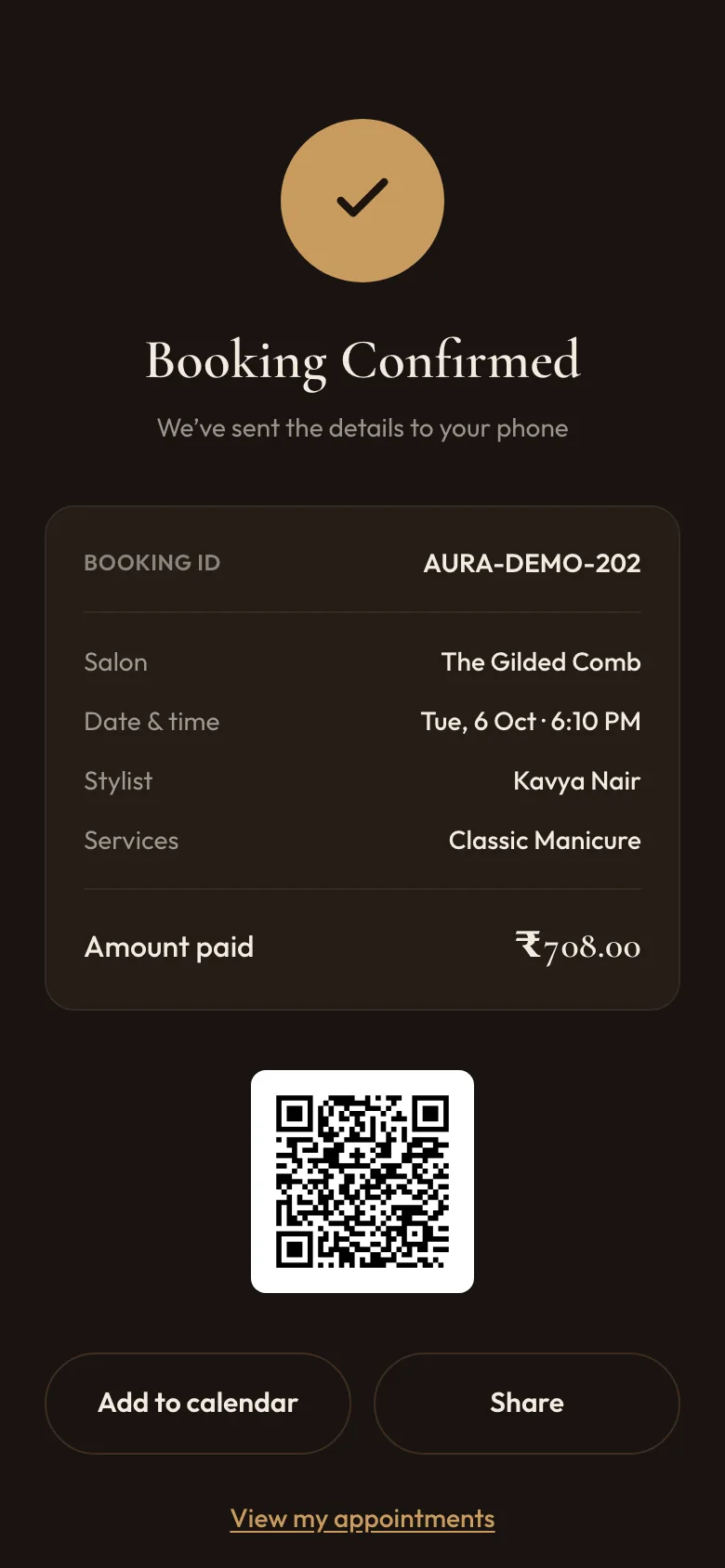
The confirmation shows a signed QR code, and the same app holds appointments with reschedule and cancel, a shop with cart and delivery or pickup, wishlist, reviews, chat with the salon, wallet, rewards, prepaid packages and notification settings. Reminders and confirmations go out by email from the salon's own mail settings and appear in the app.
The counter: Quick Bill, check-in and Day Close
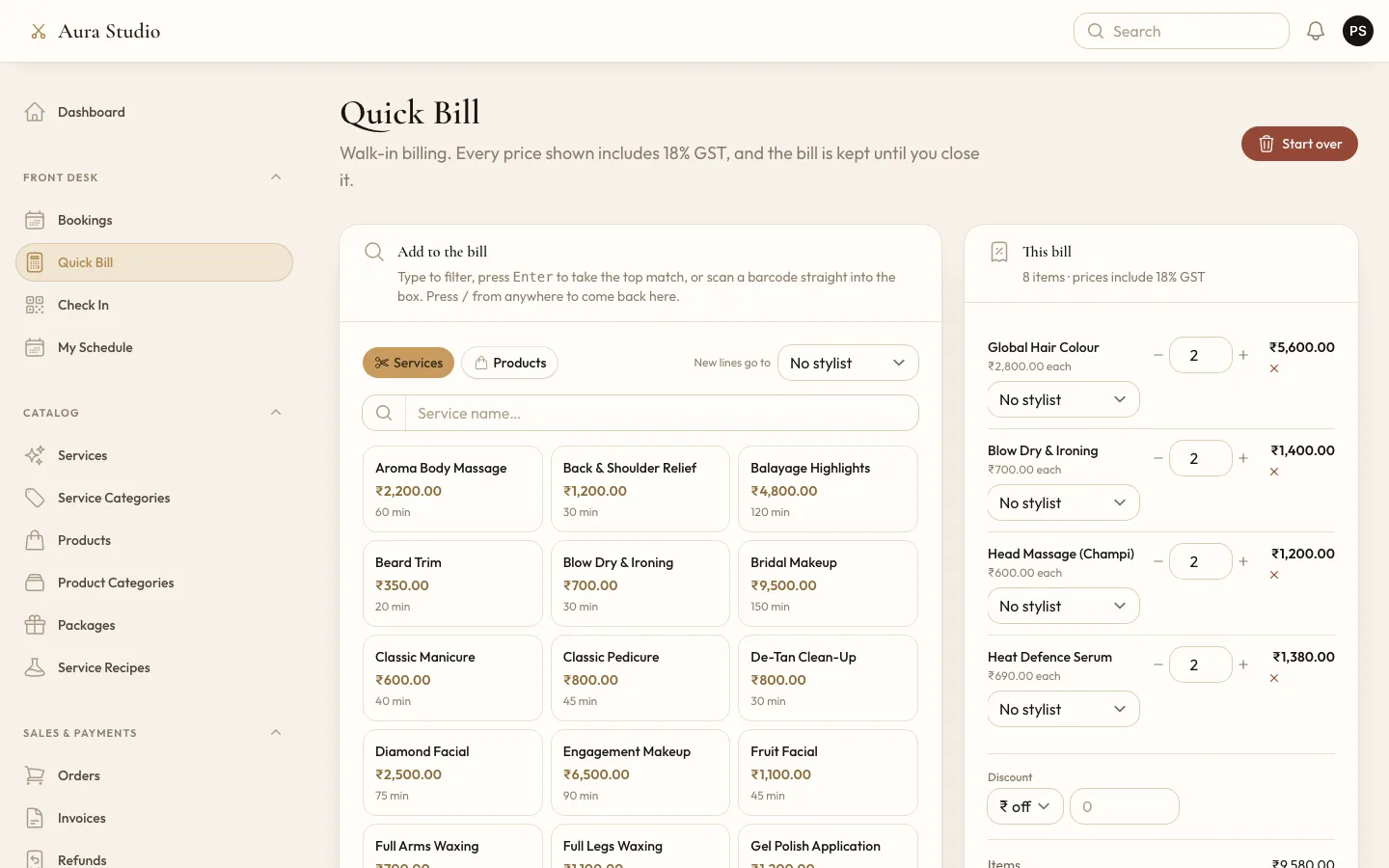
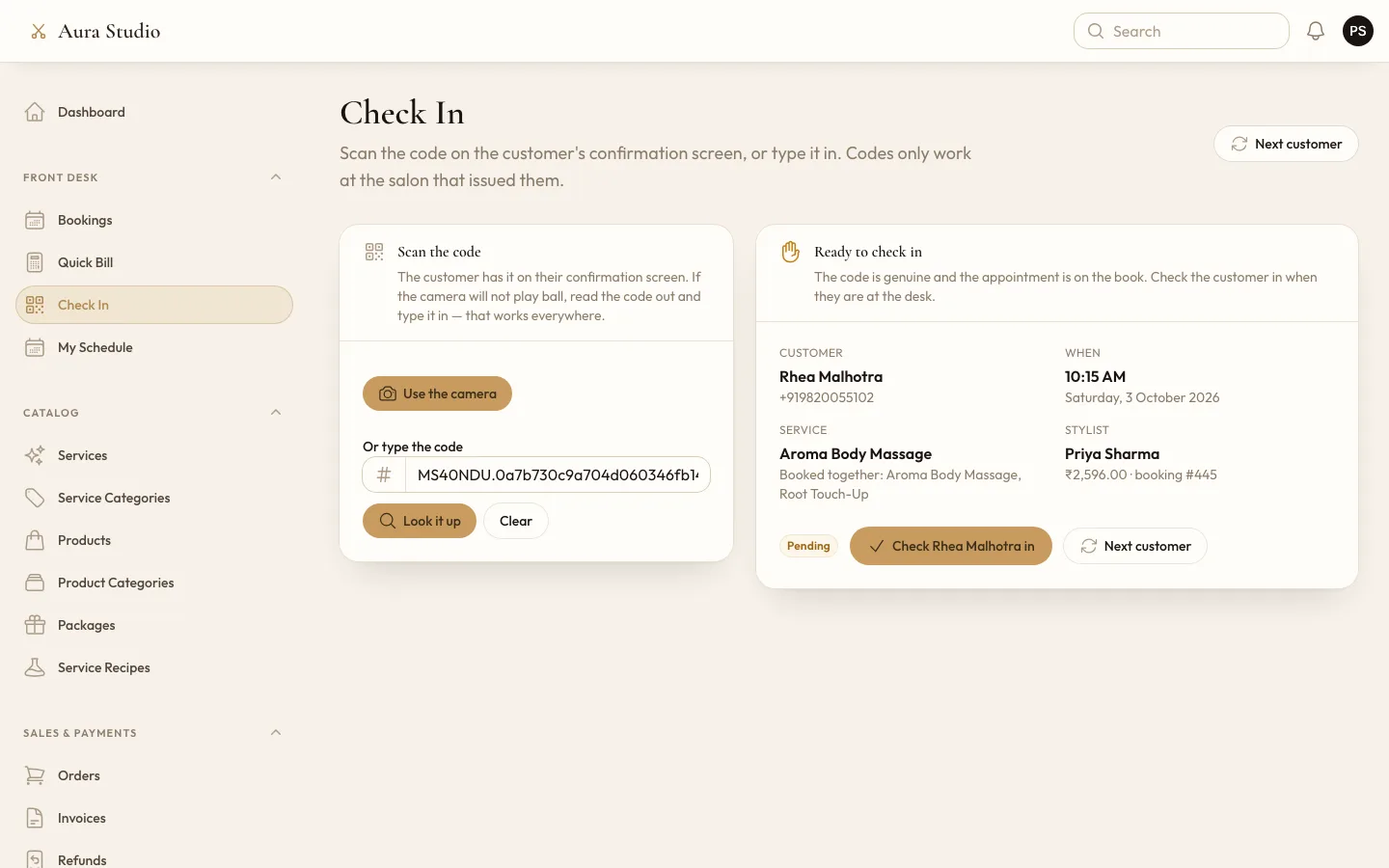
Quick Bill is built for walk-ins: type or scan to find a service or product, tap to add it, set the stylist for each line, attach a customer and take payment. The invoice is issued as the bill closes. Check In reads the QR code from a customer's confirmation, with the camera or by typing the code; a code from one salon is refused at another. Day Close shows any day in three numbers, money in the till, work sold and what is still owed, followed by takings by payment method, services against products, and each stylist's work.
Insights for the owner
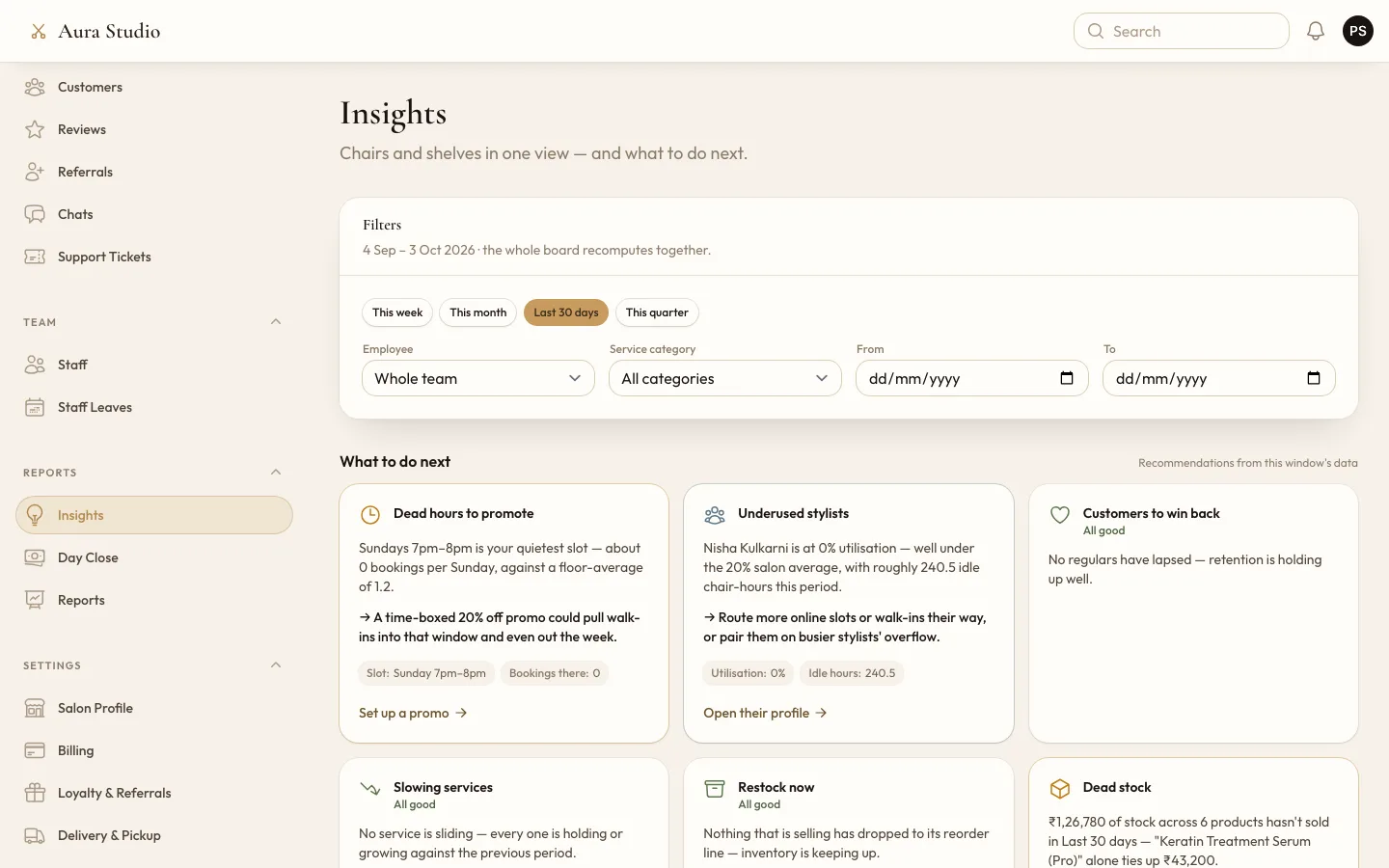
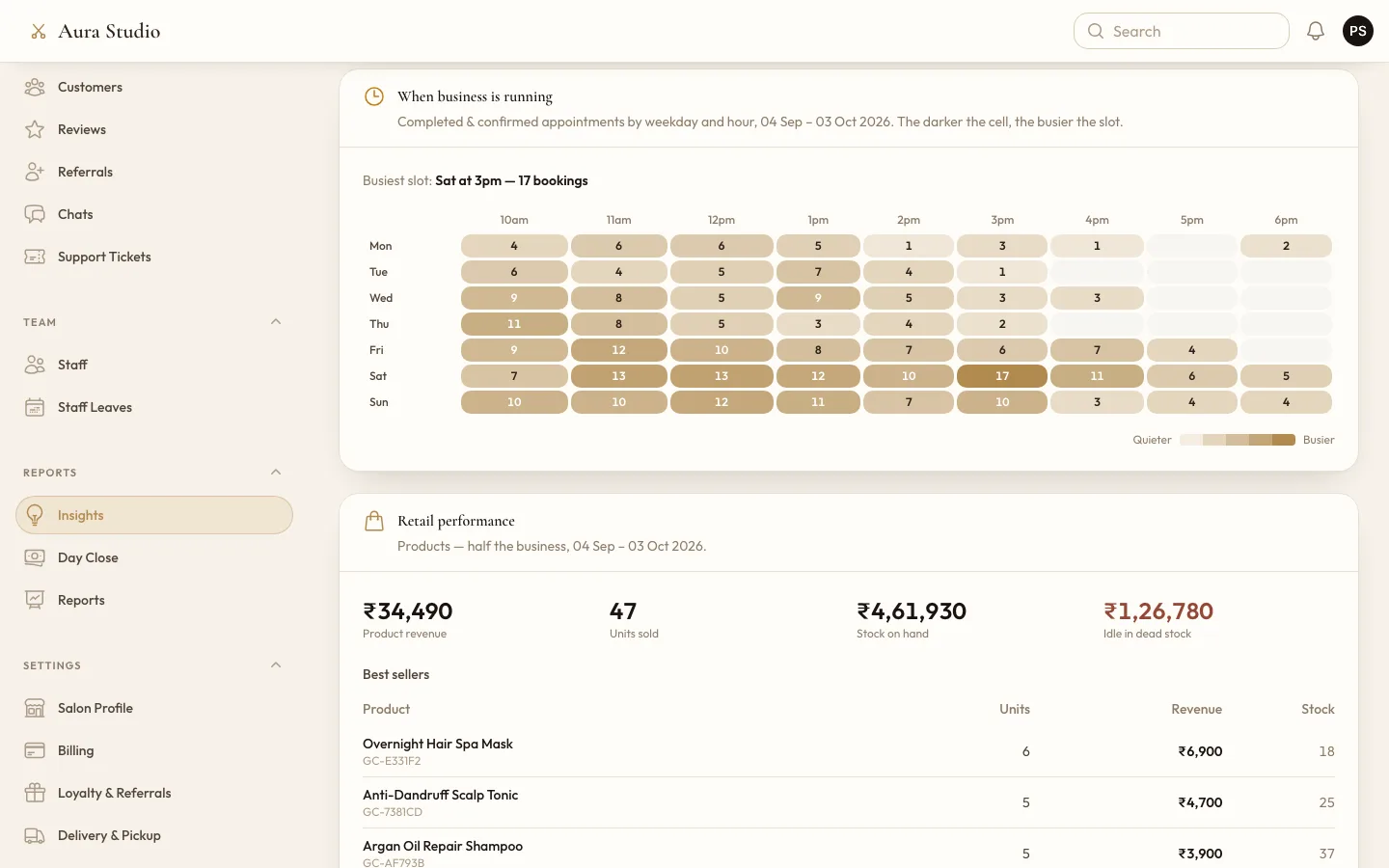
The Insights page recomputes for any period, stylist or service category. At the top it says what to do next in plain words: quiet hours worth a promotion, stylists with spare chair time, services that are slowing down, products to restock or move, customers to win back. Below that sit revenue against the previous period, service performance, a team leaderboard with utilisation and repeat clients, new against returning customers, a heatmap of busy hours and retail performance.
Customers who come back
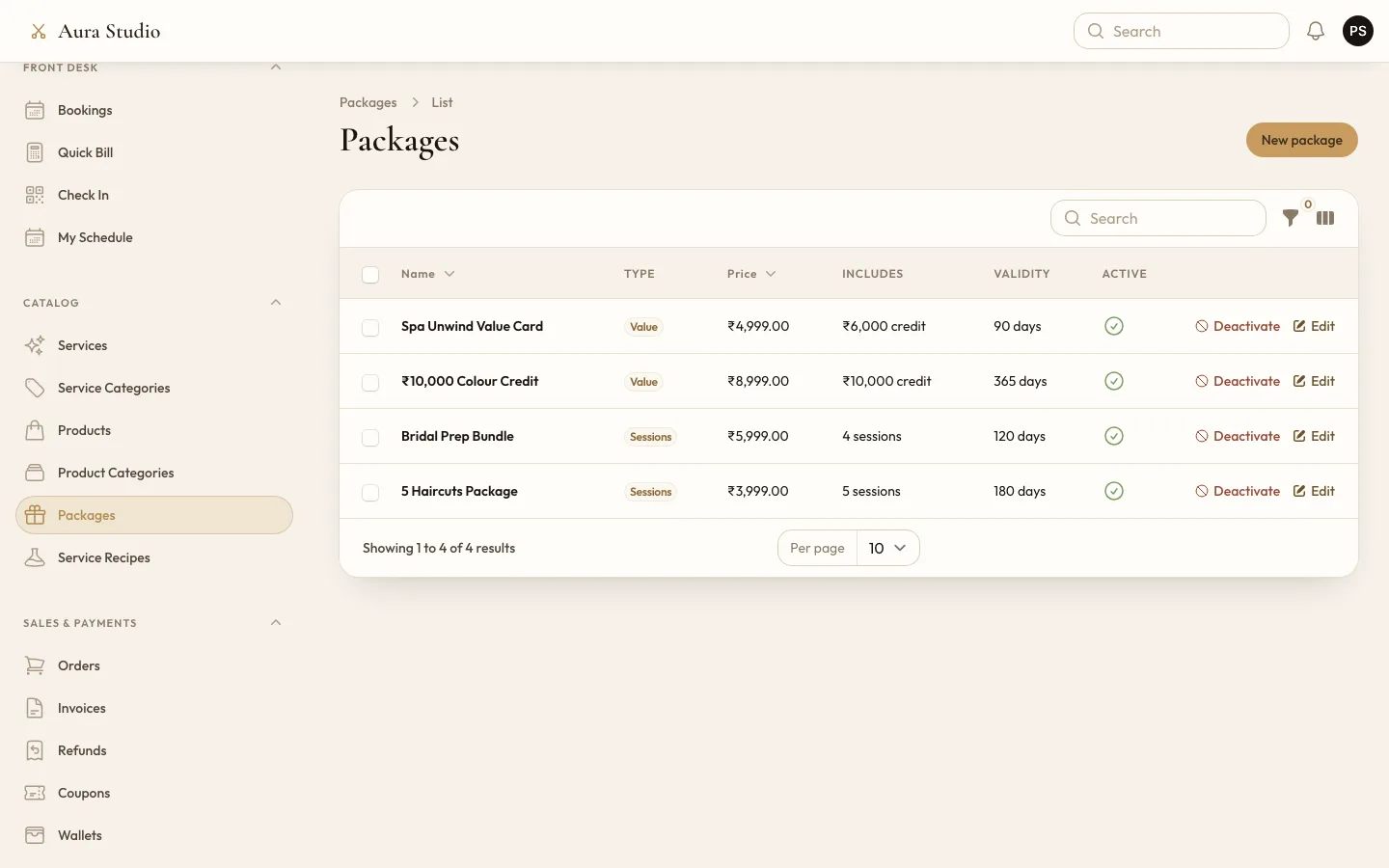
Wallets that customers top up and spend from, loyalty points earned on visits, referral codes that credit the referrer's wallet, coupons, and prepaid packages, either a value card or a bundle of sessions, that are used up automatically when the customer books a covered service. When a salon has several branches, the wallet and loyalty points work across all of them.
Roles for the whole team
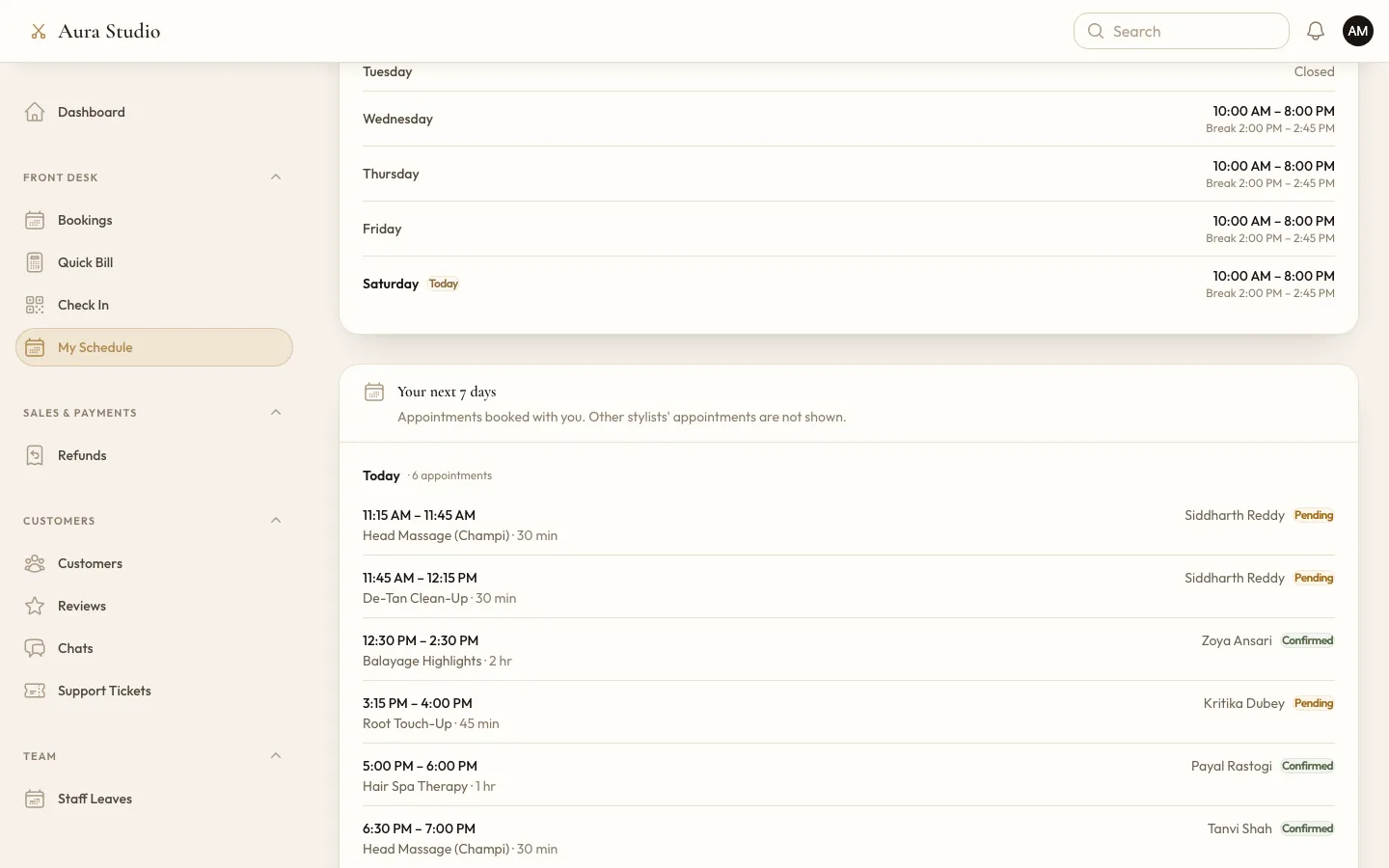
Staff sign in at their salon's own address. Owners, managers, stylists and receptionists each get a role, and the sidebar and actions follow it: a stylist sees their own schedule and appointments and can request leave, while revenue, reports and settings stay with owners and managers, who also approve or reject leave.
The platform behind the salons
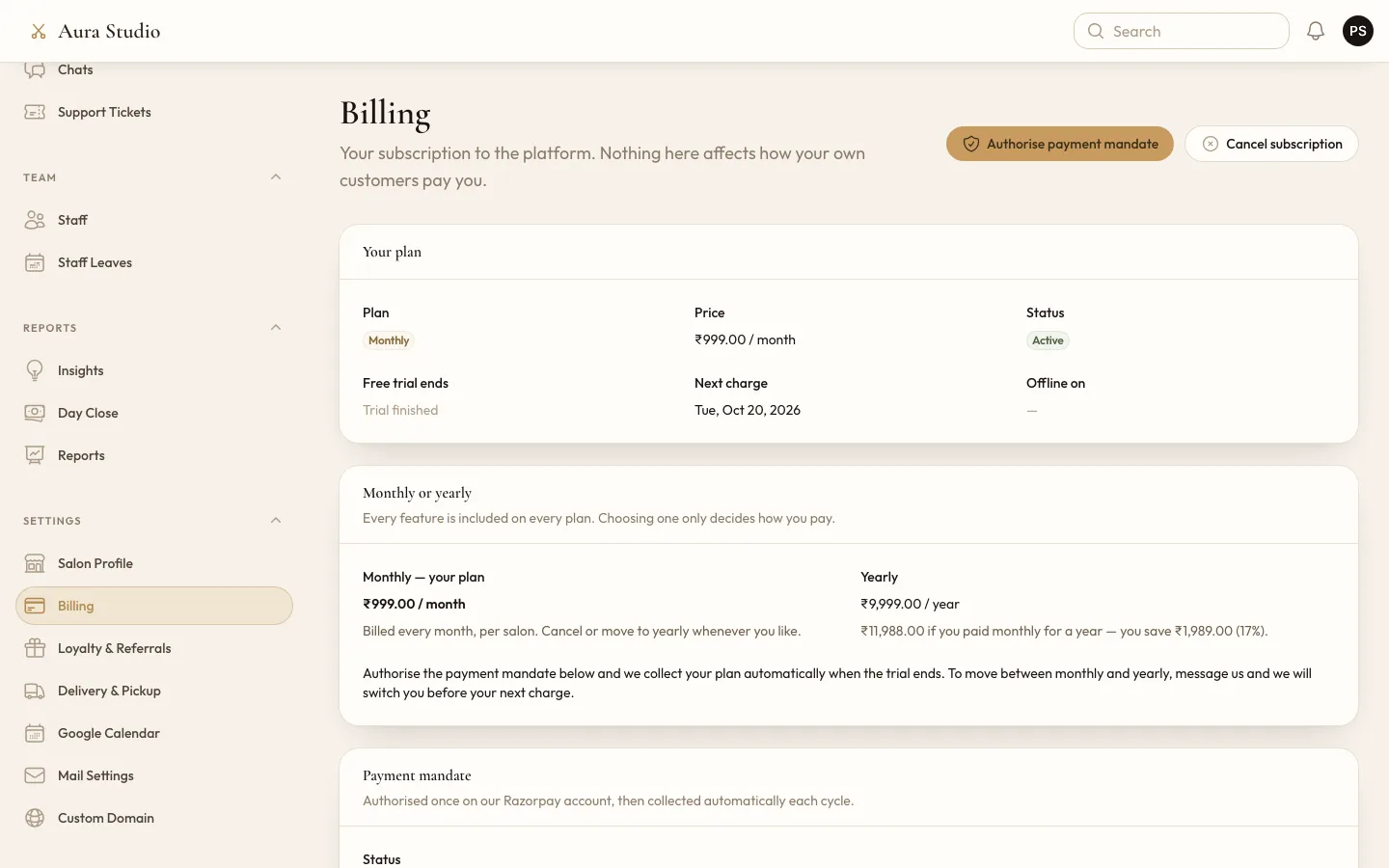
The platform admin lists every salon with links straight into its panel and app, and runs the subscription: a free trial, then a monthly or yearly plan collected by a Razorpay payment mandate. If payment lapses there is a grace period with reminders; after that the staff panel becomes read only and the customer app shows the salon as closed, but Billing stays open so the salon can pay and come straight back. The admin also handles platform invoices, announcements, promo banners, CMS pages, support tickets, the contact inbox and an audit log.
One codebase, many salons
A salon is found from the address the request arrives on: a verified custom domain, a subdomain, or
a /s/salon-name path that the app shell can use. Every query for bookings, customers, invoices,
wallets and chats is scoped to that salon before it runs, and roles and permissions are scoped to the
salon too. A salon can point its own domain at the platform; the Custom Domain page shows the DNS
record to add, checks it, and the web server issues the HTTPS certificate on demand. Salons with
several branches are grouped under one subscription, with a branch switcher in the staff panel and a
branch picker for customers.
Each salon brings its own payment accounts, so money settles to the salon rather than the platform. The keys are stored encrypted. Each salon can also connect its own Google Calendar, so bookings appear on the owner's phone, and its own outgoing mail server.
Tax and money
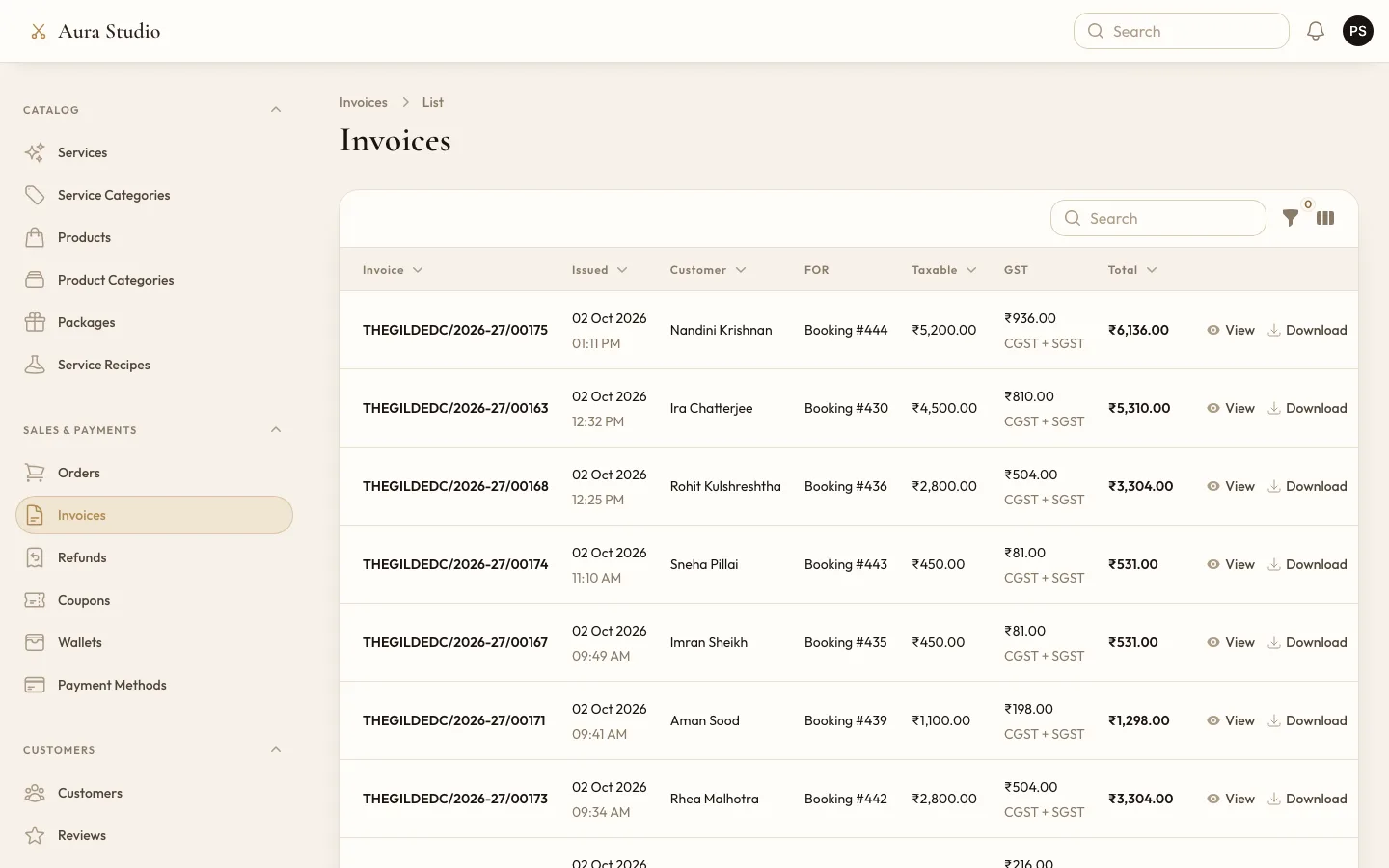
GST is set per salon: GSTIN, state, rate and label. Invoices are numbered per salon and financial year, and the tax is split into CGST and SGST or IGST by comparing the salon's state with the place of supply. A salon without a GSTIN issues bills of supply, and a salon can choose one flat tax or no tax instead. Invoices download as PDFs carrying the salon's logo.
A payment can be split between the wallet and a card, written as two payment records so the Day Close still balances, and wallet money held for an abandoned checkout is released by a scheduled job. Refunds are recorded against the original sale.
Technology
Laravel 13 on PHP 8.4, with Filament 5 for the staff panel and the platform admin, and Livewire 4 with Tailwind CSS 4 for the customer app, the product website and signup. The app runs on MySQL. Spatie Permission handles roles scoped to each salon, Spatie Activitylog keeps the audit trail and Dompdf renders the invoices. Payments go through Razorpay, Stripe, Paytm and UPI; subscriptions use Razorpay's mandates. Google Calendar is connected per salon with OAuth, and Caddy issues certificates for custom domains. Scheduled jobs send reminders, release expired holds, process subscriptions and re-check domains. The code is covered by more than 1,600 PHPUnit tests.
- Laravel
- PHP
- Filament
- Livewire
- Tailwind CSS
- MySQL
- Razorpay
- Stripe
- Paytm
- Spatie Permission
- Dompdf
- Google Calendar API
- Caddy