The product
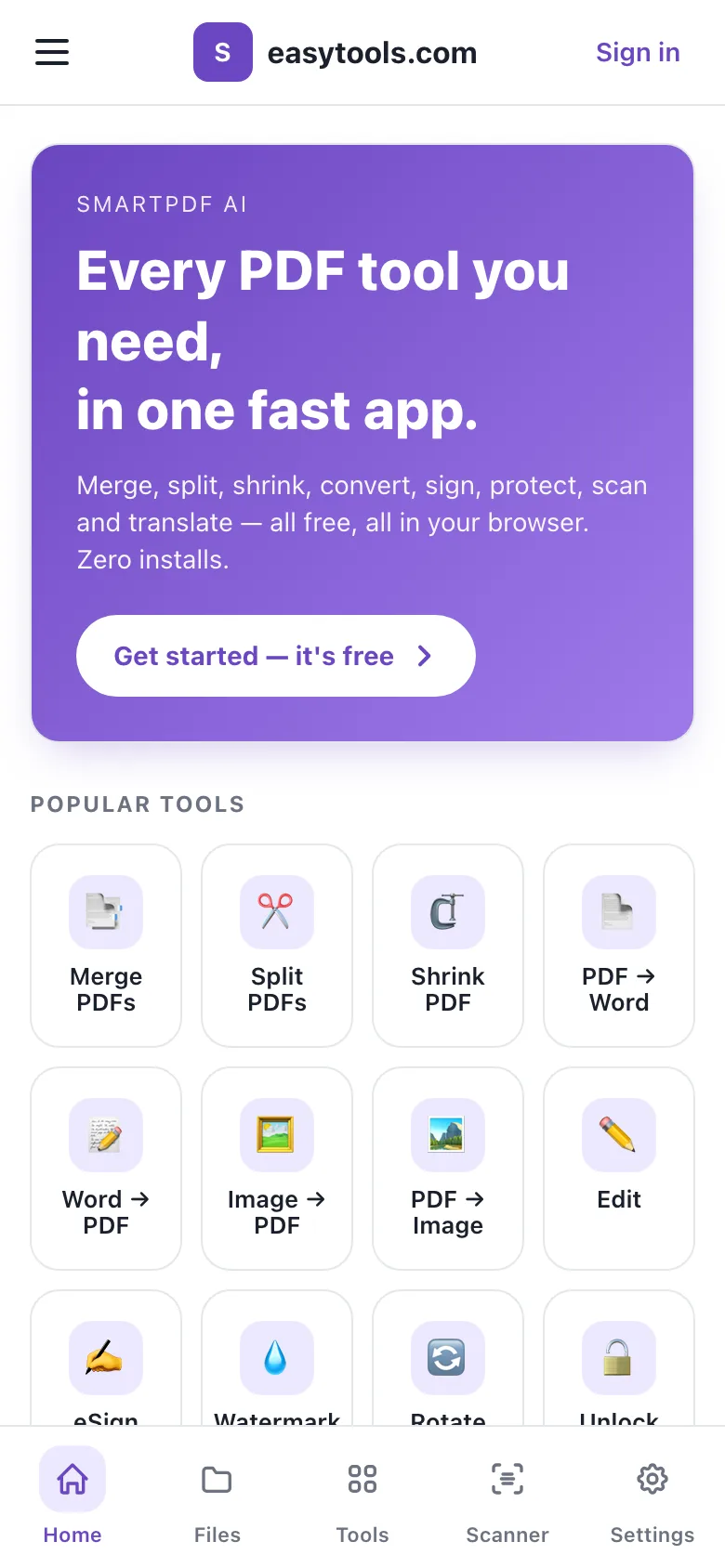
SmartPDF AI is a set of PDF tools for people who work from their phone. Merging two scans, shrinking a file to fit an email, turning a Word document into a PDF or putting a password on a payslip are all small jobs, and they are usually done in a hurry, on whatever device is to hand.
The product is a web app, not a store app. It opens in the phone's browser, but it is laid out and behaves like an installed app, so there is nothing to download before the first job.
What it had to do
- Offer the everyday PDF jobs in one place: organise, compress, convert to and from PDF, edit, sign and secure.
- Feel like a phone app: one hand, big tap targets, a bottom tab bar and no sideways scrolling.
- Show real progress while a file uploads, then hand back the result with one tap.
- Keep a history of every job so a result can be downloaded again later.
- Let people save a sequence of tools they use often and run it on a new file in one go.
- Do the heavy PDF work in a separate engine, with each tool easy to add or change.
What was built
An app shell for the phone
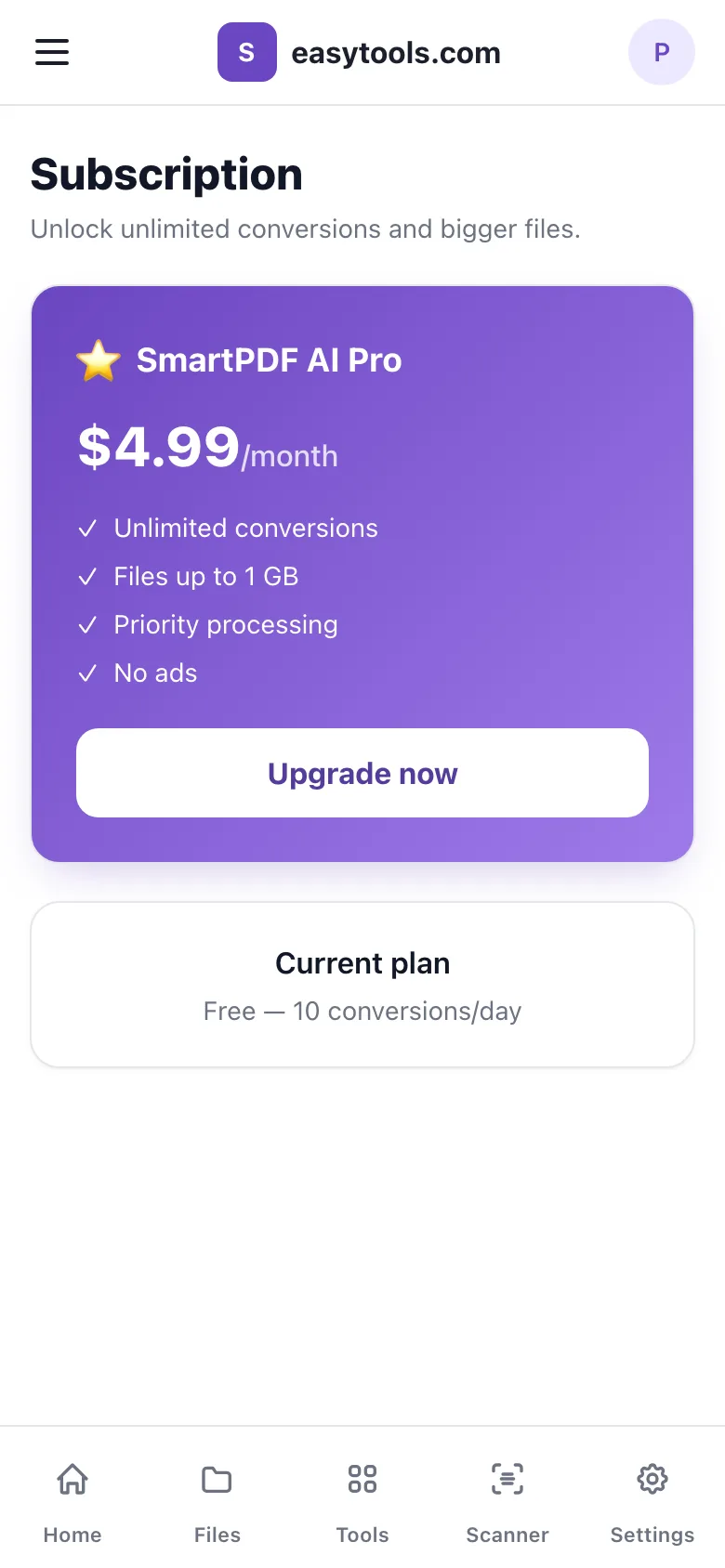
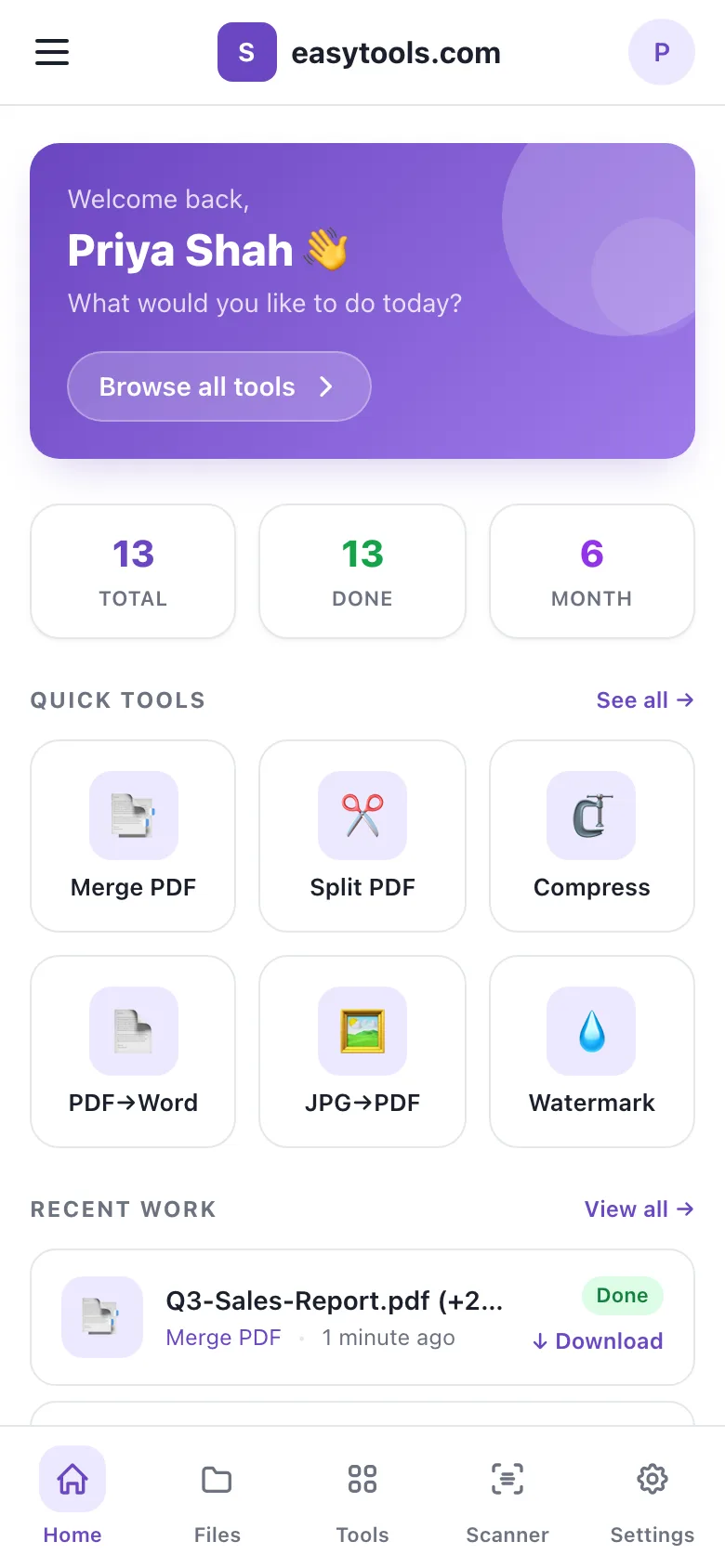
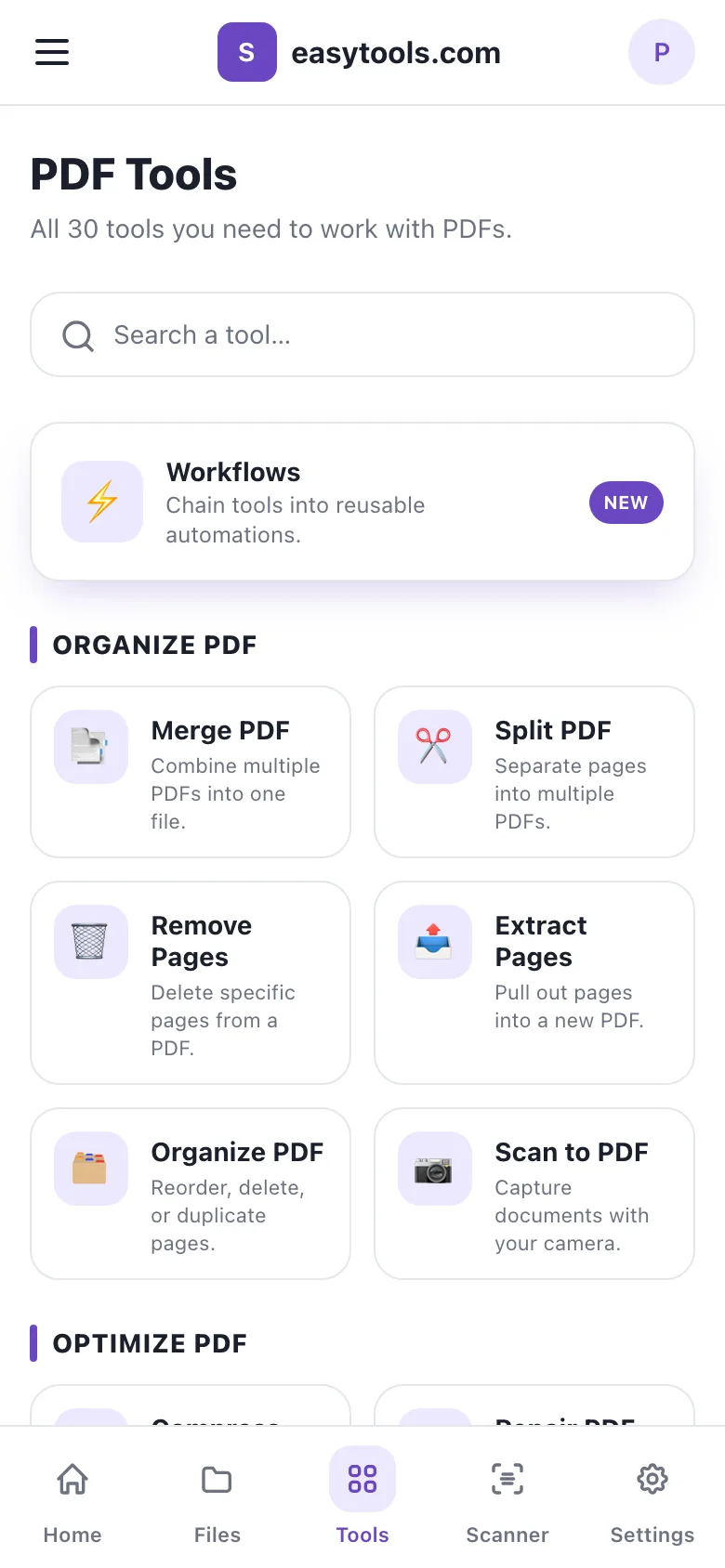
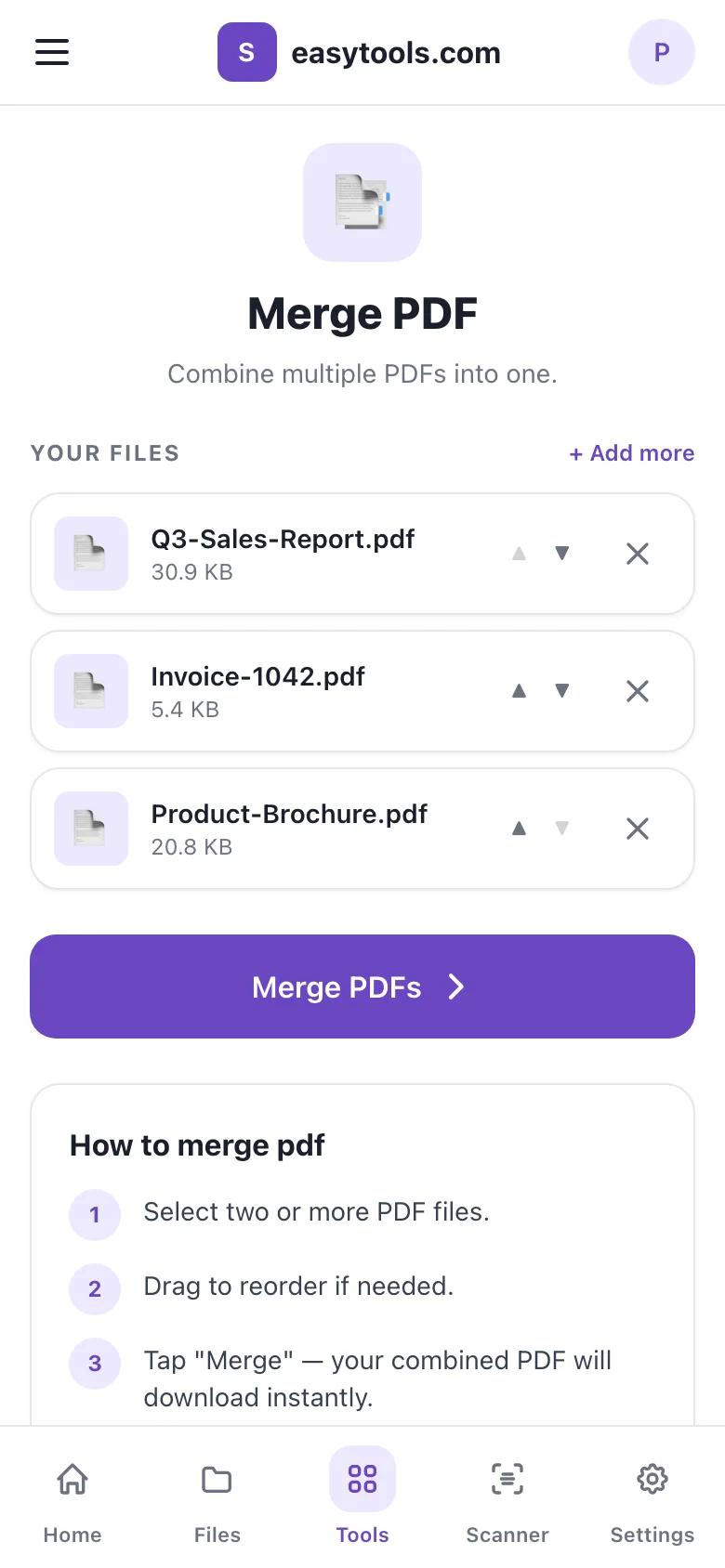
Every screen sits in an app frame up to 480 pixels wide. On a phone it fills the screen; on a laptop it sits in the middle of the page like a phone. A sticky top bar holds the menu, the logo and the user's initial. Five tabs sit at the bottom: Home, Files, Tools, Scanner and Settings. A drawer from the left holds Workflows, My History, Cloud Storage, Subscription, Settings and Sign out.
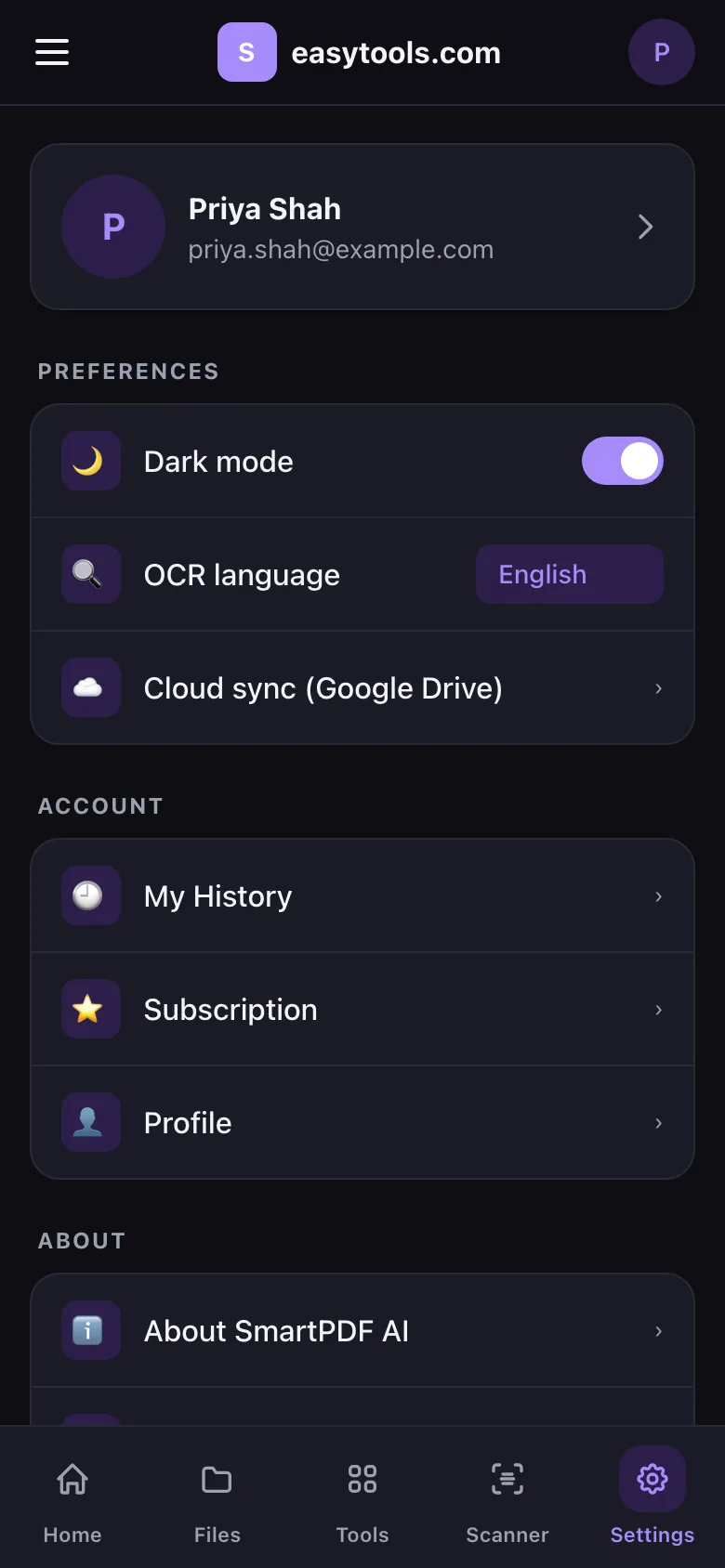
The layout respects the notch and the home indicator, pages slide in when they open, and a small notice appears when the phone goes offline. Dark mode is one switch in Settings and is applied before the page paints, so there is no white flash.
Thirty tools, one upload flow
The Tools tab lists 30 tools in six groups: Organise, Optimise, Convert to PDF, Convert from PDF, Edit and Security, with a search box that filters as you type. Signed-out visitors can browse every tool; running one asks them to sign in.
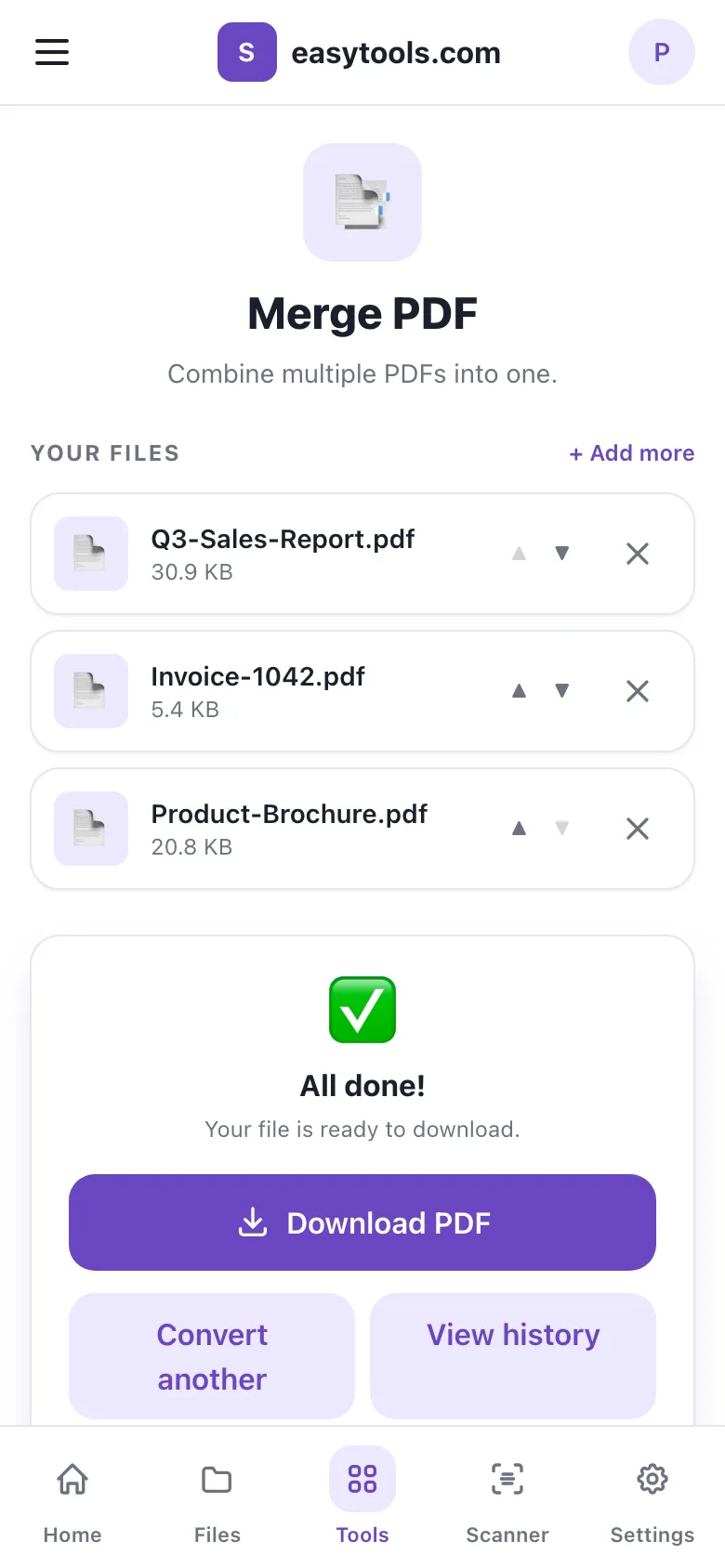
Every tool page works the same way. A large button opens the phone's file picker with only the right file types allowed. Tools that take several files, such as Merge, show a queue with sizes and arrows to change the order. Protect and Unlock ask for a password. Uploads show real progress, then a result card offers the download, Convert another and View history.
Behind the page, Laravel checks the files (up to 200 MB each, and up to 20 for multi-file tools), records the job, stores the input under the user's account and sends it to the engine. The result is saved and the job is marked done, or marked failed with the reason. Downloads are only served to the person who ran the job. Tool runs are rate-limited to 30 a minute.
Edit PDF has its own screen: the engine renders each page as an image, the user taps where text should go and picks a colour, and the engine writes the text into the PDF.
History, Files and Workflows
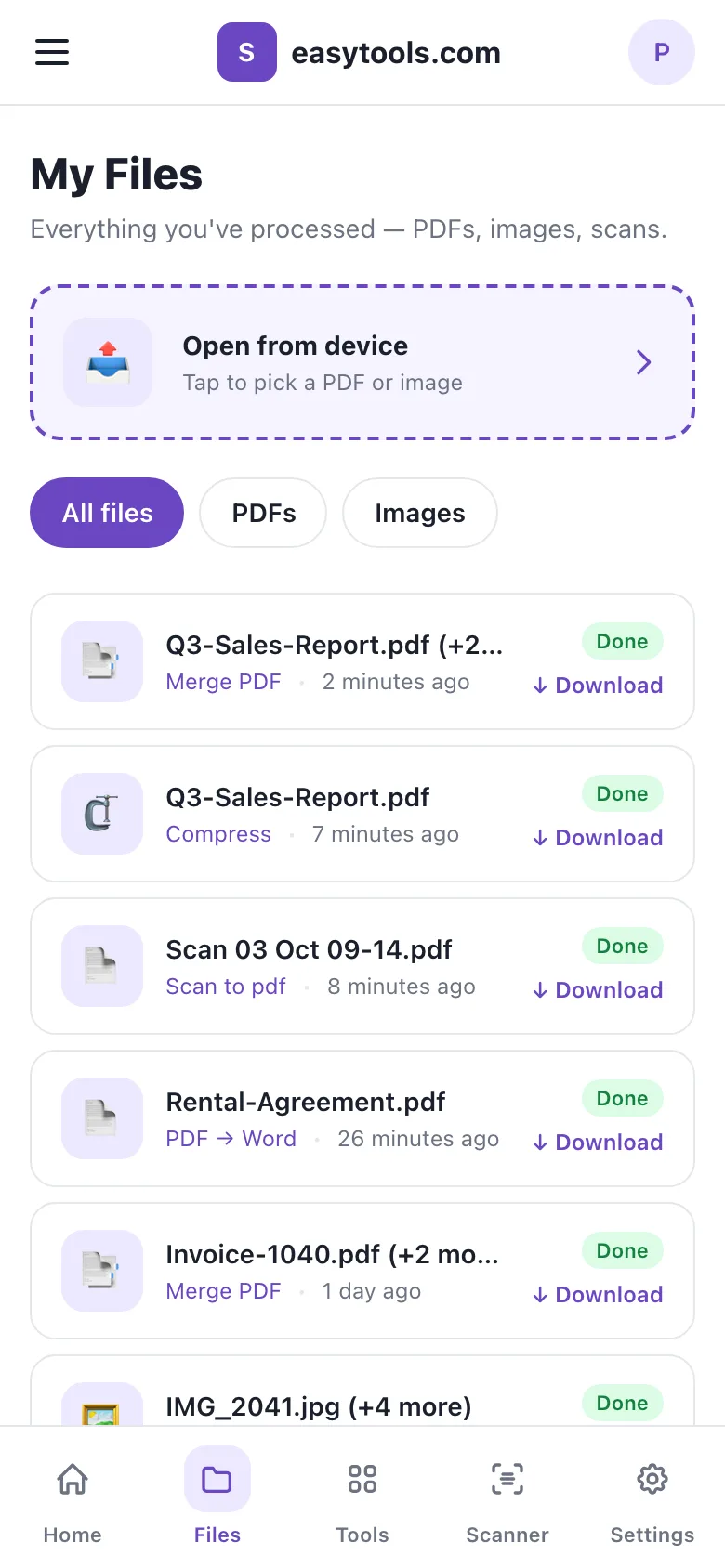
Home shows how many jobs a user has run, how many finished and how many this month, six quick tools and the latest work. My History lists every job with filters for completed, processing and failed, and each entry can be removed. The Files tab lists finished results, filtered by PDFs or images, each with a Download link.
Workflows chain tools. A user names a workflow, picks an emoji and adds up to ten steps from the tool catalogue, for example Compress, then Watermark, then Protect. Running it on a file sends the output of each step into the next, and the final file lands in history like any other job, with a run count on the workflow.
Settings and the Scanner tab
Settings holds the profile, dark mode and the OCR language (12 to choose from), links to My History, Subscription and Profile, the About, Credits, Help, Contact, Terms and Privacy pages, and a Share app button that opens the phone's own share sheet.
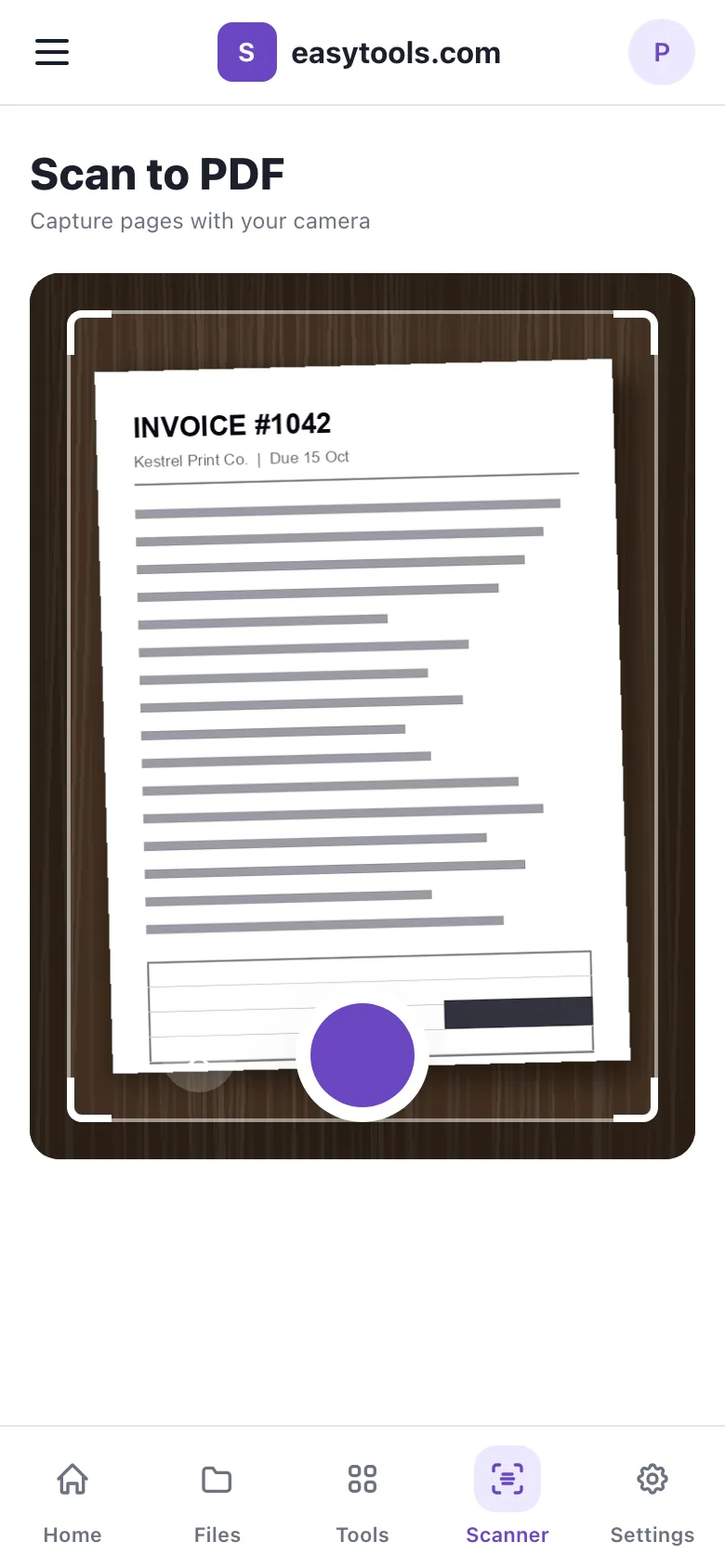
The Scanner tab opens the rear camera inside the app with a document frame and a shutter, and is designed to collect several pages, boost their contrast and build one PDF, with optional OCR.
The Python engine
The PDF work happens in a separate FastAPI service with 34 processing endpoints. Laravel sends a shared secret with every request, plus the job ID on tool runs, and the engine checks the secret in constant time. Each request runs in its own temporary folder that is deleted afterwards, and uploads are capped at 200 MB.
Most tools use PyMuPDF: merging, splitting, rotating, reordering, watermarks, page numbers, signatures, cropping, passwords, redaction, repair and the page images for the editor. Compression downsizes large embedded images, re-encodes them as JPEG and rewrites the file without unused objects. Pillow builds PDFs from photos, pdf2docx turns PDFs into Word files, pdfplumber and openpyxl pull tables into Excel, and python-pptx places each page on its own slide. Office files go to PDF through headless LibreOffice, PDF/A goes through Ghostscript and OCR uses Tesseract through PyMuPDF. Compare renders two versions side by side, page by page, and counts the word changes on each page.
Technology
The web app is Laravel 10 on PHP with Laravel Breeze for sign-in, Blade views, Alpine.js and Tailwind CSS, bundled with Vite, and the app screens use the phone's own system fonts. The engine is Python with FastAPI and PyMuPDF, plus Pillow, pdf2docx, pdfplumber, openpyxl and python-pptx, with headless LibreOffice, Ghostscript and Tesseract for Office files, PDF/A and OCR. AI summaries call the Anthropic Claude API.
- Laravel
- PHP
- Laravel Breeze
- Blade
- Alpine.js
- Tailwind CSS
- Vite
- Python
- FastAPI
- PyMuPDF
- Pillow
- pdf2docx
- pdfplumber
- python-pptx
- LibreOffice (headless)
- Ghostscript
- Tesseract OCR
- Anthropic Claude API