The product
This is software for a group of hotels to run their daily operations. Before it, the routines lived in spreadsheets: morning and evening rounds, daily and weekly checklists, Google review targets, OTA rate updates, marketing tasks and SOP compliance checks. In the new system every one of those is a task, and every task can carry a checklist of subtasks.
Five roles share it. Head office (the super admin) manages all the hotels. A hotel admin runs one hotel: its departments, staff, roles and templates. Managers oversee departments and approve work, department supervisors check the evidence their team submits, and staff see their own tasks and complete them step by step.
What it had to do
- Replace spreadsheets with tasks and checklists that repeat on their own, daily, weekly or monthly.
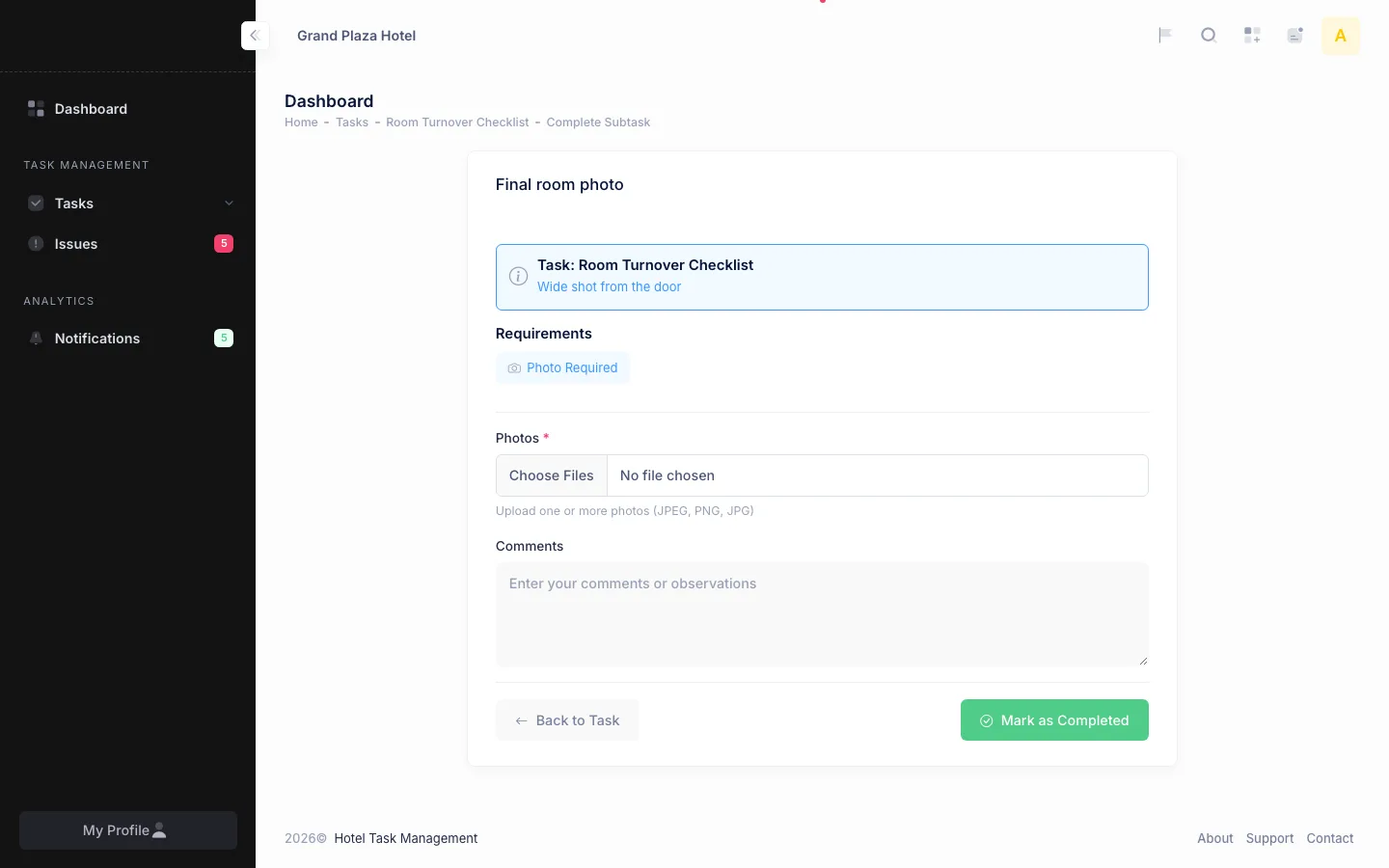
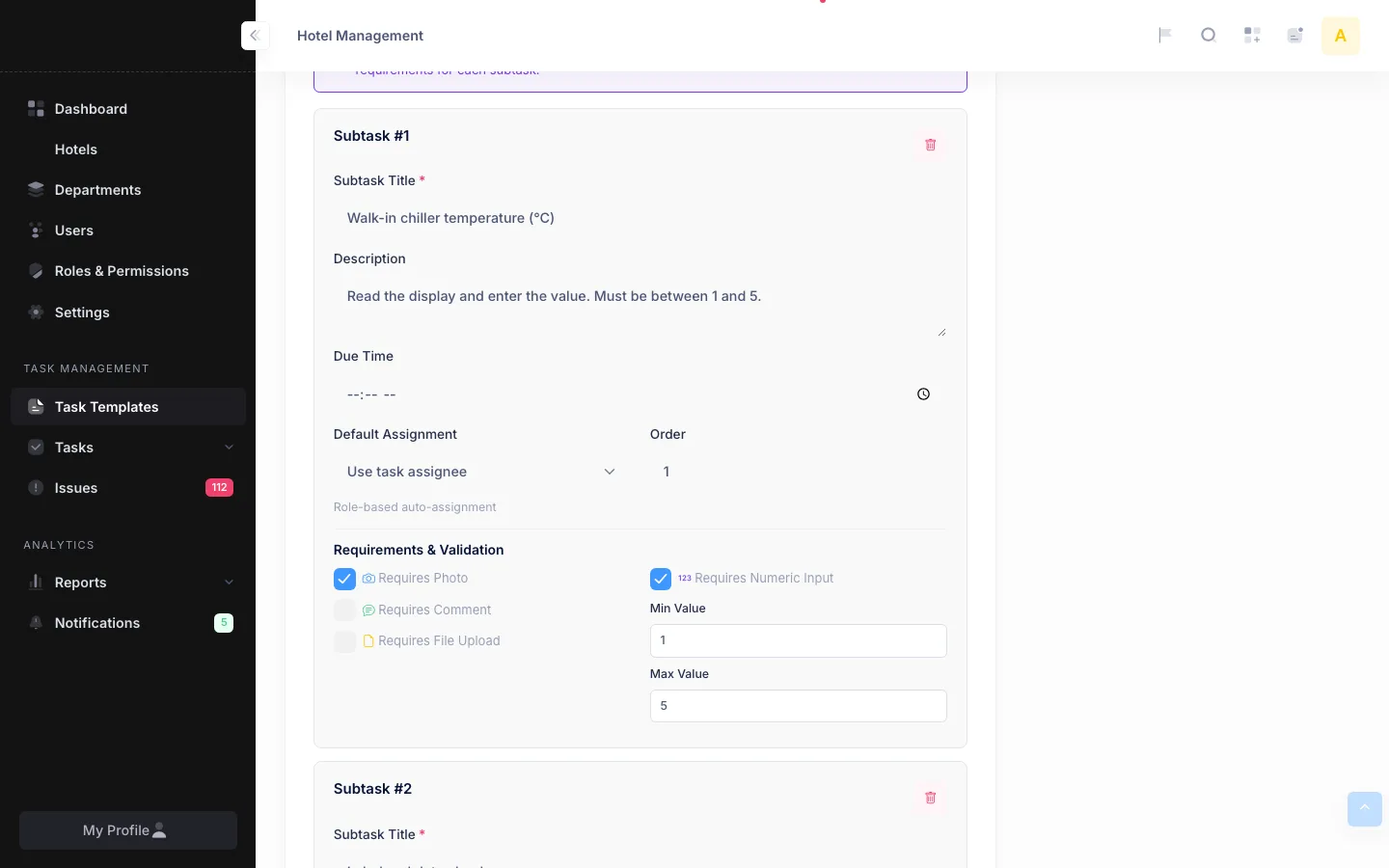
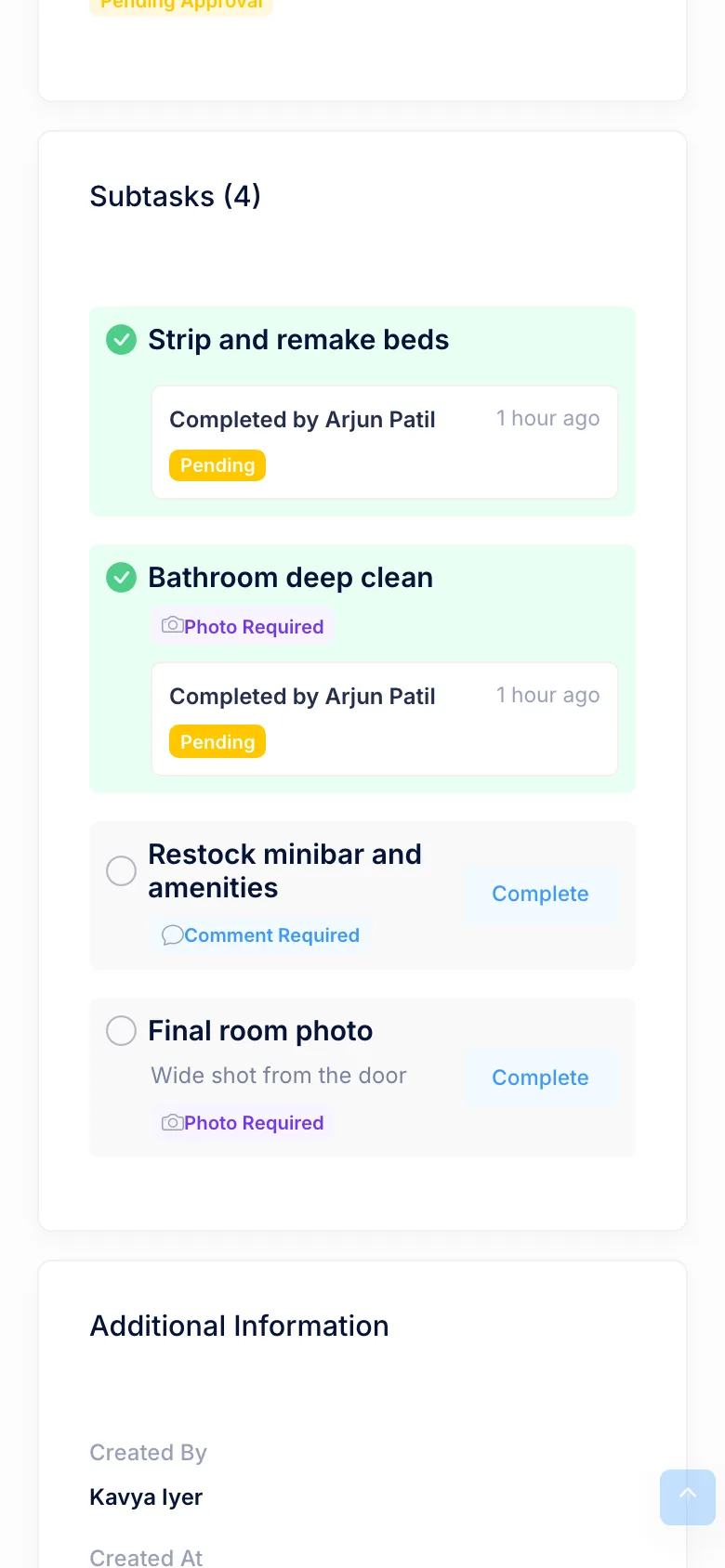
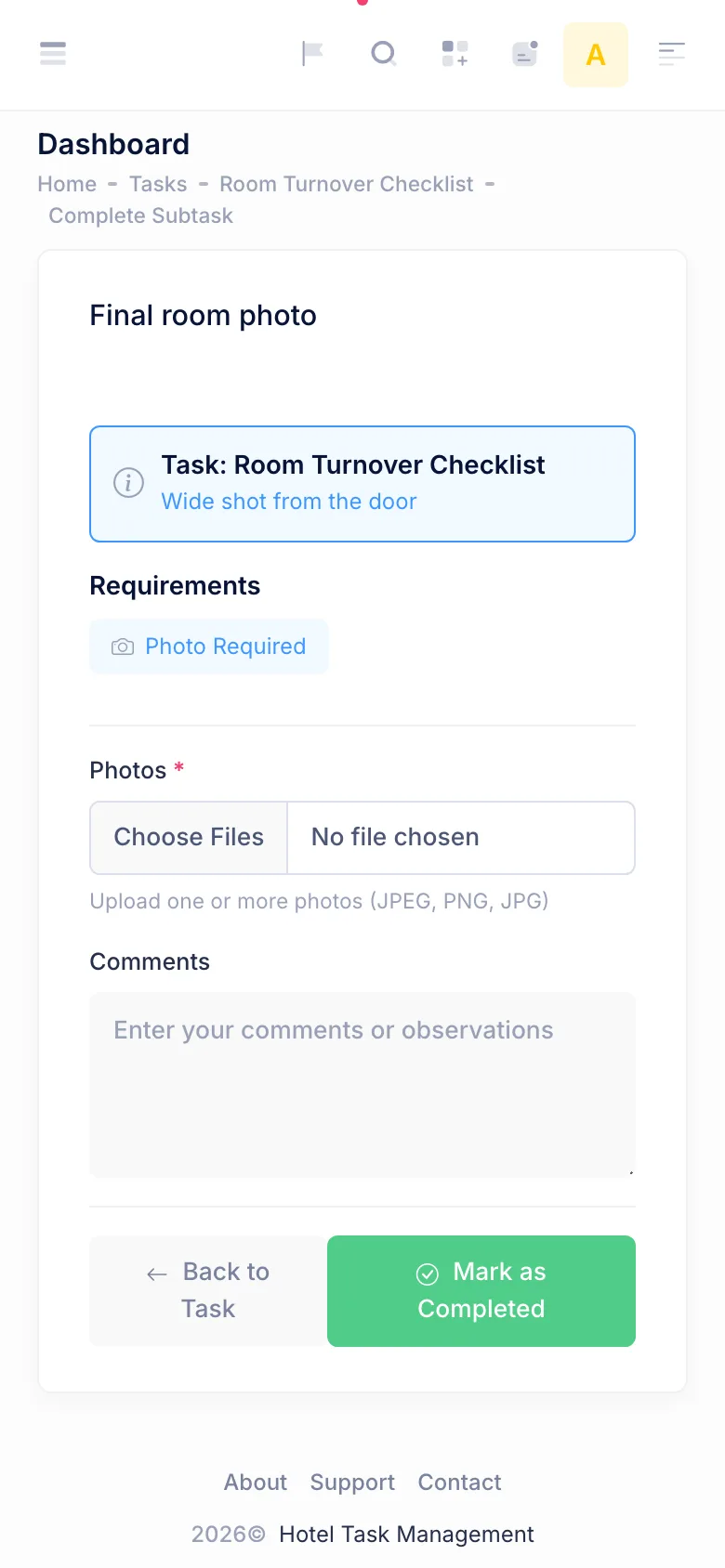
- Ask for proof where it matters: a photo of the room, a comment, an uploaded file or a reading such as a chiller temperature.
- Let supervisors check that proof and let managers approve or reject finished work.
- Keep several hotels in one system, with each hotel seeing only its own data.
- Let staff report problems from the floor and make sure old problems are chased.
- Show completion and compliance by hotel, department and person.
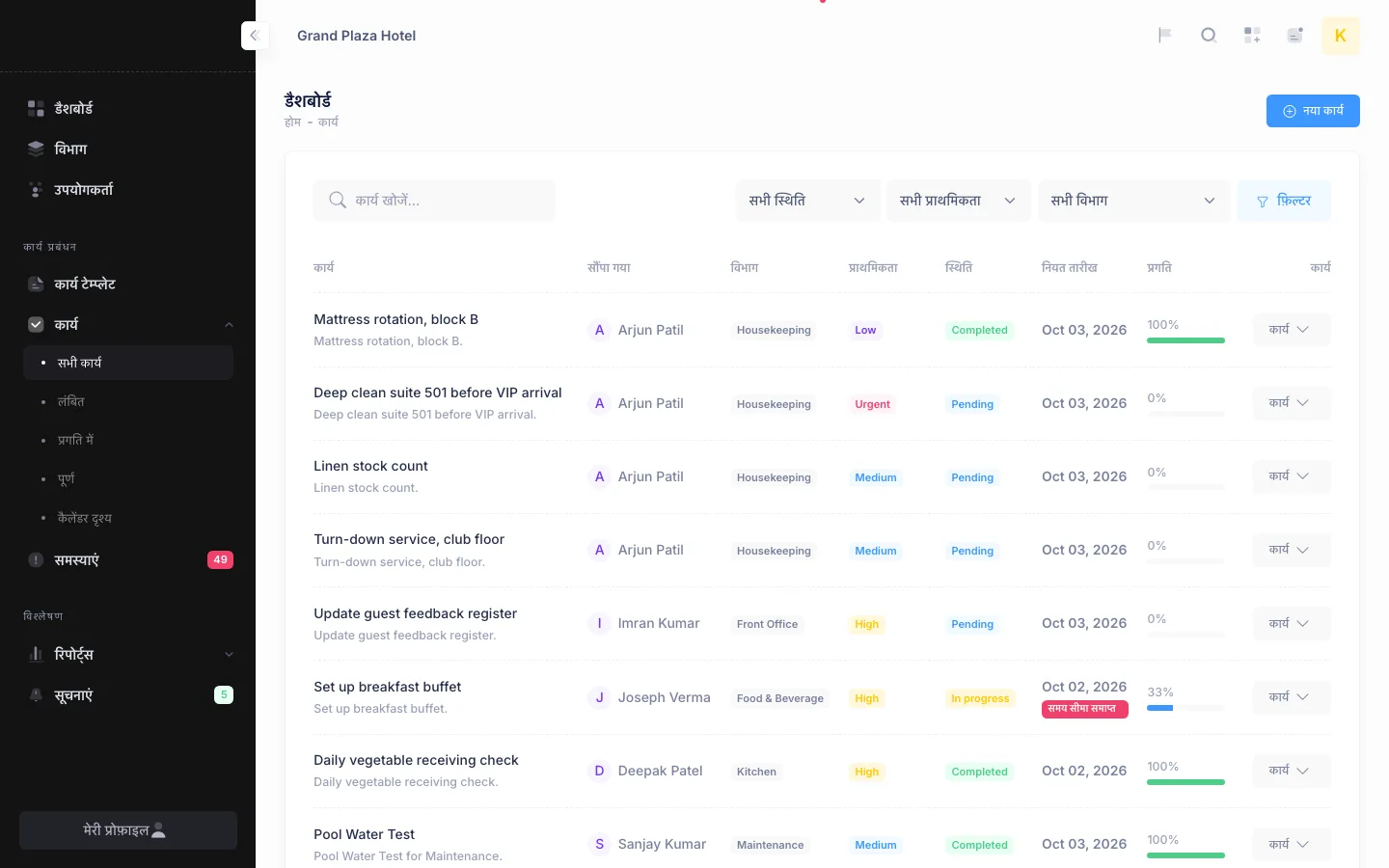
- Work for staff who prefer Hindi or Gujarati to English.
What was built
Hotels, departments and people
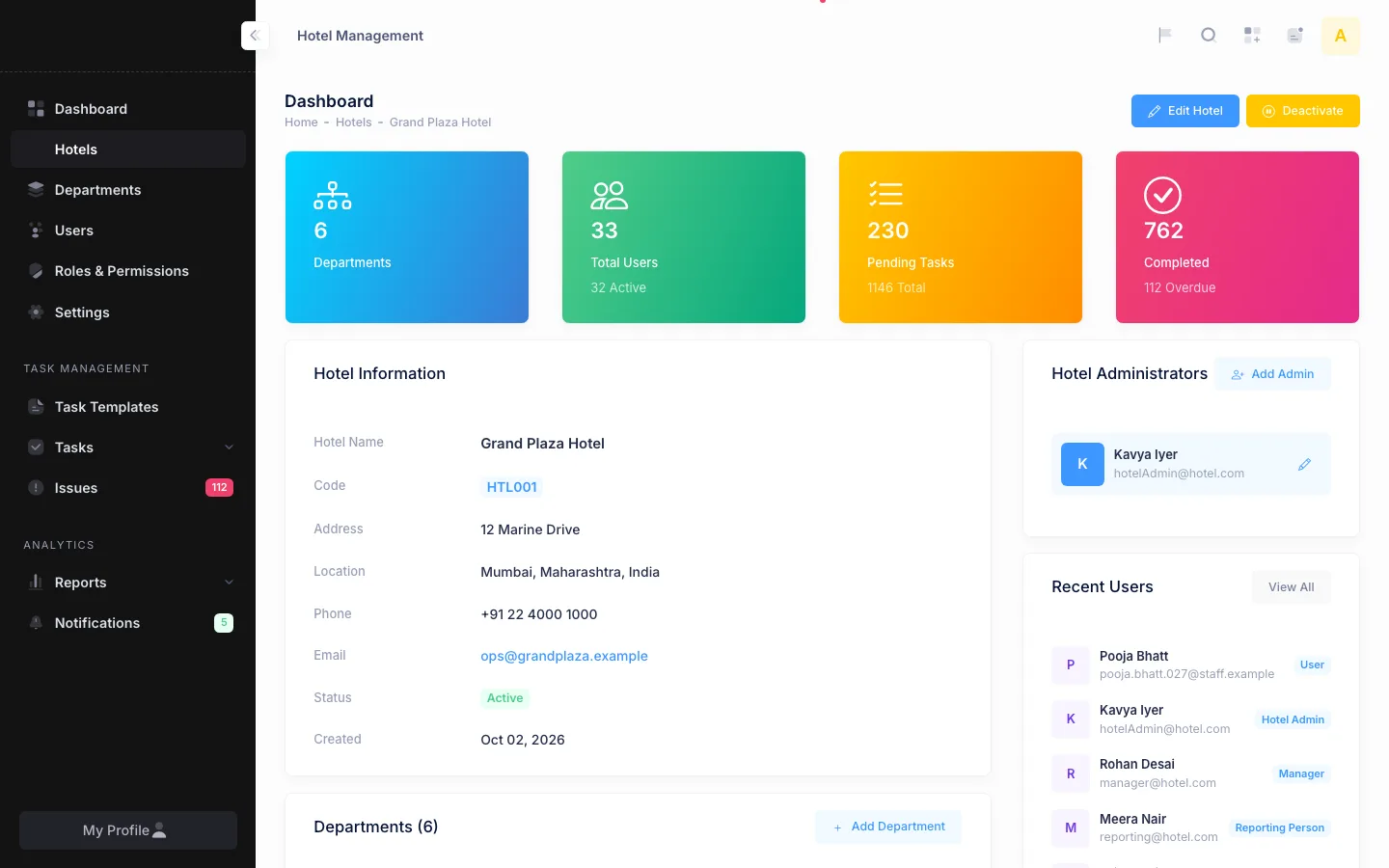
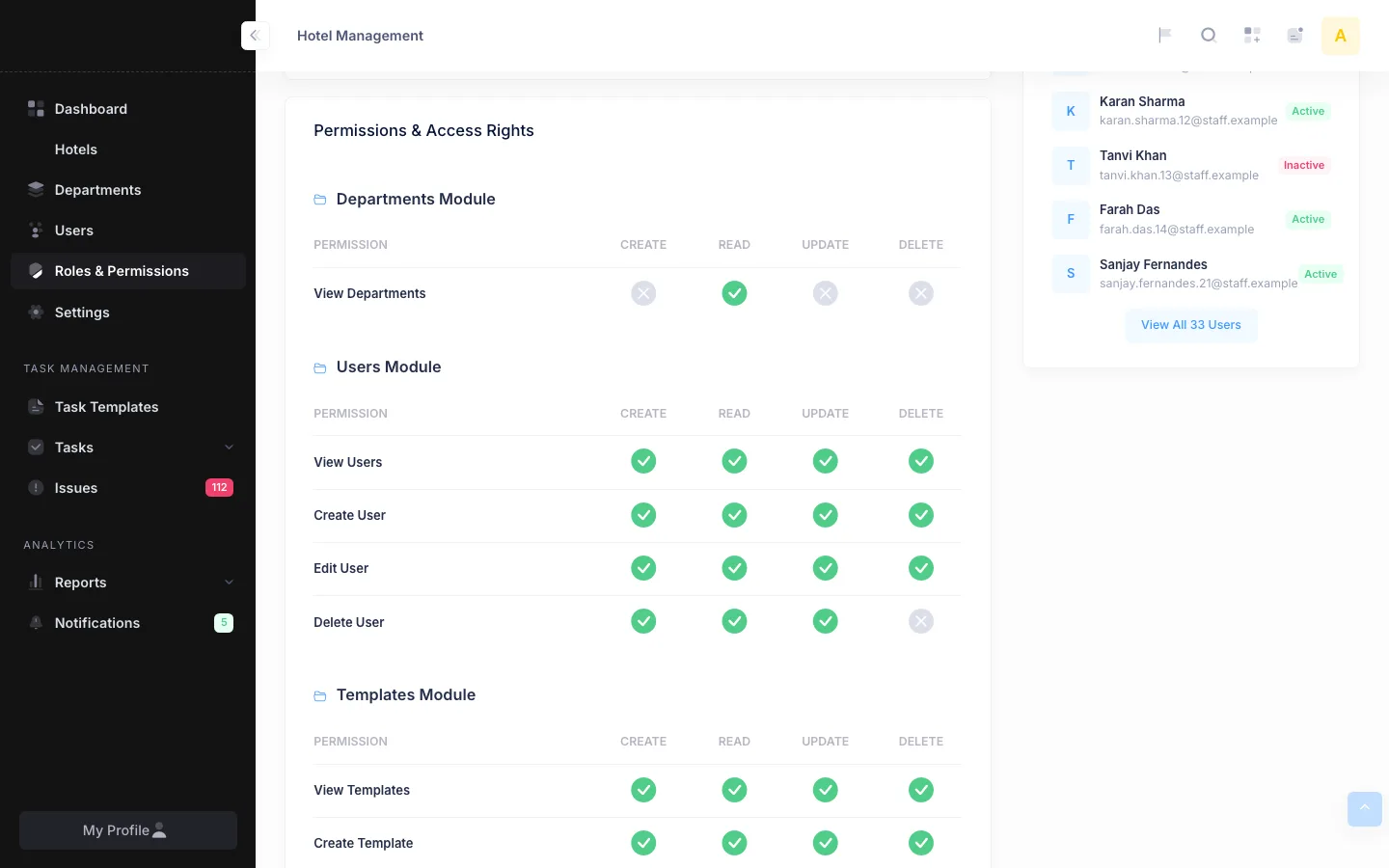
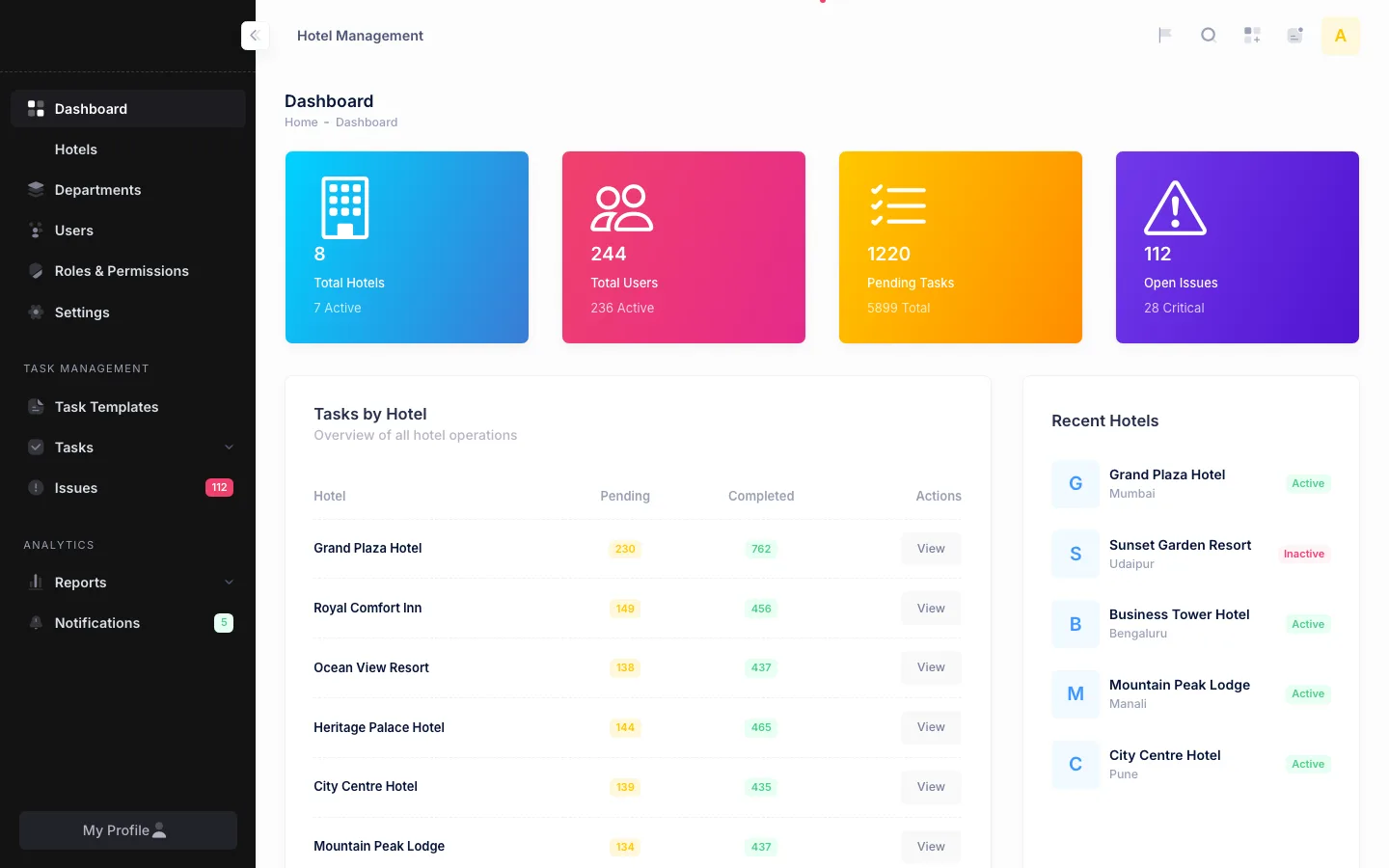
Head office adds hotels, activates or deactivates them, and assigns each one its administrators. A hotel page shows its departments, staff, pending and completed tasks, recent issues and how each department is doing. Hotel admins create departments such as housekeeping, front office, kitchen, maintenance and security, add staff, and give each person a role. Roles come with 42 permissions across 10 modules, and custom roles can be created or cloned with their own create, read, update and delete rights per module.
Tasks that carry their own checklist
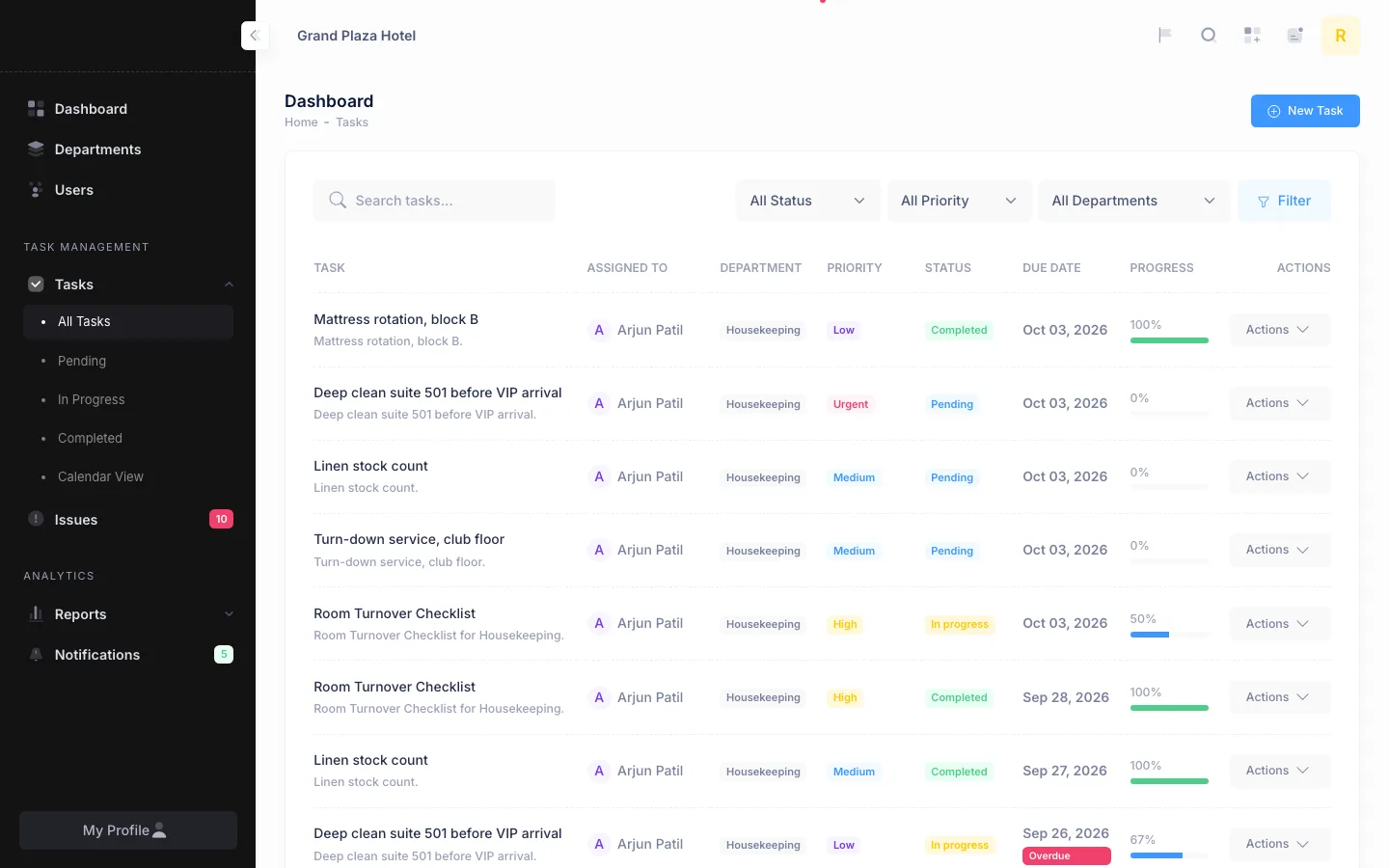
A task template holds the steps of a routine, such as a morning round or a room turnover, and can be shared with every hotel or kept to one. Each step has its own rules: photo required, comment required, file upload with allowed types, or a number that must fall between a minimum and a maximum. Templates set a daily, weekly or monthly recurrence and whether finished tasks need approval. When a recurring task is completed, the next one is created with the following due date.
Evidence, validation and approval
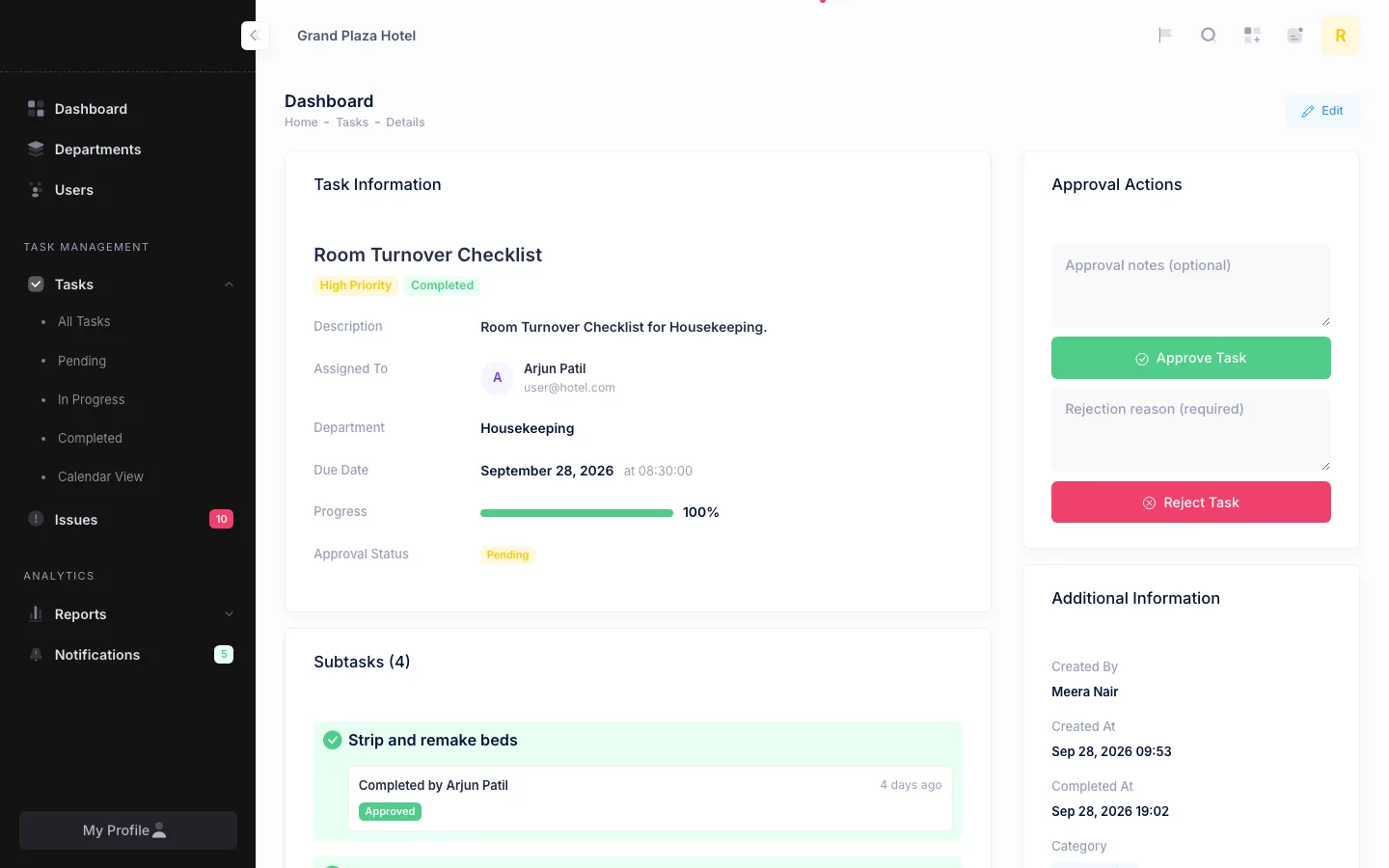
Staff open a task, work through its steps and submit what each step asks for. A supervisor or manager validates each submission. When the task is done, an approver approves it with optional notes or rejects it with a reason. Task actions, approvals, rejections and completions are written to an audit log.
Issues from the floor
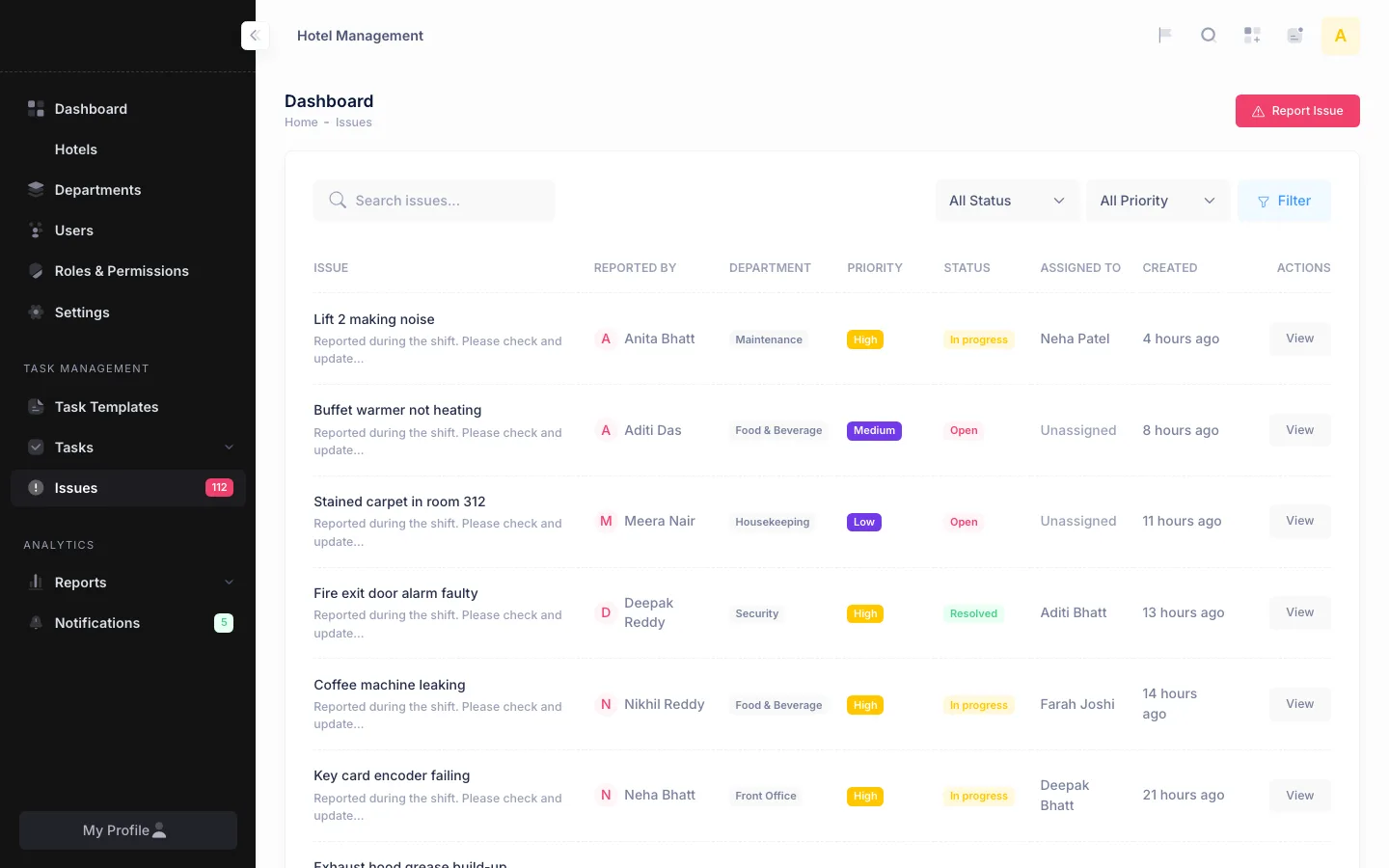
Anyone can report an issue with a priority, a department and photos. Issues are assigned, resolved with notes and closed. A daily job escalates any issue still open after two days.
Calendar and reminders
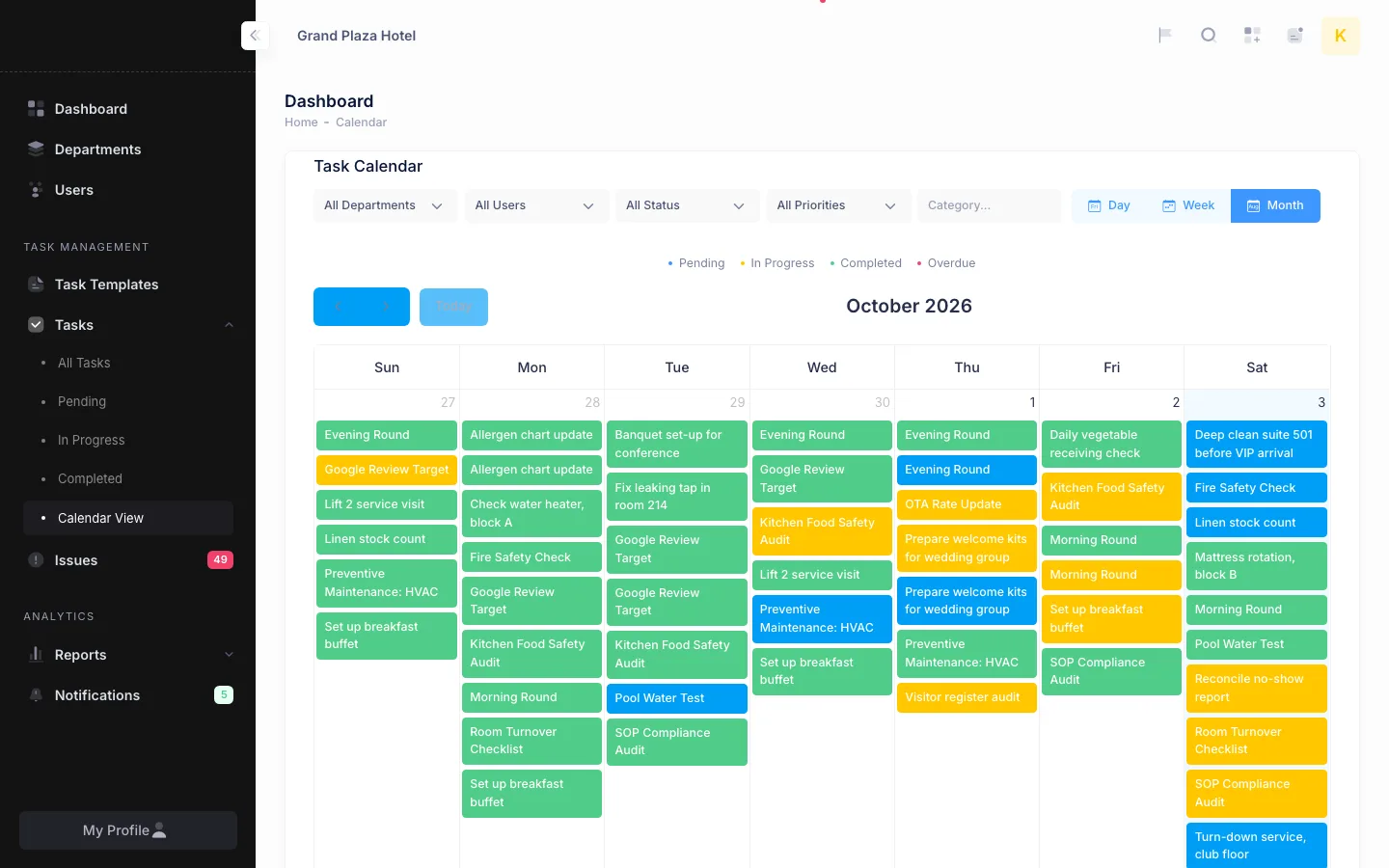
A calendar shows tasks by day, week or month, coloured by status and filtered by department, user, status and priority. Twice a day the system checks for overdue tasks. Assignments, approval requests, approvals, rejections, overdue tasks, new issues and escalations reach people by email and inside the app.
A dashboard and a report for every role
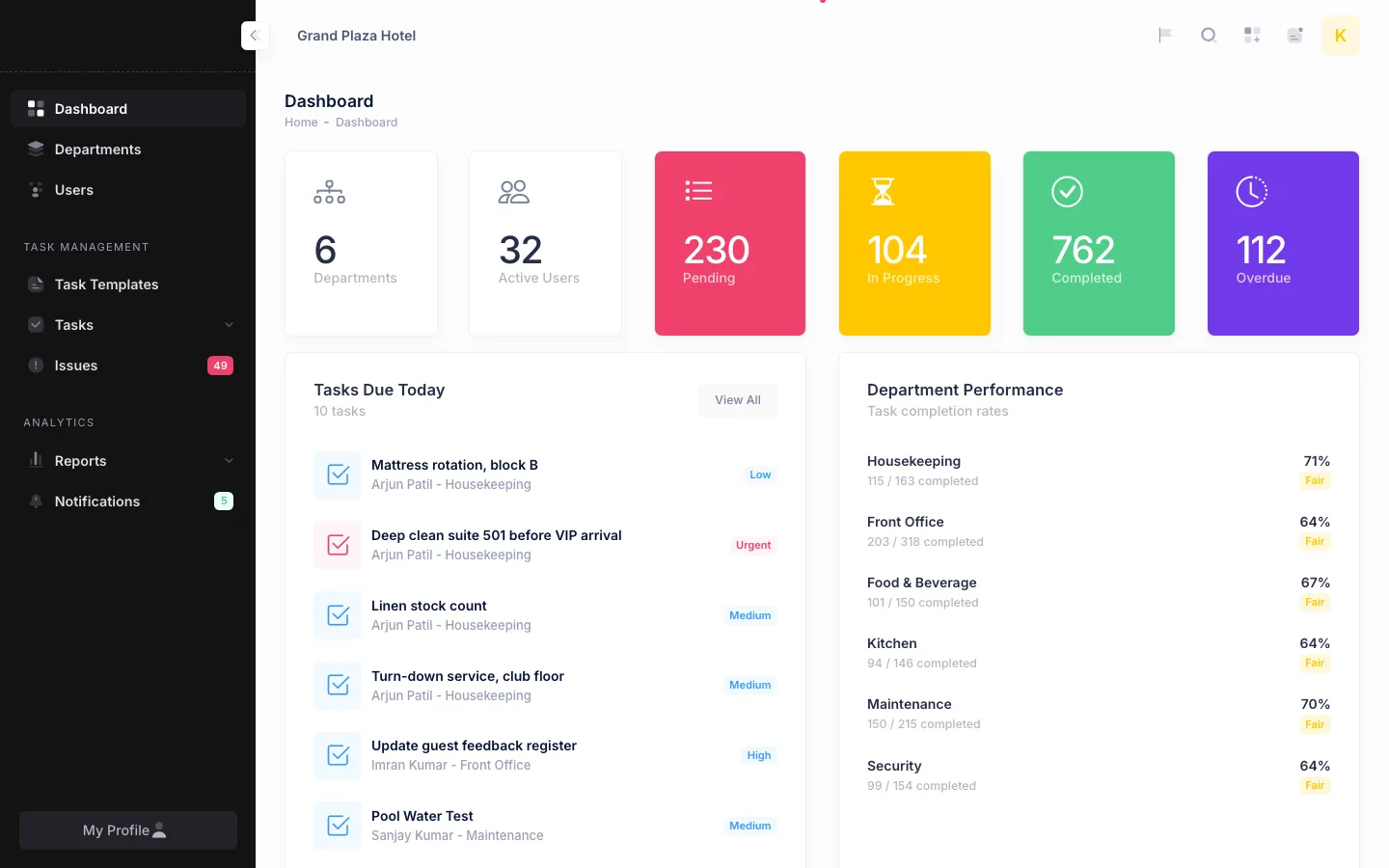
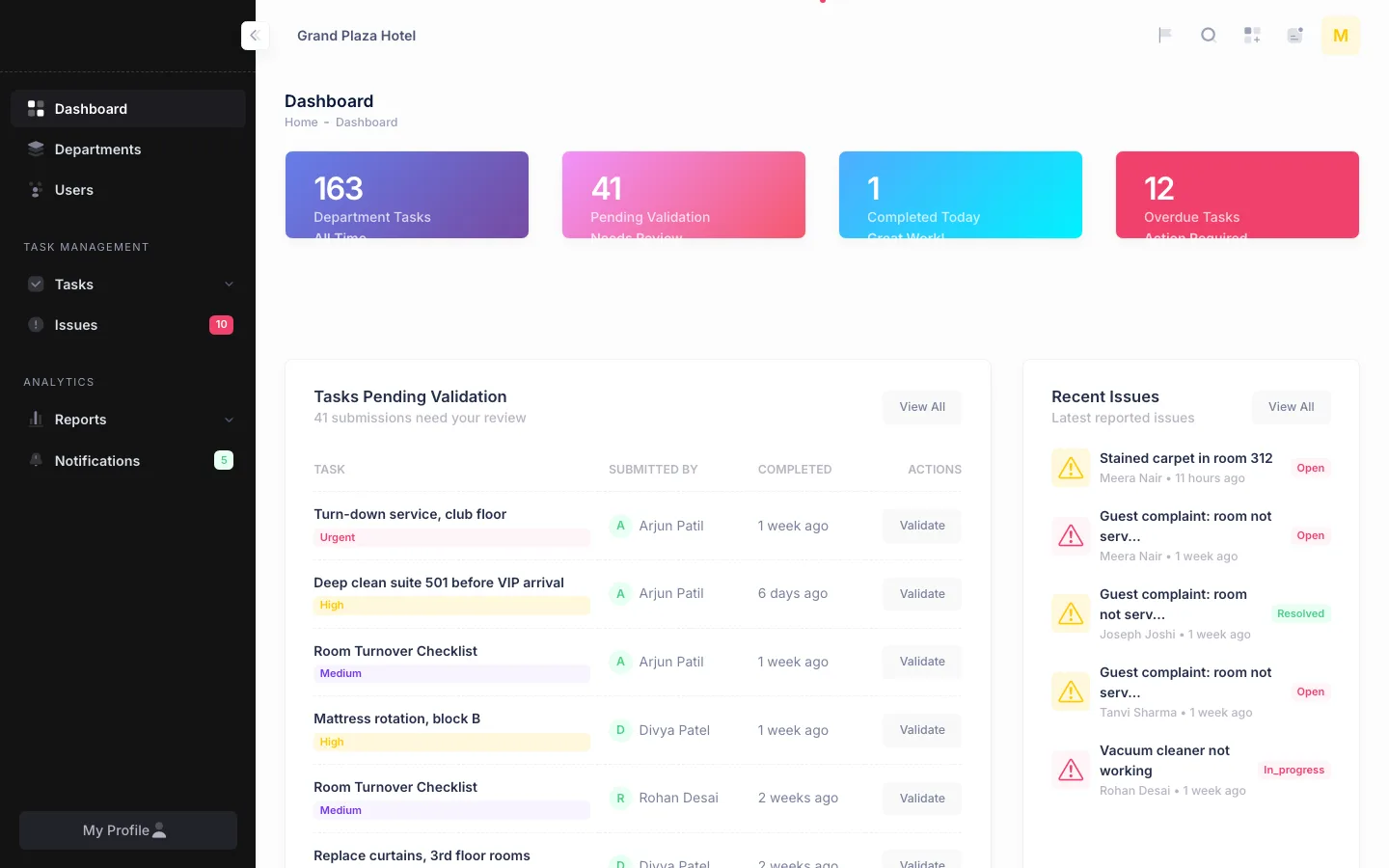
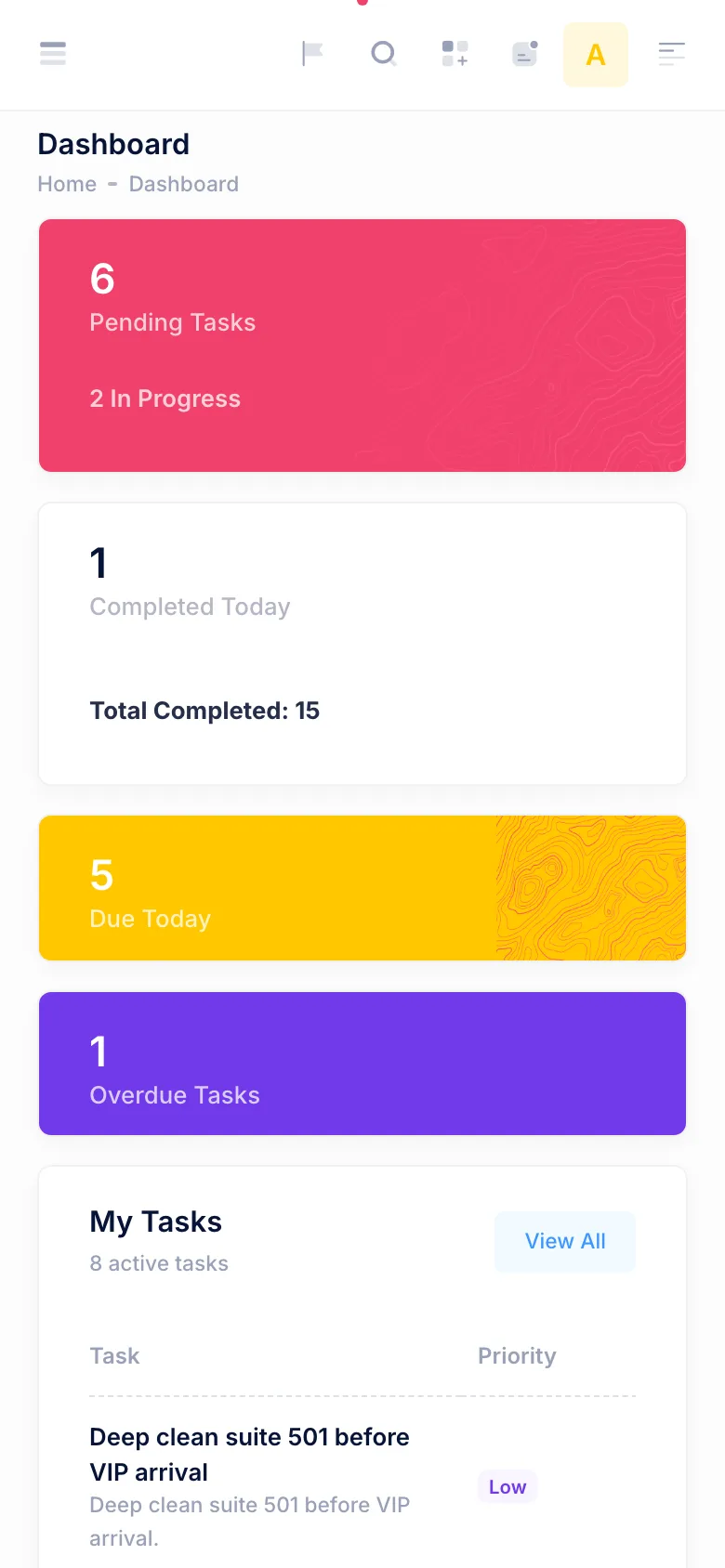
Each role lands on its own dashboard. Head office sees every hotel, with pending and completed tasks per hotel. A hotel admin sees the tasks due today and the completion rate of each department. A manager sees tasks waiting for approval and the team's performance. A supervisor sees submissions waiting for validation and the latest issues. Staff see their own tasks, what is due today and what is overdue.
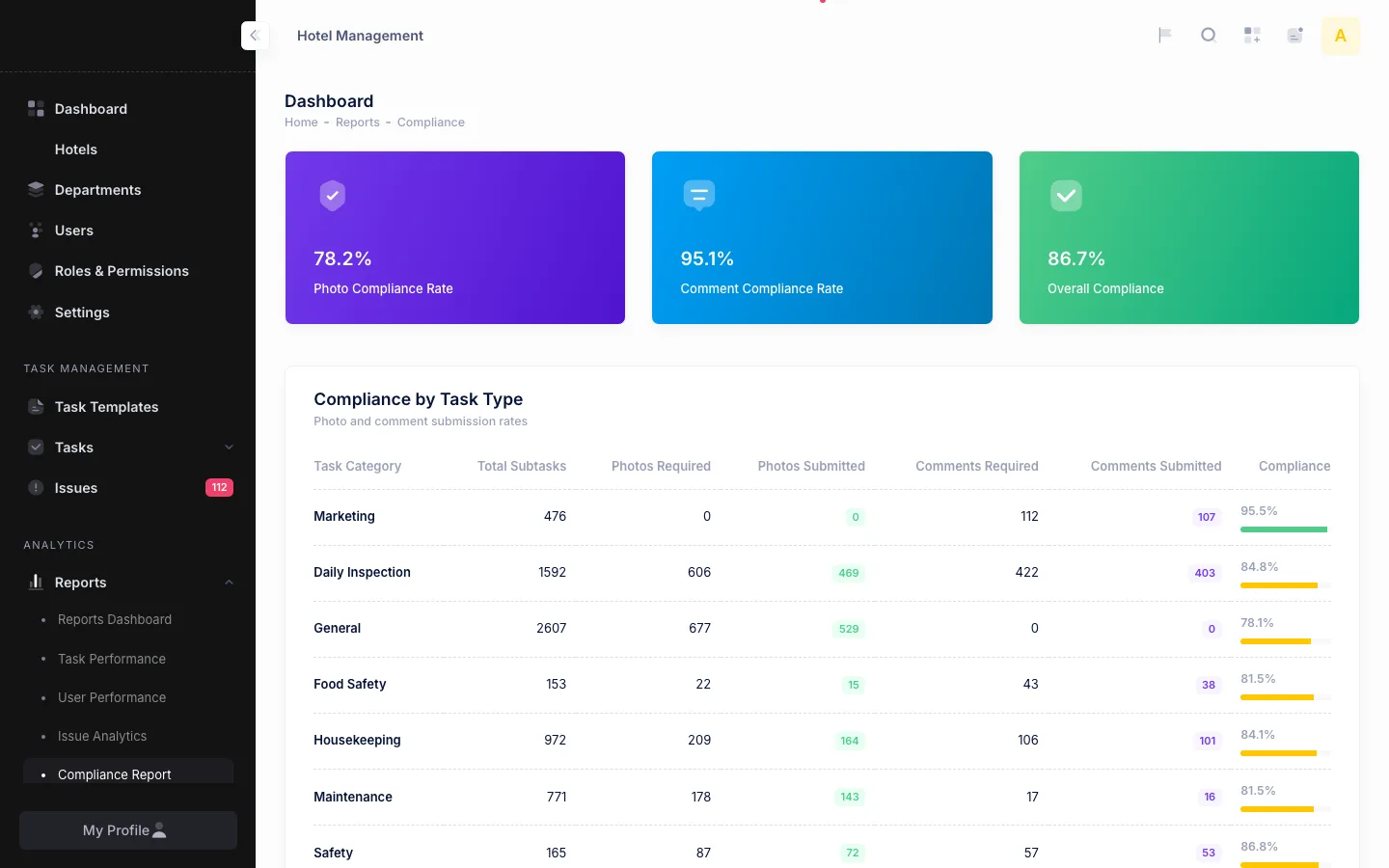
Four reports cover task performance by department, the performance of each person, issues by department and priority with resolution times, and photo and comment compliance by task type: how often a required photo or comment was actually submitted. Each report takes a date range, and task data exports to CSV.
Three languages
The interface is available in English, Hindi and Gujarati, with 656 translated strings in each language. Each user picks a language from the header, it is saved on their profile, and the panel opens in it from then on.
Technology
Laravel 10 on PHP with MySQL, server-rendered Blade views on the Metronic theme (Bootstrap 5), and FullCalendar for the calendar. Emails go out through queued jobs, and the overdue and escalation checks run on Laravel's scheduler. A versioned REST API with Laravel Sanctum tokens covers the same modules for a mobile app, and the repository also holds the source of a React Native app written against it.
- Laravel
- PHP
- MySQL
- Blade
- Metronic (Bootstrap 5)
- FullCalendar
- Laravel Sanctum
- Laravel queues and scheduler