HomePortfolioMulti-vendor marketplace panel

Client project · Middle East

Multi-vendor marketplace panel — one platform, five kinds of vendor.

Admin and vendor panels · Multi-vendor marketplace

A Laravel marketplace where one customer account can shop from stores, order food or book a table, book a hotel room, book a salon or spa appointment and apply for jobs. Behind it sit two panels: an admin panel that approves vendors, sets commissions and oversees every order, booking, dispute and report, and a vendor panel that changes its menu to match the type of business. Everything runs in English and Arabic, with right-to-left layout and several currencies.

Client
Name withheld by agreement, Middle East
Industry
Multi-vendor marketplace
Built
Admin and vendor panels
Serves
The platform's operators, and the stores, restaurants, hotels, service providers and employers who sell on it
Stack
Laravel 10 · PHP · MySQL · Blade
Live at
Private; screens shown with the brand removed
Multi-vendor marketplace panel on a desktop browser
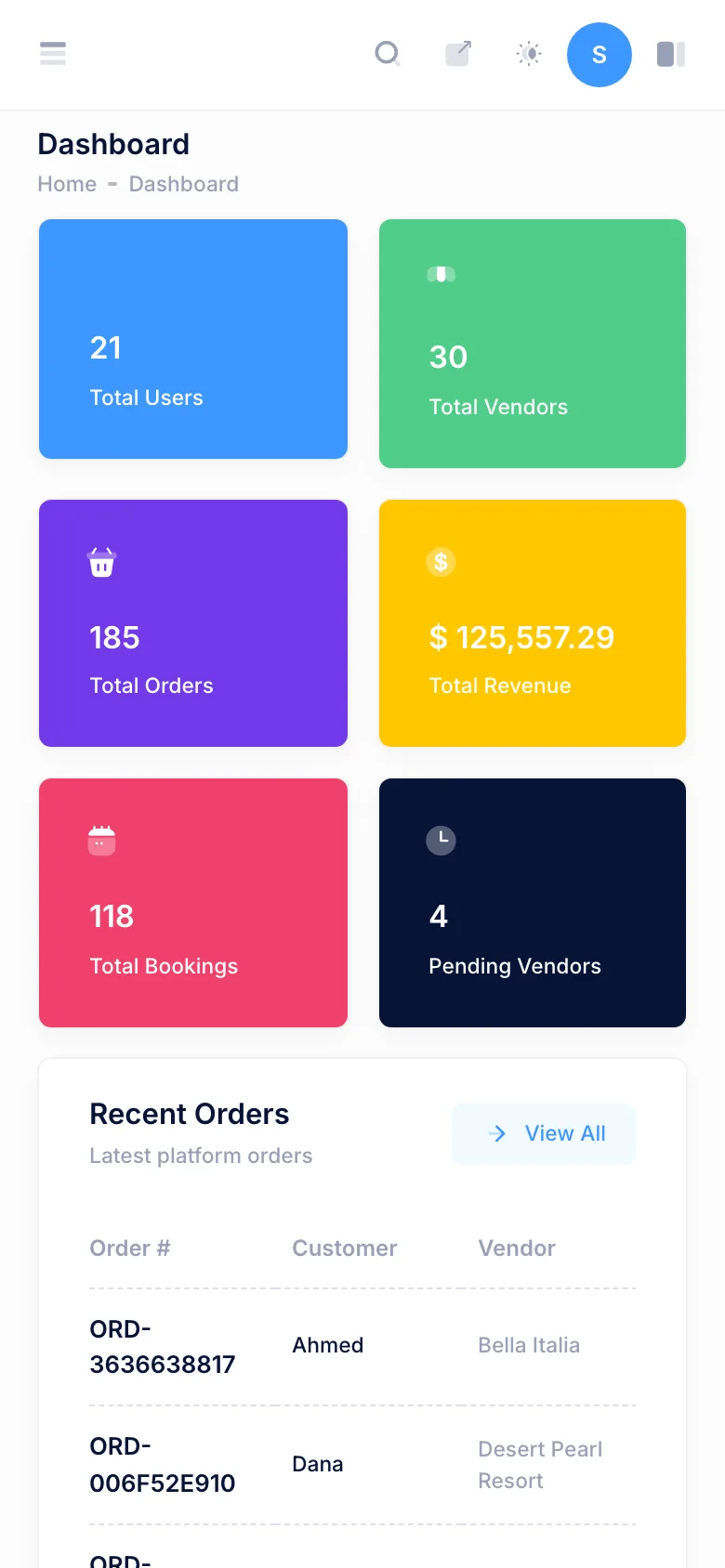
Multi-vendor marketplace panel on a phone

5

kinds of business in one vendor panel

62

admin panel routes

74

vendor panel routes

1085

interface strings in English and Arabic

Counted from the project repository and its route list, 3 October 2026.

01 — The build

what the business needed, and what was made

The platform

The platform brings several kinds of business together under one customer account. A customer can buy from a store, order food from a restaurant or reserve a table, book a hotel room, book an appointment at a salon, spa or other service provider, and apply for a job, all with the same login, the same cart and the same order history.

Each of those businesses is a vendor on the platform, and each needs different tools: a store manages products and stock, a hotel manages rooms and dates, a spa manages staff and time slots, an employer manages job posts and applicants. The operator in turn needs to approve vendors, set commissions and see everything that happens across all of them.

What it had to do

  • Let new vendors sign up, describe their business and wait for approval before they can sell.
  • Give every vendor one panel, but only the tools that fit their kind of business.
  • Let the operator set commission rates per type of business, and override them for single vendors.
  • Show the operator every order and every booking on the platform, with a way to handle disputes and refunds.
  • Check room dates, table slots and staff time slots before a booking is taken.
  • Work in English and Arabic, including right-to-left layout, and in more than one currency.

What was built

Admin panel: vendors and approvals

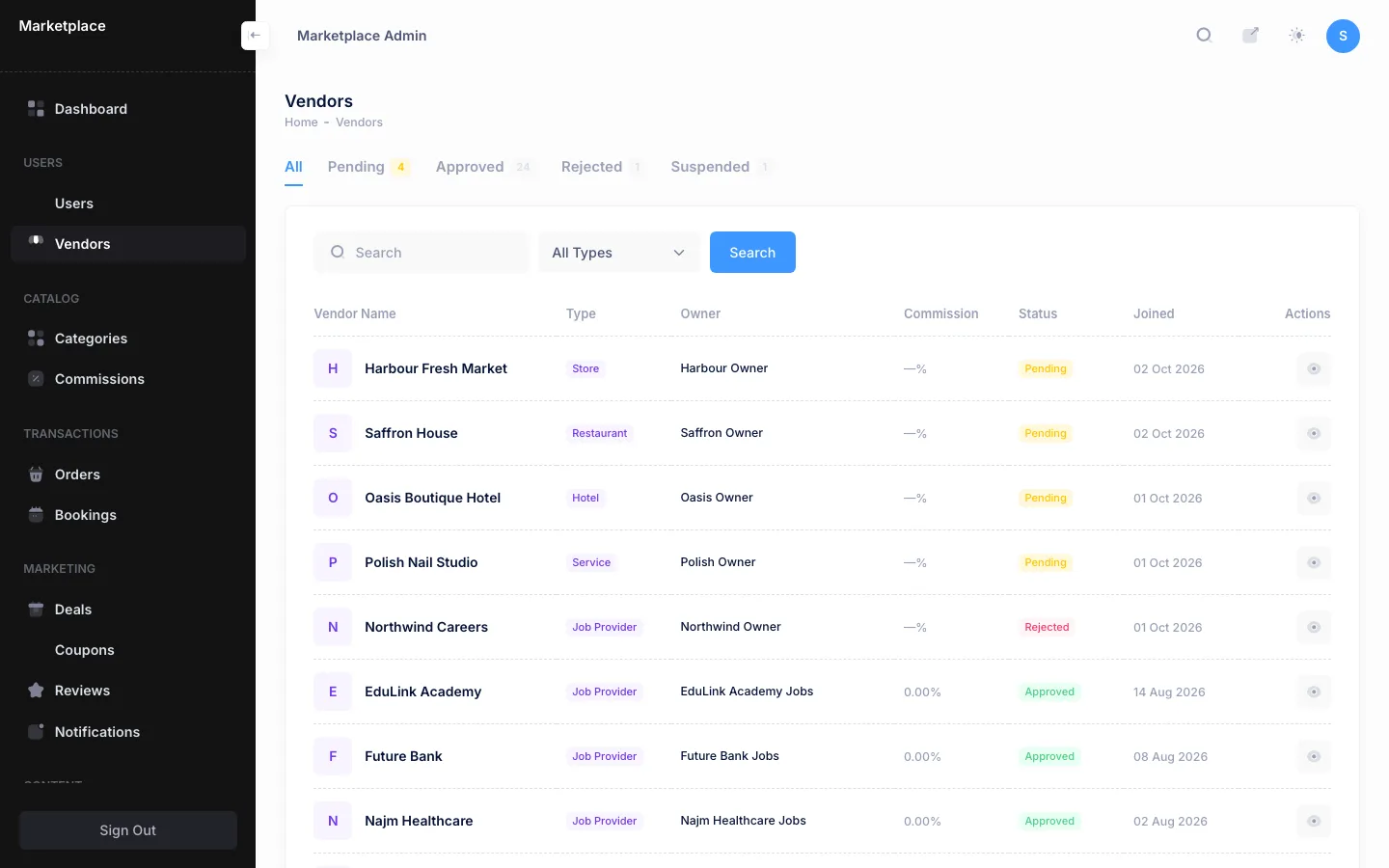
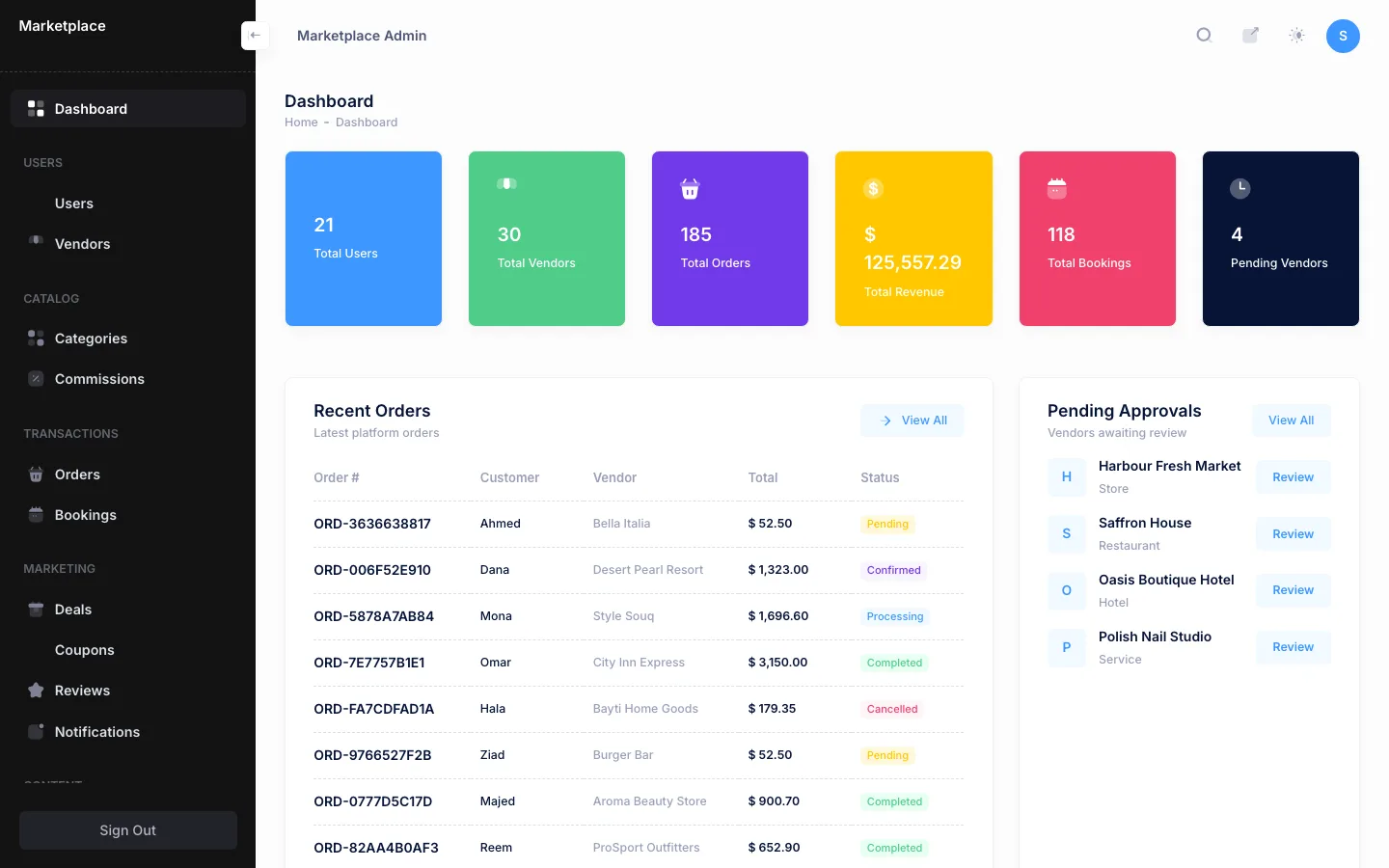
Vendors move through pending, approved, rejected and suspended, and the dashboard lists the ones waiting for review. The vendor list filters by status and business type and shows each vendor's owner and commission. Customer accounts can be searched and banned or unbanned.

Admin panel: commissions

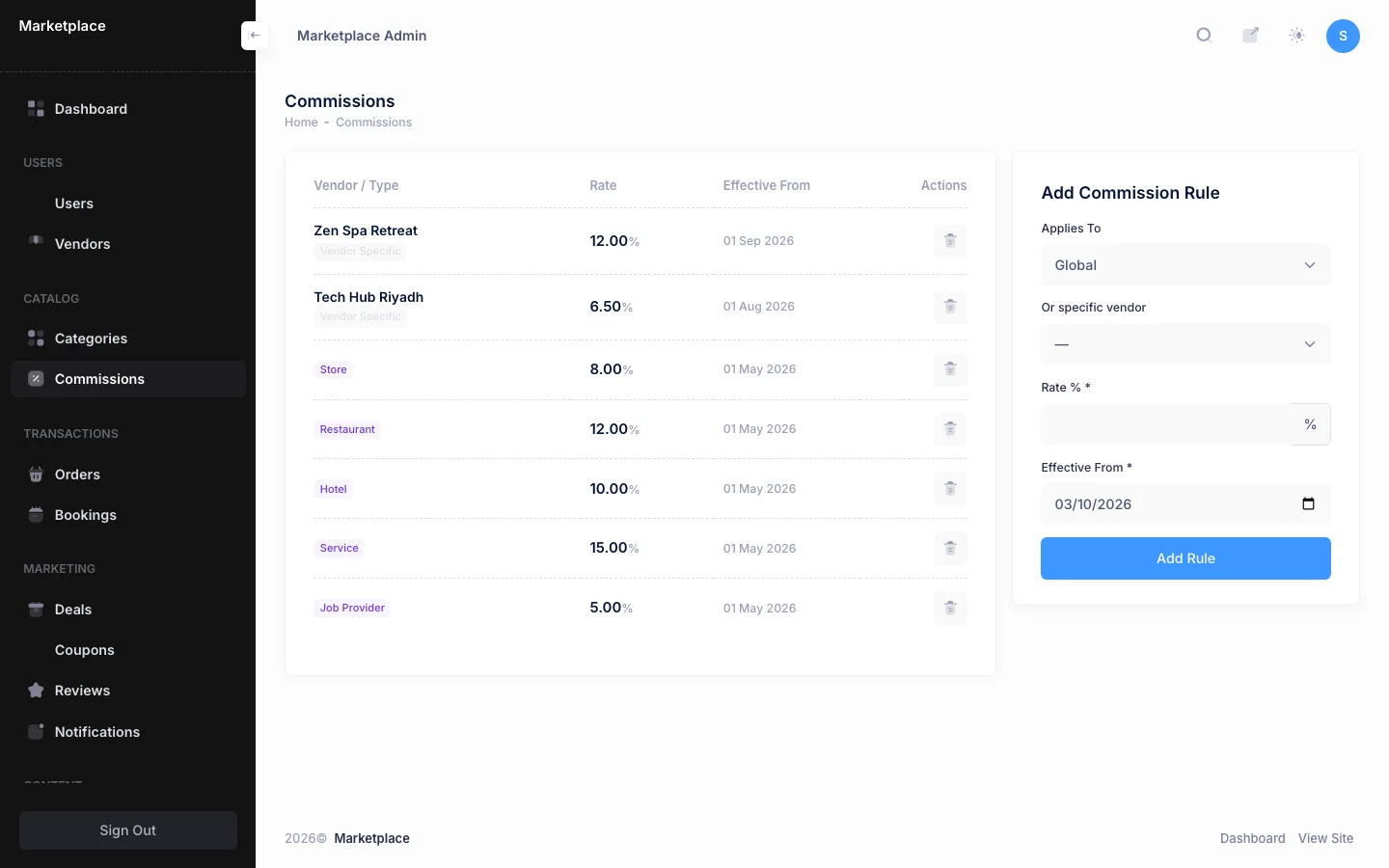
A commission rate is set for each business type: stores, restaurants, hotels, services and employers. A single vendor can be given its own rate, and every rule carries the date it takes effect.

Admin panel: orders, bookings and disputes

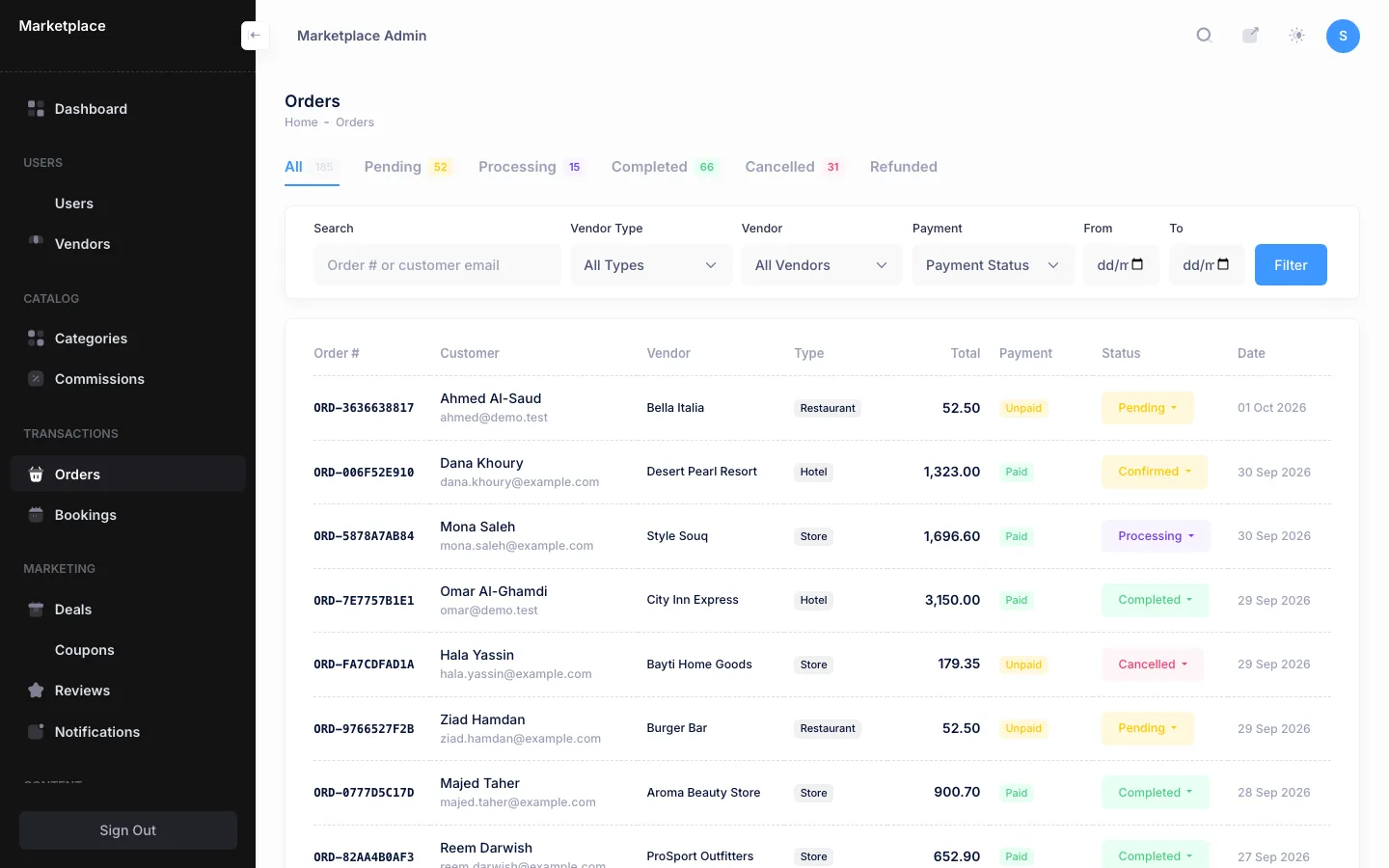
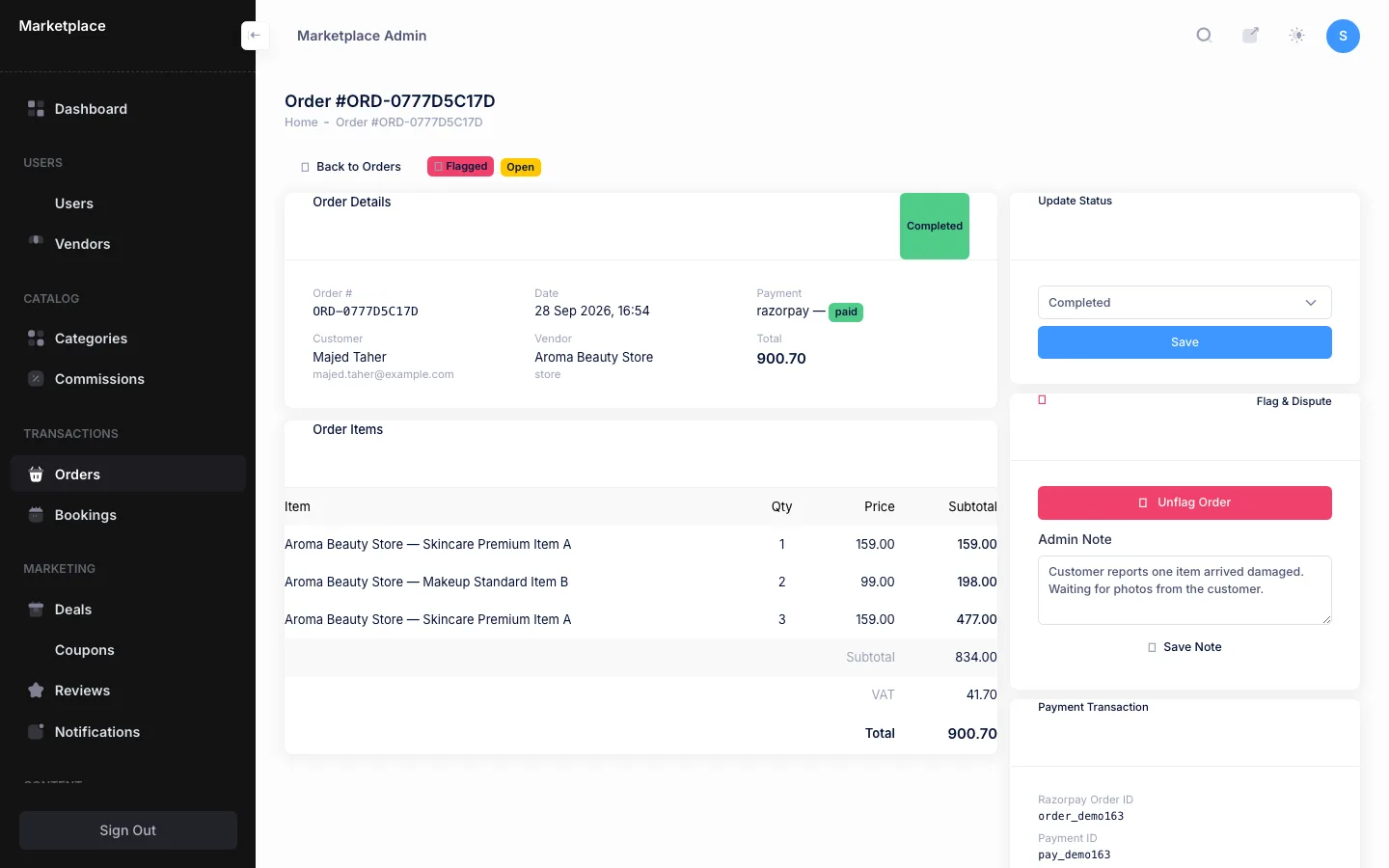
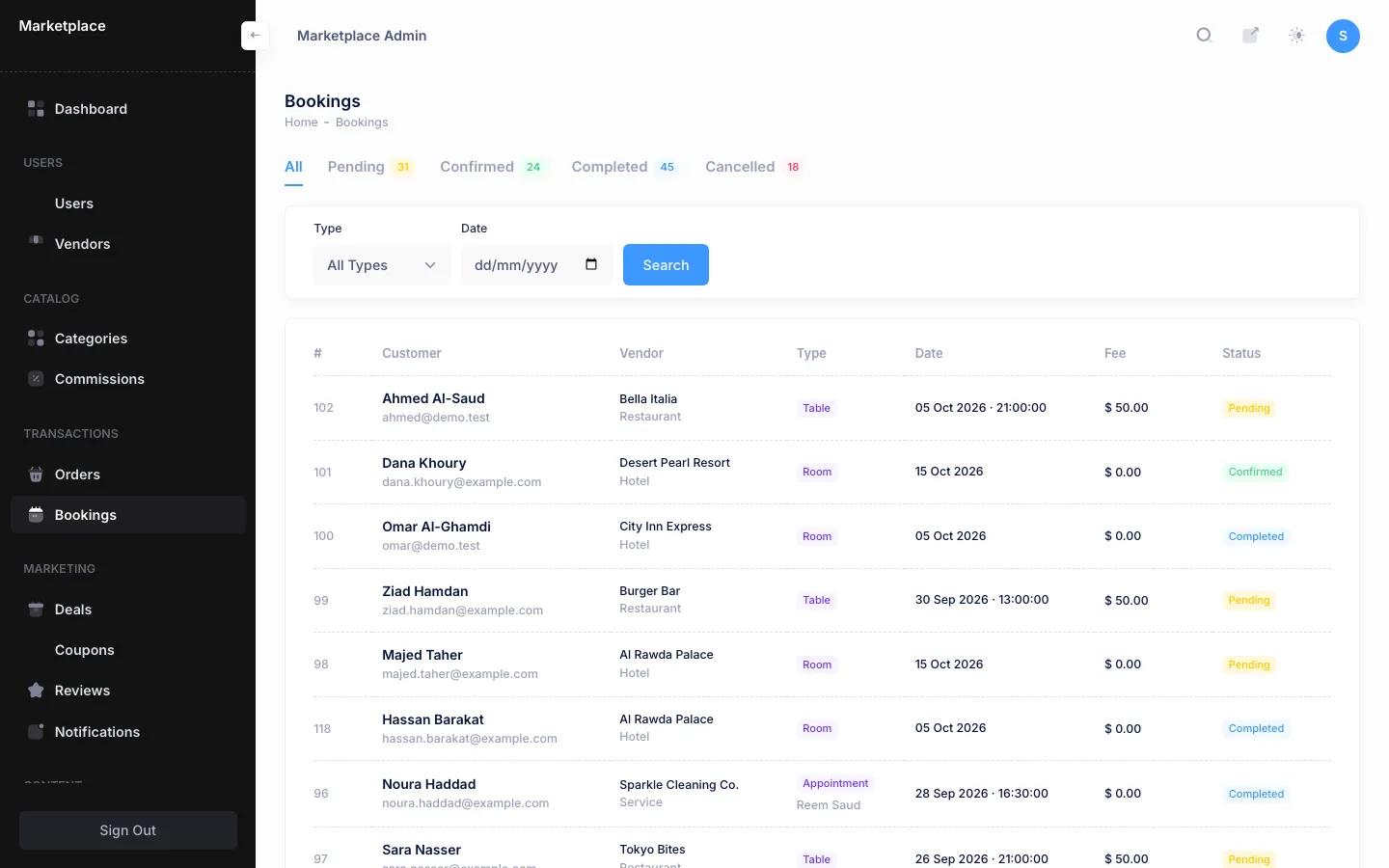
One orders list covers shopping, food delivery, table bookings, room bookings and appointments from every vendor, filtered by business type, vendor, payment status and date. Any order can be flagged and given an internal note, then force-completed or refunded. A separate bookings list shows room stays, table reservations and appointments together, with their status.

Admin panel: reports and the rest of the platform

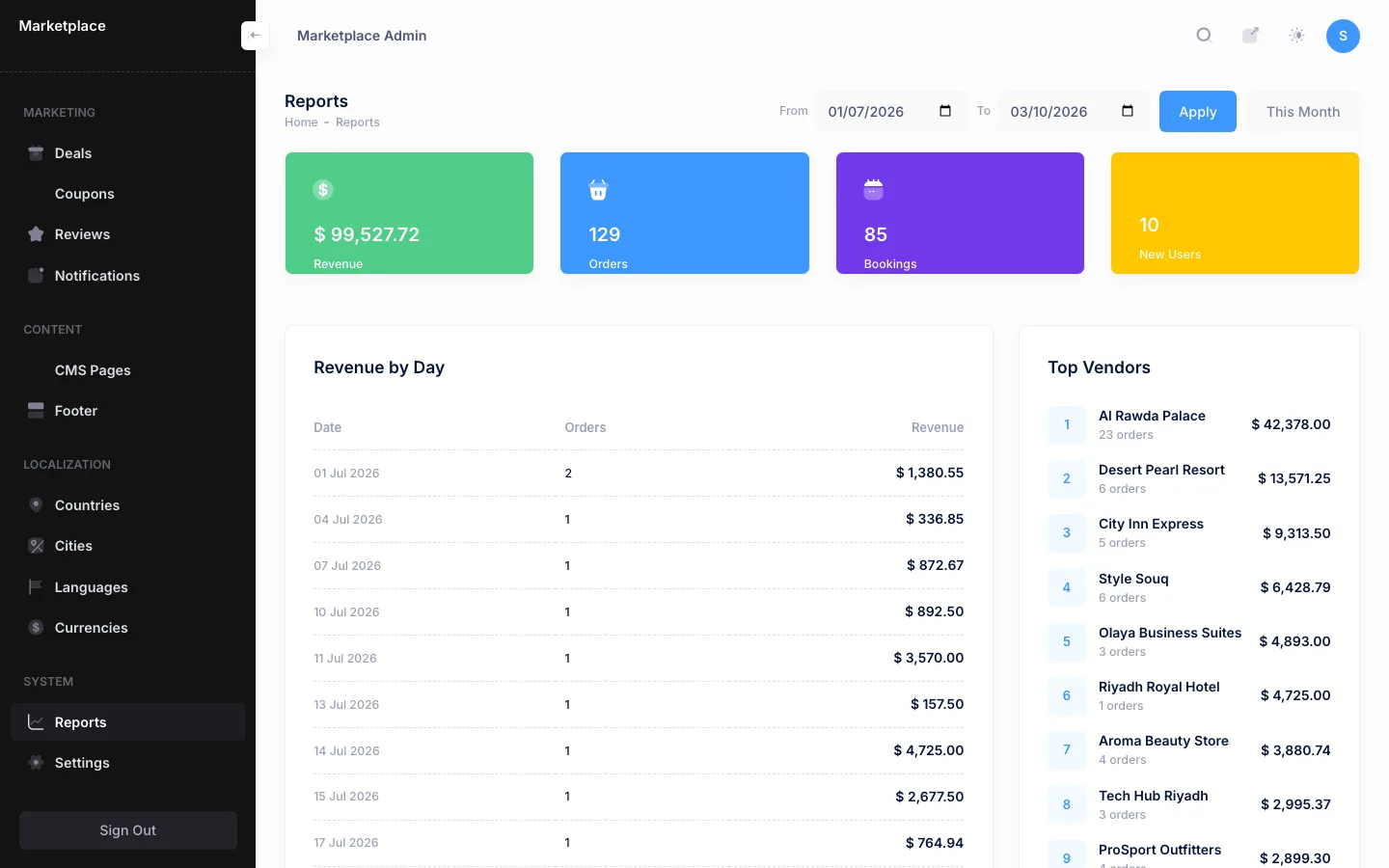
Reports show revenue, orders, bookings and new customers for any date range, with revenue by day, the top vendors and orders by type. The admin also manages categories for each business type, reviews, platform coupons and prize deals, email broadcasts to customers, the about, privacy, terms and FAQ pages in both languages, the site footer, countries and cities, languages, currencies and platform settings such as the VAT rate, payment keys and maintenance mode.

Vendor panel: shared tools

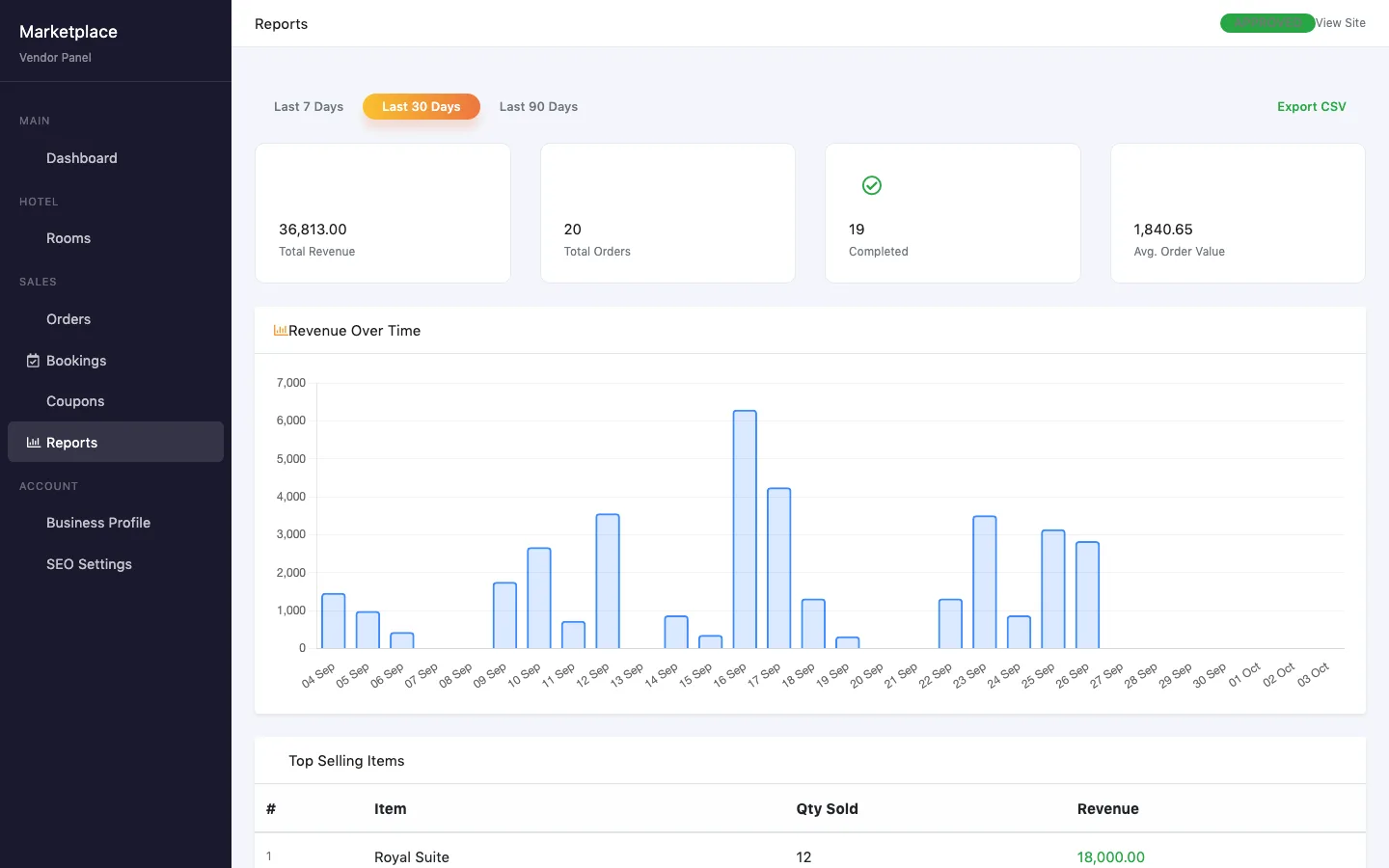
Every vendor gets a dashboard, orders with status updates, their own coupons, reports with a revenue chart and CSV export, a business profile with logo, banner, description in both languages and a map position, and SEO settings for their public page, with a Google preview.

One vendor panel, five kinds of business

The vendor panel reads the vendor's type and shows only the sections that fit it.

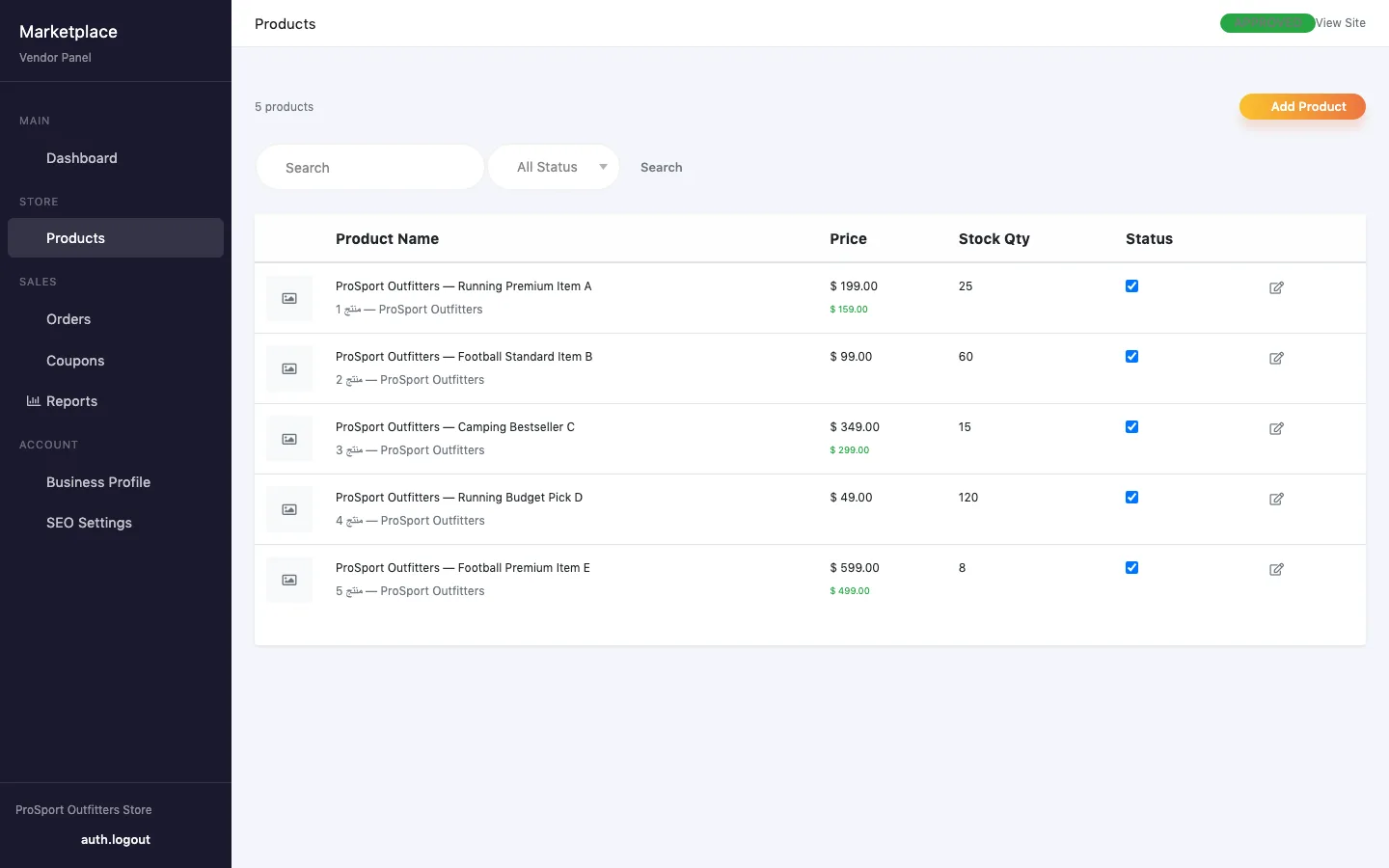
  • Stores manage products in English and Arabic, with category, brand, price, sale price, warranty, stock and up to ten photos each.
  • Restaurants manage a menu with categories and an availability switch, and table sections such as indoor and outdoor, each with seats, a booking fee and time slots for every day of the week.
  • Hotels manage room types with bed type, guests, nightly price, number of rooms, amenities, photos and blocked dates.
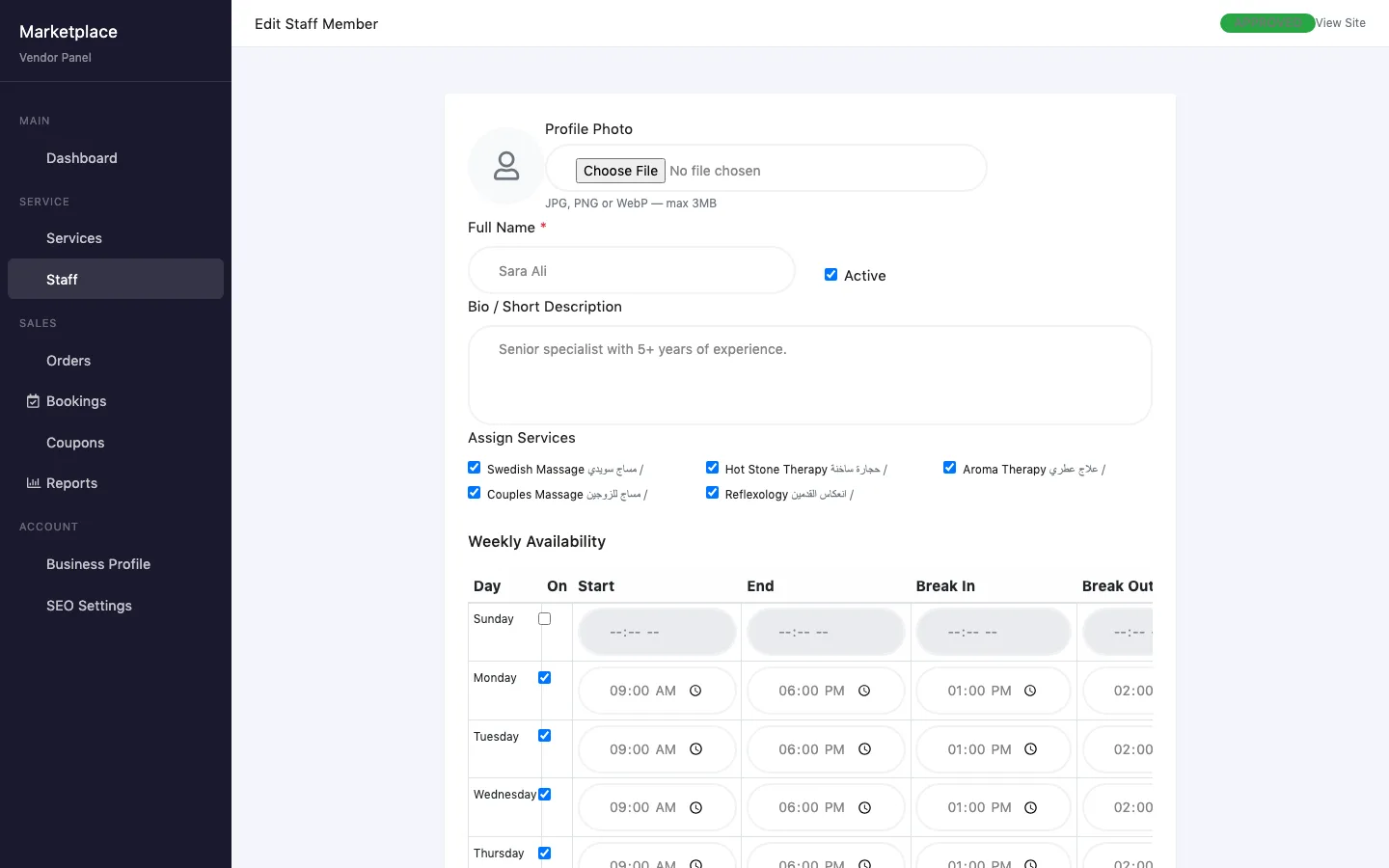
  • Service providers manage services with price and duration, and staff with a photo, the services they perform and weekly working hours with breaks. Bookable slots are built from those hours, skipping breaks and existing appointments.
  • Employers post jobs with type, city, experience and salary ranges and an expiry date, then move each applicant through pending, reviewing, shortlisted, interview, rejected or hired.

Restaurants, hotels and service providers also get a bookings list where they confirm, complete or cancel each booking; confirming sends the customer an email.

The customer side

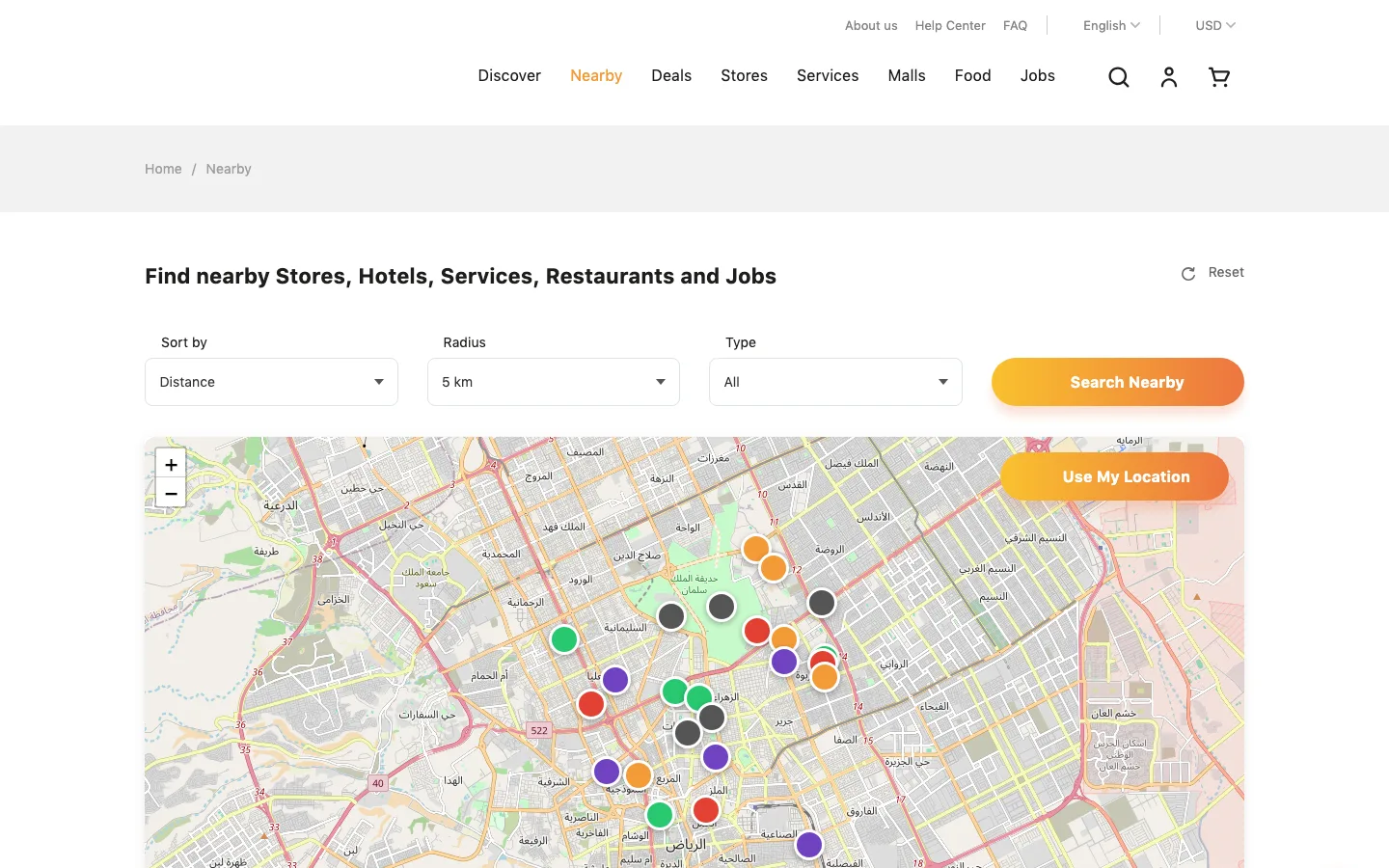
Customers browse each kind of business, search across all of them or use a nearby map that sorts vendors by distance and filters them by radius and type. One cart holds products, food, rooms, tables and appointments; checkout takes a coupon, adds VAT and shipping, and is paid through Razorpay or on delivery or at the venue. Room dates, table slots and appointment slots are checked for availability before they go into the cart. Customers can sign in with Google or Facebook, keep an address book and a wishlist, follow their orders and bookings, leave reviews, see their coupons, enter deals and track job applications.

The screenshots on this page were taken from a local copy of the project running on demo data, with the client's name and logo removed.

Technology

Laravel 10 on PHP with MySQL and server-rendered Blade pages. The admin panel is built on a Bootstrap 5 admin theme; the vendor panel and the storefront use Bootstrap with their own styles. Payments go through Razorpay, social login through Laravel Socialite, and the nearby map uses Leaflet with OpenStreetMap. Uploaded images are converted to WebP in three sizes with Intervention Image, slugs come from Spatie's sluggable package, and vendor reports draw their charts with Chart.js. Interface text lives in English and Arabic translation files, and the language switcher sets the page direction.

  • Laravel 10
  • PHP
  • MySQL
  • Blade
  • Bootstrap 5
  • Razorpay
  • Intervention Image
  • Laravel Socialite
  • Leaflet and OpenStreetMap
  • Chart.js

03 — What it does

what the upgrade added

05 — Screens

brand removed from every screen

Multi-vendor marketplace panel — Vendors and approvals
Vendors and approvalsEvery vendor with its business type, owner, commission and status, with tabs for pending, approved, rejected and suspended.
Multi-vendor marketplace panel — All orders
All ordersOrders from stores, restaurants, hotels and services in one list, filtered by business type, vendor, payment status and date.
Multi-vendor marketplace panel — Order dispute
Order disputeA flagged order with an open dispute: the items, an internal admin note, the status and the payment reference.
Multi-vendor marketplace panel — All bookings
All bookingsRoom stays, table reservations and appointments across every vendor, with status tabs and filters.
Multi-vendor marketplace panel — Commissions
CommissionsA rate for each business type, plus overrides for single vendors, each with the date it takes effect.
Multi-vendor marketplace panel — Reports
ReportsRevenue, orders, bookings and new customers for any date range, with revenue by day and the top vendors.
Multi-vendor marketplace panel — Vendor reports
Vendor reportsA hotel's own figures for the last 7, 30 or 90 days, a revenue chart, top-selling items and a CSV export.
Multi-vendor marketplace panel — Store catalogue
Store catalogueA store vendor's products with price, sale price, stock and an on or off switch.
Multi-vendor marketplace panel — Staff schedule
Staff scheduleA spa specialist with the services they perform and their weekly hours and breaks, which set the bookable slots.
Multi-vendor marketplace panel — Nearby map
Nearby mapCustomers find stores, hotels, services, restaurants and employers around them, sorted by distance.
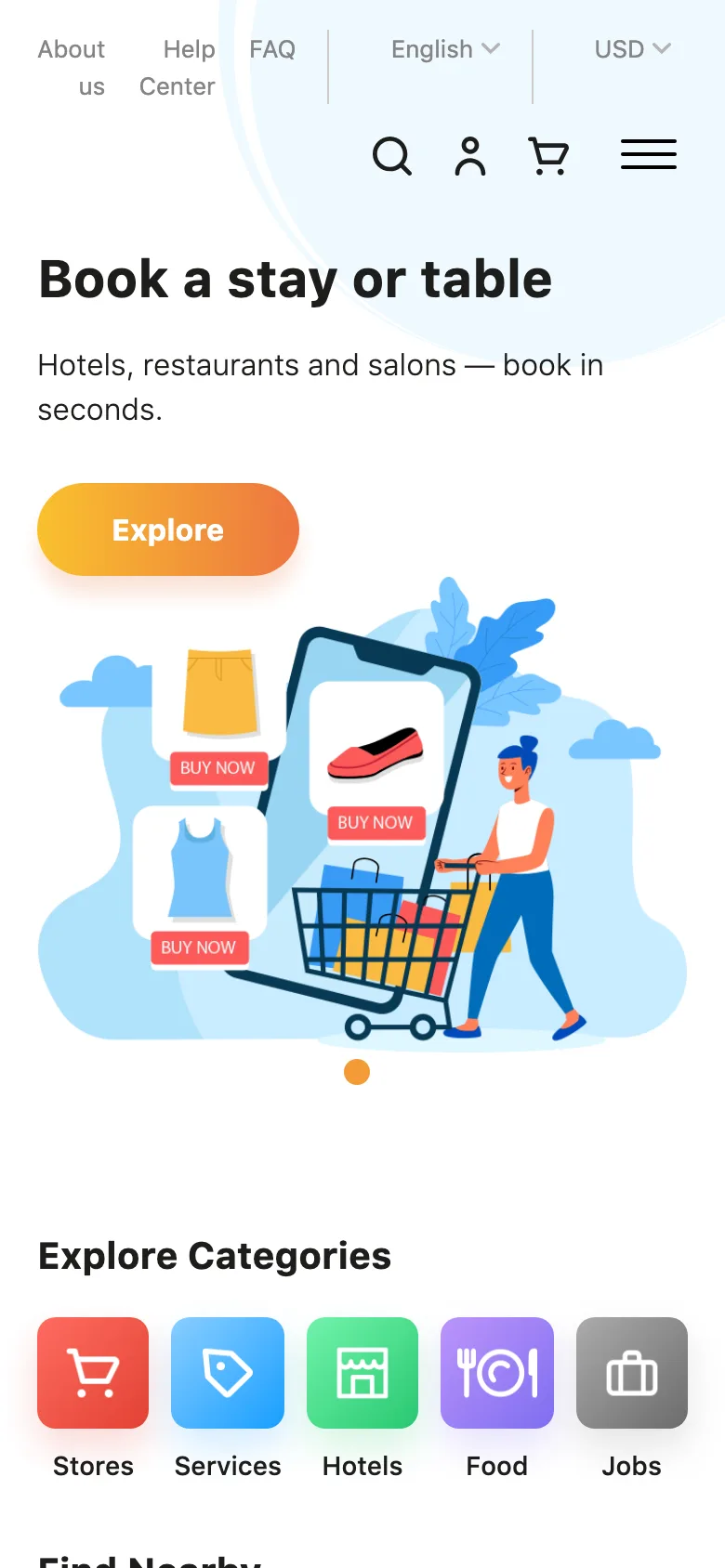
Multi-vendor marketplace panel — Admin on a phone
Admin on a phoneThe admin dashboard works on a phone, with the sidebar folded away.
Multi-vendor marketplace panel — Customer home
Customer homeOne home page for every kind of business: stores, services, hotels, food and jobs.

07 — Questions

about building something like this

Can one vendor panel really serve stores, restaurants and hotels?

Yes. Orders, coupons, reports, the business profile and SEO settings work the same for every vendor. Each business type then gets its own section, such as products, menu and tables, rooms, or services and staff, switched on by the vendor's type. Adding another type means adding a section, not a second panel.

Can the platform run in Arabic and in several currencies?

Yes. All interface text comes from translation files, and choosing Arabic switches the layout to right to left. From the admin panel you can switch languages on and off, mark a language as right to left, add currencies, set exchange rates and pick the default currency. A new language needs its translation file, which is a single JSON file.

Why is the client name not shown?

Some clients prefer their name off a developer's portfolio. The panels, the features and the technology are real; the brand, the domain and anything that identifies the client or their users are left out, and the screenshots use demo data.

What would a platform like this cost?

It depends on how many kinds of business, panels and payment methods you need. The packages page shows where projects start; send me a list of the vendor types and features you have in mind and I will reply with a written estimate before any work starts.

09 — More work

live projects and written case studies

Live VEDUMIA handmade resin art studio, selling across India and abroad Live Umiya OilA Rajkot oil and lubricant shop, with every grade it stocks online Live Pandit booking platformA Django marketplace for booking pujas, upgraded to 2.0 Live ConfessioAn anonymous platform where professionals share the mistakes they made at work Live SmartPDF AIThirty PDF tools in a web app that works like a phone app Live Bolt HouseA stock app for a nut and bolt maker, on Android and iPhone Live Hotel management softwareOne system for the daily rounds, checklists and issues of a group of hotels Live AuraSalon software that runs the chair, the counter and the books Live KooyaAn Indian jewellery and gifting brand, with a shop built around the gift Live Wats.inA city discovery platform for travellers, locals and the places they love All The full portfolioEvery live project, with screenshots. 62 Case studiesWeb, mobile and API projects, written up with names withheld.

11 — Your project

the next one on this page

Want one like this?

Tell me what you sell, who buys it and how they pay. I reply within one working day with questions, then a fixed price or an hourly estimate from $10.

Ahmedabad, India · IST (UTC+5:30) · --:-- IST · Mon–Fri 09:00–18:00 IST · US & EU overlap daily

No newsletter, no CRM. Just a reply.